
PODCAST · education
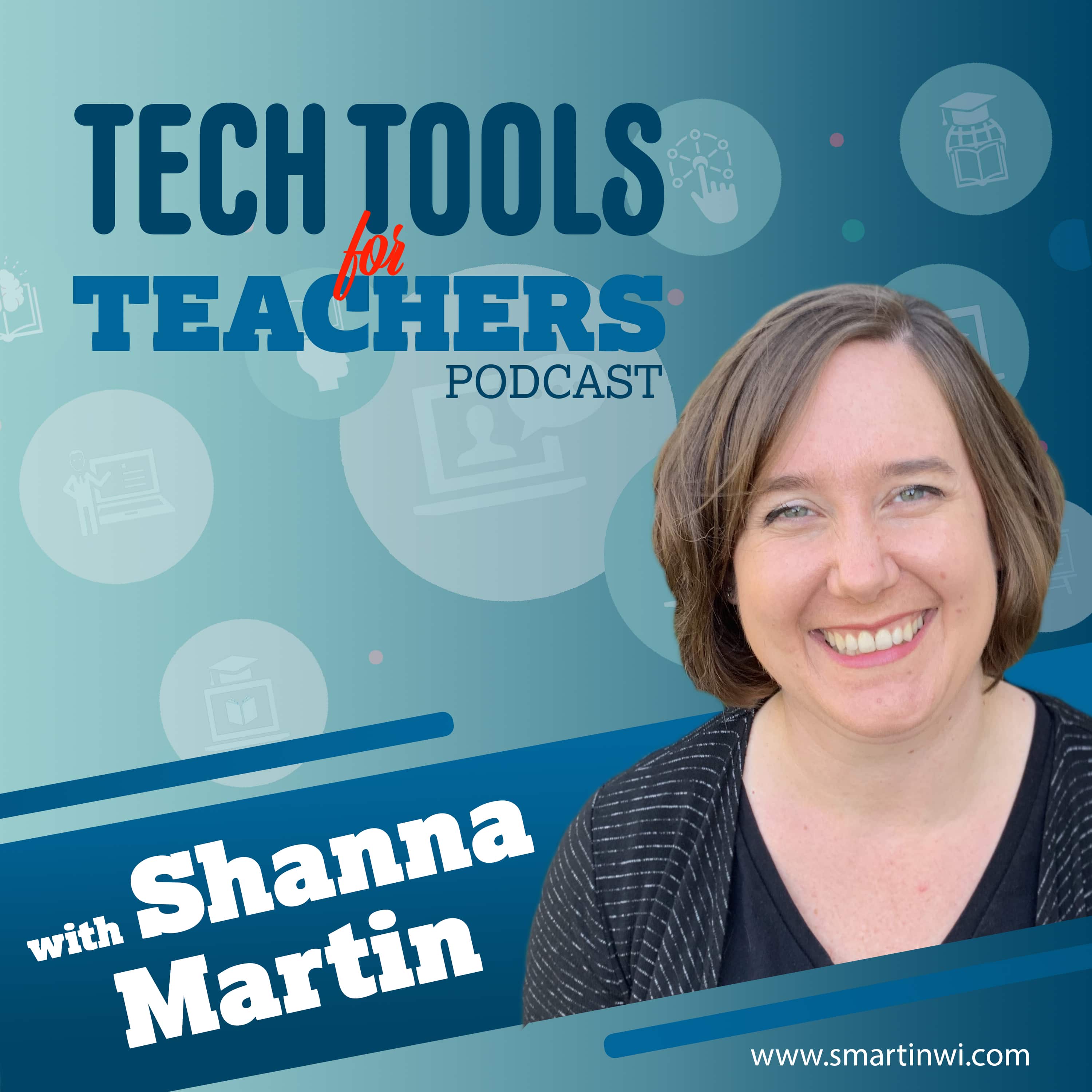
Tech Tools for Teachers
by Shanna Martin
The Tech Tools for Teachers Podcast is hosted by Shanna Martin, an instructional and technology coach focused on helping you find and understand free educational technology tools that you can use in your classroom. Free resources are available at smartinwi.com.This podcast uses the following third-party services for analysis: Podcorn - https://podcorn.com/privacyPodtrac - https://analytics.podtrac.com/privacy-policy-gdrp
-
200
Thank you for listening.
In the final episode of the Tech Tools for Teachers Podcast, Shanna and Fuzz reflect on eight seasons, 235 episodes, and how educational technology has changed since the show began in 2019. They discuss the shift from fun classroom websites to online learning, video tools, AI supports, and now a growing need to balance technology with unplugged time, outdoor learning, and hands-on experiences.For one final tech tool, Shanna shares 1,000 Hours Outside, a free resource that encourages families and students to track outdoor time throughout the year. The site offers printable trackers and simple ways to make outside time part of everyday life. Shanna also shares a district-wide outdoor bingo challenge designed to encourage students and families to unplug over the summer.The episode also revisits favorite tools from over the years, including Bouncy Balls, Blob Opera, Canva, Google Slides, Trello, Claude, and more. Most importantly, Shanna and Fuzz thank listeners for being part of the podcast and remind everyone that the resources will continue to live on at smartinwi.com.1,000 Hours OutsideBouncy BallsBlob OperaCanva for EducationGoogle SlidesTrelloClaudeThis podcast uses the following third-party services for analysis: Podcorn - https://podcorn.com/privacyPodtrac - https://analytics.podtrac.com/privacy-policy-gdrp
-
199
A Few of My Favorite Tech Tools
In Episode 234 of the Tech Tools for Teachers Podcast, Shanna shares the tools she uses the most in her own classroom and coaching work. After covering hundreds of websites over the years, these are the go-to resources that have become part of her regular teaching routine: Classroomscreen for classroom management, Google Slides for flexible design and student supports, Google Vids for directions and accessibility, Canva for polished classroom and student-created materials, Edutopia for quick professional learning, and Solution Tree resources for instructional support. Fuzz also shares his favorite past tool: Blob Opera.ClassroomscreenGoogle SlidesGoogle VidsCanva for EducationEdutopiaSolution TreeBlob OperaThis podcast uses the following third-party services for analysis: Podcorn - https://podcorn.com/privacyPodtrac - https://analytics.podtrac.com/privacy-policy-gdrp
-
198
Free Science Labs with LabXchange and Little Alchemy
In Episode 233 of the Tech Tools for Teachers Podcast, Shanna shares two free science resources for the classroom. LabXchange offers standards-aligned science simulations, case studies, teaching guides, videos, and virtual labs for high school and upper middle school students. Little Alchemy 2 gives younger students a fun way to explore combinations, elements, vocabulary, and problem-solving through a simple digital game. Both tools are great for extra practice, missed labs, enrichment, and summer learning.LabXchangeLittle Alchemy 2This podcast uses the following third-party services for analysis: Podcorn - https://podcorn.com/privacyPodtrac - https://analytics.podtrac.com/privacy-policy-gdrp
-
197
Boddle Learning for Skill Practice
In Episode 232 of the Tech Tools for Teachers Podcast, Shanna shares Boddle Learning, a game-based practice platform for K–6 students. Boddle supports math, ELA, and science practice with engaging characters, learning adventures, rewards, and teacher dashboards. Teachers can assign skills, track student progress, identify learning gaps, and use it for classroom practice or summer learning support.Boddle LearningThis podcast uses the following third-party services for analysis: Podcorn - https://podcorn.com/privacyPodtrac - https://analytics.podtrac.com/privacy-policy-gdrp
-
196
Chalkie AI for Fast, Teacher-Friendly Lessons
In Episode 231 of the Tech Tools for Teachers Podcast, we explore Chalkie AI, a teacher-focused AI tool that helps create single lessons, lesson series, activity sheets, and quick review resources. Shanna shares how Chalkie can save time when you need a fast sub plan, station activity, or ready-to-go lesson support. With grade-level adjustments, reading-level options, and classroom-friendly layouts, Chalkie is a practical tool for busy teachers looking to simplify planning without sacrificing quality.Chalkie AIThis podcast uses the following third-party services for analysis: Podcorn - https://podcorn.com/privacyPodtrac - https://analytics.podtrac.com/privacy-policy-gdrp
-
195
Three Free Tools to Help Students Practice for Testing Season
In Episode 230 of the Tech Tools for Teachers Podcast, we talk about three free resources to help students prepare for testing season. Shanna shares how Khan Academy, ACT.org, and eSpark can support students with standardized test content, online question formats, and digital testing skills. These tools are useful for in-class practice, family support at home, and helping students feel more confident as spring assessments begin.Khan Academy Test PrepACT.orgeSpark Learning ActivitiesThis podcast uses the following third-party services for analysis: Podcorn - https://podcorn.com/privacyPodtrac - https://analytics.podtrac.com/privacy-policy-gdrp
-
194
March Book Madness (Plus a Big Announcement)
In Episode 229, we share a big announcement: the Tech Tools for Teachers Podcast will pause after Episode 235 at the end of this school year.Then we dive into March Book Madness, a bracket-style reading competition started by two Ohio teachers that brings excitement and engagement to reading for picture books, middle grade, and young adult levels.We also revisit Epic, a digital reading platform free for teachers during the school day.If you’re looking to build reading energy this spring, this episode is for you.This podcast uses the following third-party services for analysis: Podcorn - https://podcorn.com/privacyPodtrac - https://analytics.podtrac.com/privacy-policy-gdrp
-
193
Going for Gold with Olympic Learning
The Olympics are here — and our middle schoolers are ALL IN. 🥇In this episode, we’re sharing two free, student-friendly websites that make it easy to connect the Olympic Games (and Paralympics!) to every content area.From researching athletes and debating who deserves the gold… to mapping host countries and learning world geography… these tools help students make real-world connections in meaningful ways.Even students who don’t normally follow sports are hooked!Featured Tools1. Team USAhttps://www.teamusa.comA fantastic resource for:Athlete bios and statisticsMedal counts and qualificationsOlympic and Paralympic informationEvent details and newsVideo highlightsMapping where athletes are from across the U.S.Students can:Research athletesCompare statisticsBuild arguments and presentationsExplore geography connectionsAnalyze data in mathLearn about training and competition pathwaysThis site makes research easy and engaging, with current and historical Olympic information all in one place.2. Kids World Travel Guidehttps://www.kids-world-travel-guide.comA kid-friendly global resource featuring:Countries of the worldMaps and visualsFun facts and quick-reference informationGeography, landmarks, traditions, and culturesOlympic host country information (including past Games)Trivia and quizzesStudents can:Research Olympic host countriesExplore continents and global geographyCompare countriesLearn about cultural celebrationsDive deeper into world knowledge sparked by Olympic coverageIt’s easy to navigate, visually appealing, and designed specifically for student use.Bonus MentionThe U.S. Olympic & Paralympic Museum in Colorado Springs is an immersive experience worth exploring — and their website offers additional background resources.Why It WorksWhen learning is tied to real-world events happening right now, engagement skyrockets. Students are asking questions like:Where is Kazakhstan?Why are events spread out across host regions?How do athletes qualify?Which athlete has the strongest stats?And those questions lead to research, writing, math, mapping, debate, and deeper understanding.The Olympics may last a few weeks — but the learning connections can last all year.If you have questions or want to share how you’re using these tools, connect with Shanna on Bluesky, Threads, Facebook, or Instagram @smartinwi.For links and resources from this episode, visit:smartinwi.comWant to support the show? You can buy Shanna a coffee at:buymeacoffee.com/smartinwiThis podcast uses the following third-party services for analysis: Podcorn - https://podcorn.com/privacyPodtrac - https://analytics.podtrac.com/privacy-policy-gdrp
-
192
Creative Brain Breaks for Cold Days
This week on the Tech Tools for Teachers Podcast, we’re tackling indoor recess and cold-weather creativity with two easy, no-friction tools.Tools FeaturedBoMoMo – Abstract art through motion and colorSketchpad (Sketch.io) – Simple digital drawing and design spaceWhy We Love ThemNo logins or setupWorks on Chromebooks, iPads, and laptopsGreat for brain breaks and creative resetsFlexible for multiple content areasBoMoMo: https://bomomo.comSketchpad: https://sketch.ioThis podcast uses the following third-party services for analysis: Podcorn - https://podcorn.com/privacyPodtrac - https://analytics.podtrac.com/privacy-policy-gdrp
-
191
National Geographic Kids
This week on the Tech Tools for Teachers Podcast, we’re taking a fresh look at National Geographic Kids and all the updates that make it an even better classroom resource.We talk about:Using Nat Geo Kids for bell ringers and quick researchQuizzes, games, puzzles, and “Weird But True” factsEasy-to-read articles with strong visualsConnections to science, social studies, geography, and current eventsWhy it works for elementary and middle school classrooms🔗 National Geographic Kids: https://kids.nationalgeographic.comThis podcast uses the following third-party services for analysis: Podcorn - https://podcorn.com/privacyPodtrac - https://analytics.podtrac.com/privacy-policy-gdrp
-
190
Starting 2026 Coding!
We're kicking off 2026 with two coding resources inspired by winter-break. This week, we feature Coddy.tech, a goal-based coding platform where students can choose a language (Python, JavaScript, HTML, and more) and a skill level, then follow a step-by-step learning path with built-in feedback and challenges. We also talk about projects.raspberrypi.org, a free project hub from the Raspberry Pi Foundation that offers Scratch, Python, AI, web dev, and more, all organized by student interests like nature, space, art, music, and science. Together, these tools support problem-solving, creativity, typing skills, and persistence through productive trial-and-error.This podcast uses the following third-party services for analysis: Podcorn - https://podcorn.com/privacyPodtrac - https://analytics.podtrac.com/privacy-policy-gdrp
-
189
Google Vids: Fast, Polished Videos for Student Projects
In Episode 224, Shanna highlights Google Vids, a video creation tool inside Google Workspace that makes it easy for students and teachers to create polished videos quickly. Students can convert existing Google Slides into videos, record their own voiceovers, and create engaging presentations in less time than traditional slide talks. Shanna shares classroom examples (like research projects), discusses differences between teacher and student account features, and explains how Vids supports creativity, accessibility, and AI prompting practice—making it a strong alternative as other video tools move behind paywalls.This podcast uses the following third-party services for analysis: Podcorn - https://podcorn.com/privacyPodtrac - https://analytics.podtrac.com/privacy-policy-gdrp
-
188
Creative Classroom Time-Savers with HelloKids.com
In Episode 223 of the Tech Tools for Teachers Podcast, Shanna shares HelloKids.com, a free site full of creative classroom-friendly activities—step-by-step drawing guides, crafts, origami, masks, online coloring pages, and even reading resources. It’s a great pick for upper elementary and middle school students during the busy stretch between Thanksgiving and winter break, and it fits easily into choice boards, enrichment time, or whole-class activities. Shanna also recommends Art Hub for Kids on YouTube for guided drawing tutorials that kids love.HelloKids: https://www.hellokids.com/Art Hub for Kids (YouTube): https://www.youtube.com/@ArtforKidsHubThis podcast uses the following third-party services for analysis: Podcorn - https://podcorn.com/privacyPodtrac - https://analytics.podtrac.com/privacy-policy-gdrp
-
187
Quick, Kid-Friendly Research with Ducksters
In Episode 222 of the Tech Tools for Teachers Podcast, Shanna revisits Ducksters, a kid-friendly research site that’s perfect for elementary and middle school learners. She shares how Ducksters supports history, biography, geography, and science research with short, accessible articles, built-in audio read-alouds, quick quizzes, and clearly cited sources. Learn how to use Ducksters for biography projects, content-area research, choice boards, and helping students build stronger online research skills—without sending them into the wilds of the internet.DuckstersThis podcast uses the following third-party services for analysis: Podcorn - https://podcorn.com/privacyPodtrac - https://analytics.podtrac.com/privacy-policy-gdrp
-
186
Exploring Science
In Episode 221, Shanna spotlights two free science gems you can use across grade levels. Science News Explores offers up-to-date articles with audio, Power Words vocabulary, explainers, experiments, comics, and STEM career spotlights. Exploratorium brings museum-quality activities to your classroom with “Science Snacks,” NGSS-tagged projects, and print-ready instructions for low-cost, hands-on learning.Science News ExploresExploratoriumRelated episodes: 31, 90, 105This podcast uses the following third-party services for analysis: Podcorn - https://podcorn.com/privacyPodtrac - https://analytics.podtrac.com/privacy-policy-gdrp
-
185
Civic Learning Made Easy
In Episode 220, Shanna shares two of her favorite civics education resources: iCivics.org, which offers free lessons, games, and simulations about government, and the Center for Civic Education, which provides state-specific and national resources for teachers and communities.iCivics.orgCenter for Civic Education This podcast uses the following third-party services for analysis: Podcorn - https://podcorn.com/privacyPodtrac - https://analytics.podtrac.com/privacy-policy-gdrp
-
184
Measure Up! Fun Tools for Teaching Measurement
In Episode 219, we explore fun and free tools to help students practice and understand measurement. Try RulerGame.netfor ruler and temperature games, Mr. Nussbaum Measurement Games for hands-on math challenges, and Marble Runfor creative problem-solving with shapes and space.RulerGame.netMr. Nussbaum Measurement GamesMarble RunRelated Episode: Episode 42 – Marble RunThis podcast uses the following third-party services for analysis: Podcorn - https://podcorn.com/privacyPodtrac - https://analytics.podtrac.com/privacy-policy-gdrp
-
183
Fun Poetry Resources for Your Classroom
In Episode 218, we highlight two great poetry resources for teachers. Explore ShelSilverstein.com for videos, activities, and lesson ideas tied to Silverstein’s classic books, and Poetry4Kids.com for funny poems, a rhyming dictionary, writing lessons, and audio recordings. Both sites are fantastic for making poetry engaging and accessible for students.Shel Silverstein Official SitePoetry4KidsRelated Episodes: Episode 78 | Episode 114This podcast uses the following third-party services for analysis: Podcorn - https://podcorn.com/privacyPodtrac - https://analytics.podtrac.com/privacy-policy-gdrp
-
182
Pixar in a Box
In Episode 217, we dive into Pixar in a Box, a free collaboration between Pixar and Khan Academy that blends storytelling, math, computer science, and design. Explore educator guides, standards-aligned lessons, and interactive activities that help students understand how real animation pipelines work—from virtual cameras and rigging to lighting and rendering.Pixar in a Box (Pixar overview)Pixar in a Box (Khan Academy course)Throwback: Episode 32 This podcast uses the following third-party services for analysis: Podcorn - https://podcorn.com/privacyPodtrac - https://analytics.podtrac.com/privacy-policy-gdrp
-
181
Beans, Rice, and Learning Twice
In Episode 216, we highlight two fun content review sites that also support charitable causes. Students can practice math, vocabulary, science, and more with BeanBeanBean while donating to U.S. food banks, or try Free Rice, which donates through the UN World Food Programme. Great for choice boards, stations, or quick classroom competitions!BeanBeanBeanFree RiceThis podcast uses the following third-party services for analysis: Podcorn - https://podcorn.com/privacyPodtrac - https://analytics.podtrac.com/privacy-policy-gdrp
-
180
Working Smarter with Khanmigo
In Episode 215, we dig into Khanmigo, Khan Academy’s free AI toolkit for teachers. Generate lesson hooks, chunk texts, build quizzes, write newsletters (with translation), create Blooket sets, review class snapshots, and adapt materials for UDL—all in one place and connected to your Khan Academy classes.KhanmigoKhan Academy Teacher ToolsThis podcast uses the following third-party services for analysis: Podcorn - https://podcorn.com/privacyPodtrac - https://analytics.podtrac.com/privacy-policy-gdrp
-
179
Hide & Seek World: Geography & Problem Solving
In Episode 214, we explore Hide & Seek World, a fun, interactive geography tool. Students use context clues and detailed visuals to identify global locations, boosting their observation skills, map knowledge, and problem-solving abilities.Hide & Seek WorldThis podcast uses the following third-party services for analysis: Podcorn - https://podcorn.com/privacyPodtrac - https://analytics.podtrac.com/privacy-policy-gdrp
-
178
Brain Breaks and Mindfulness Tools for the End of the School Year
Episode 213 introduces fun and mindful brain break tools perfect for end-of-year restlessness. Discover Pixel Thoughts for quick mindfulness, Patatap for interactive creativity, and Thisissand for calming digital sand art.Pixel ThoughtsPatatapThis is sandThis podcast uses the following third-party services for analysis: Podcorn - https://podcorn.com/privacyPodtrac - https://analytics.podtrac.com/privacy-policy-gdrp
-
177
Fun and Easy Educational Activities with Digipuzzle
In Episode 212, we're diving into Digipuzzle.net, a fantastic platform featuring educational games and puzzles for elementary and middle school students. Discover the huge variety of engaging activities perfect for learning reinforcement, summer practice, or fun brain breaks.DigipuzzleThis podcast uses the following third-party services for analysis: Podcorn - https://podcorn.com/privacyPodtrac - https://analytics.podtrac.com/privacy-policy-gdrp
-
176
Science Resources & Innovation Opportunities for Your Classroom
In Episode 211, we dive into Science News Explores, a comprehensive resource packed with student-friendly science articles, engaging experiments, and STEM career connections. We also briefly touch on Technovation, a fantastic tool to inspire innovation and technology exploration in your classroom.Science News ExploresTechnovationThis podcast uses the following third-party services for analysis: Podcorn - https://podcorn.com/privacyPodtrac - https://analytics.podtrac.com/privacy-policy-gdrp
-
175
Google's Talking Tours
Episode 210 features Google Arts & Culture's Talking Tours, a captivating virtual platform perfect for exploring global destinations. Learn how to use these interactive tours to enrich research projects, spark curiosity, and bring diverse global cultures into your classroom.Google Arts & Culture: Talking ToursThis podcast uses the following third-party services for analysis: Podcorn - https://podcorn.com/privacyPodtrac - https://analytics.podtrac.com/privacy-policy-gdrp
-
174
Interactive History Lessons with Mission US
Episode 209 is here, and we're exploring Mission US, a dynamic platform where students interactively experience significant moments from American history. Discover how flexible, vocabulary-rich, and deeply engaging these missions are, sparking valuable discussions for your middle and high school classrooms.Mission USThis podcast uses the following third-party services for analysis: Podcorn - https://podcorn.com/privacyPodtrac - https://analytics.podtrac.com/privacy-policy-gdrp
-
173
Baamboozle & Beyond!
In this episode, we're boosting classroom energy with the game-based platforms Baamboozle and Blooket! Discover how Baamboozle's teacher-created games can be easily integrated into any content area for both whole-class and independent activities. We also cover exciting new updates from Blooket, including its connection to Khan Academy, the thrilling Laser Tag game mode, and a fresh new look!BaamboozleBlooketThis podcast uses the following third-party services for analysis: Podcorn - https://podcorn.com/privacyPodtrac - https://analytics.podtrac.com/privacy-policy-gdrp
-
172
SchoolAI.com: Great Time Saving Tool!
This week on Tech Tools for Teachers podcast (Episode 207), we're shining the spotlight on SchoolAI.com, a helpful AI platform that's quickly becoming a new favorite at all grade levels! It's also a helpful tool to save you some time as we head into the end of the year chaos! 😃https://schoolai.com/This podcast uses the following third-party services for analysis: Podcorn - https://podcorn.com/privacyPodtrac - https://analytics.podtrac.com/privacy-policy-gdrp
-
171
Gamma.app Presentations!
Hey Everyone! On this week's Tech Tools for Teachers podcast (Episode 206), we chat about a helpful, timesaving tool, Gamma.app! This AI-powered platform helps you create stunning visual content in minutes, not hours. Whether you're prepping for tomorrow's lesson or need a quick visual for a classroom concept, Gamma has it all!https://smartinwi.comhttps://gamma.appThis podcast uses the following third-party services for analysis: Podcorn - https://podcorn.com/privacyPodtrac - https://analytics.podtrac.com/privacy-policy-gdrp
-
170
NCES Kids' Zone - Making Math Fun & Accessible
In today's episode, we're exploring an amazing (and free!) math resource that's helpful for students, teachers, and families engage with math! The National Center for Education Statistics (NCES) Kids' Zone is full of interactive math tools that deserves a spot in every educator's digital toolbox.NCES KidsThis podcast uses the following third-party services for analysis: Podcorn - https://podcorn.com/privacyPodtrac - https://analytics.podtrac.com/privacy-policy-gdrp
-
169
Educational One Pagers for Professional Development
Looking for a fresh way to boost your teaching toolkit? In mini Episode 204 of the Tech Tools for Teachers Podcast, we're highlighting a quick set of educational professional development tools by Jamie Clark! Think of these digital posters as your PD companions. Whether you're a new teacher finding your feet or a seasoned pro looking to stay sharp, these one-pagers pack a powerful punch in professional learning.https://www.jamieleeclark.com/https://smartinwi.comThis podcast uses the following third-party services for analysis: Podcorn - https://podcorn.com/privacyPodtrac - https://analytics.podtrac.com/privacy-policy-gdrp
-
168
Typing Time
This week on Tech Tools for Teachers, I’m sharing two fantastic resources for improving typing skills: How-to-Type.com and Keybr.com! These simple yet effective tools help students build proper technique without the distractions of games. Whether they’re practicing individual characters, full sentences, or timed tests, these platforms make it easy to integrate typing into any subject area. Plus, they’re user-friendly and work well for students in 3rd grade and up. If you’re looking for a straightforward way to boost typing proficiency in your classroom, check them out! Links referenced in this episode:how-to-type.comkeybr.comsmartinwi.combuymeacoffee.com/smartinwiThis podcast uses the following third-party services for analysis: Podcorn - https://podcorn.com/privacyPodtrac - https://analytics.podtrac.com/privacy-policy-gdrp
-
167
Designing Dream Parks! 🎡
This week, we dive into the exciting world of amusement parks, showcasing two innovative websites that can be utilized for educational purposes in the classroom. We explore how these tools can help students engage in inquiry-based learning by designing their own amusement parks, integrating planning, mapping, and problem-solving skills into the project. The first site discussed is education.iconograms.com, which allows students to create and customize amusement park maps, incorporating various elements like buildings, roads, and attractions. The second site, themeparkbrochures.net, offers a treasure trove of historical park maps and brochures, providing a unique way to teach mapping skills and explore the evolution of amusement parks over time. Throughout the episode, we explore the fun and creativity these tools bring to learning, encouraging teachers to integrate them into their lessons for an engaging classroom experience.Takeaways: The episode highlights two educational sites designed for students to create and map amusement parks. Teachers can incorporate creativity and problem-solving by allowing students to design their own parks. Using digital tools for planning helps students learn essential mapping and design skills. The discussion includes a personal backstory about amusement parks, enhancing relatability and engagement. Listeners are encouraged to explore theme park maps from past decades to learn mapping skills. The episode emphasizes the importance of integrating fun activities in the classroom to maintain student interest. This podcast uses the following third-party services for analysis: Podcorn - https://podcorn.com/privacyPodtrac - https://analytics.podtrac.com/privacy-policy-gdrp
-
166
Making Language Learning Accessible with Colorin Colorado
This week, Shanna and Fuzz explore the invaluable resources available on Colorin Colorado, a website dedicated to supporting English learners in the classroom. They highlight the site's wealth of tools designed for teachers, parents, and administrators, making it easier to meet the diverse needs of students learning English. Listeners will learn about key features such as grade-level support, bilingual resources for families, and a comprehensive resource library filled with books, articles, and videos. Shanna emphasizes the importance of these tools for fostering an inclusive learning environment, especially for new teachers or those welcoming English learners into their classrooms. Tune in for practical insights and tips on effectively utilizing Colorin Colorado to enhance student learning and engagement.Takeaways: Colorin Colorado is an excellent resource for teachers supporting English learners in the classroom. The website offers invaluable parent resources available in both English and Spanish to assist families. Teachers can access a robust library of professional development materials and resources for various audiences. The site provides tools to help teachers sort resources by audience, enhancing usability and accessibility. New teachers can benefit from guides on teaching English learners and classroom vocabulary in Spanish. Colorin Colorado features articles, videos, and tips for effectively supporting English language learners. Links referenced in this episode:colorincolorado.comsmartinwi.combuymeacoffee.com/smartinwiThis podcast uses the following third-party services for analysis: Podcorn - https://podcorn.com/privacyPodtrac - https://analytics.podtrac.com/privacy-policy-gdrp
-
165
EPISODE 200! Tech Tools for Teachers Celebrates a Milestone! 🎉
What an incredible journey it's been! We are so excited to celebrate our 200th episode of Tech Tools for Teachers by taking a nostalgic trip back to where it all started. Six years ago, our very first episode (at the kitchen counter) featured two amazing educational tools - Padlet and Google Keep. Let's revisit these awesome tools and see why they're still classroom favorites!To our amazing community of educators and ed-tech enthusiasts - THANK YOU! Your support, feedback, and enthusiasm have made these 200 episodes possible. We couldn't have reached this milestone without our incredible listeners who share our passion for bringing innovative technology into education.https://padlet.comhttps://keep.google.comThis podcast uses the following third-party services for analysis: Podcorn - https://podcorn.com/privacyPodtrac - https://analytics.podtrac.com/privacy-policy-gdrp
-
164
Elfster Makes Holiday Gifting Fun and Easy!
Shanna and Fuzz dive into the fun and easy world of gift exchanges with a tool called Elfster. This platform streamlines the process of organizing gift swaps, making it a breeze to set up events and create wish lists. Whether it’s for the holidays, birthdays, or any special occasion, Elfster eliminates the stress of coordination by allowing participants to easily share their gift preferences. Shanna highlights how it can be a game-changer for teachers, helping them manage gift exchanges without adding to their already packed to-do lists. They also discuss the flexibility of the platform, which can be used for various types of exchanges beyond just holiday gifting, making it a versatile tool for anyone looking to celebrate with friends, family, or colleagues.Takeaways: Elfster is a user-friendly platform that simplifies organizing gift exchanges for any occasion. The tool allows participants to create wish lists, making it easier for gift givers. It's free to use and takes only minutes to set up a gift exchange. Elfster helps eliminate the stress of coordinating gift exchanges among friends or colleagues. You can use Elfster beyond the holidays for events like Teacher Appreciation Week or birthdays. Participants receive notifications when their gift recipients update their wish lists in real-time. Links referenced in this episode:elfster.combuymeacoffee.com/smartinwismartinwi.comThis podcast uses the following third-party services for analysis: Podcorn - https://podcorn.com/privacyPodtrac - https://analytics.podtrac.com/privacy-policy-gdrp
-
163
Corgi and Hour of Code!
Hey, educators! Episode 199 has a few fun tools that will help supercharge your classroom toolkit! This week, we are highlighting Corgi! It does have cute pup for a logo, but really it is here to help you co-organize your learning. Developed by CAST, the Universal Design for Learning experts, Corgi is about to become your new best friend in educational technology. Corgi is an innovative tool from CAST designed to support Universal Design for Learning (UDL) in the classroom.Takeaways: The Corgi tool from CAST is designed to support Universal Design for Learning (UDL) principles. Corgi helps educators create personalized graphic organizers to facilitate student learning effectively. Hour of Code is celebrated annually to promote computer science education and engagement in schools. Teachers can utilize Corgi's features to provide accessibility options for diverse student needs. Interactive guides within Corgi allow students to engage with content through various formats. The podcast emphasizes the importance of integrating technology tools like Corgi into lesson plans. Links referenced in this episode:corgi2.cast.orghour of codeThis podcast uses the following third-party services for analysis: Podcorn - https://podcorn.com/privacyPodtrac - https://analytics.podtrac.com/privacy-policy-gdrp
-
162
Unlock Your Creativity with Musical Canvas and GenType!
Get ready to transform your classroom into a hub of creative expression! In our latest episode of Tech Tools for Teachers, we chat about two fun applications that will be engaging for you and your students - Musical Canvas and GenType. #EdTech #TeachingTools #CreativeEducation #DigitalLearning #StudentEngagementLast Takeaways: Musical Canvas allows students to create digital art that generates music based on their creations. GenType provides a unique way for students to design custom fonts for their projects. Both tools encourage creativity and can be integrated into various classroom activities and presentations. Using Musical Canvas and GenType can enhance student engagement by making learning more interactive and fun. These tools help students present information in creative ways, improving their understanding and retention. Incorporating AI-based tools like these into lessons can inspire students to explore new forms of expression. Links referenced in this episode:labs.google/gentypeartsandculture.google.comThis podcast uses the following third-party services for analysis: Podcorn - https://podcorn.com/privacyPodtrac - https://analytics.podtrac.com/privacy-policy-gdrp
-
161
Using Perplexity AI to Boost Student Inquiry
Hey Everyone! Ready to supercharge your students' research skills? Let's talk about Perplexity AI, the research-changing tech tool that is super engaging and easy to use ! 🌟 Perplexity AI helps students by turning information-gathering into an engaging, interactive experience and is a great way to practice writing good questions.Takeaways: Perplexity AI is an engaging tool that aids students in developing effective questioning skills. Using Perplexity, students can access organized resources, articles, videos, and images for research. Teachers can incorporate Perplexity AI in lessons to promote media literacy among students. The tool provides real-time information and cites all sources used for its answers. Perplexity AI helps students navigate overwhelming information by breaking it down clearly. With a free version allowing three searches a day, it's accessible for classroom use. Links referenced in this episode:perplexity.aismartinwi.combuymeacoffee.com/smartinwiThis podcast uses the following third-party services for analysis: Podcorn - https://podcorn.com/privacyPodtrac - https://analytics.podtrac.com/privacy-policy-gdrp
-
160
Clusive: Elevating Reading Accessibility
This week, we dive into Clusive, an innovative reading tool designed with Universal Design for Learning (UDL) principles in mind. Clusive is an inclusive platform that provides personalized reading resources tailored to the needs of all students, making it easier for educators to support diverse learners in their classrooms. The tool offers a variety of settings for text size, font styles, and background colors, ensuring accessibility for students with different learning needs. Additionally, Clusive allows teachers to track student progress and engagement while providing a wealth of reading materials that can be leveled according to individual abilities. Join us as we explore how Clusive can transform reading experiences for students and streamline lesson planning for teachers.Elevate Reading Accessibility with Clusive: Your All-in-One UDL Reading PlatformTakeaways: The Clusive platform provides a wealth of resources designed to meet diverse student needs. Teachers can easily track student progress and engagement through the Clusive dashboard features. Clusive allows for customizable reading experiences by adjusting text size, font, and background color. The tool supports inclusivity by offering various reading levels and text adaptations. Students can reflect on their reading experiences through emotional responses after each article. Clusive is free to use, making it accessible for teachers and students alike. Links referenced in this episode:clusive.cast.orgThis podcast uses the following third-party services for analysis: Podcorn - https://podcorn.com/privacyPodtrac - https://analytics.podtrac.com/privacy-policy-gdrp
-
159
Art Made Easy: How Kleki and AutoDraw Can Enhance Student Creativity
This week, we explore digital art tools that can enhance creativity and engagement in the classroom, focusing on Kleki and AutoDraw. Kleki is a user-friendly drawing site that allows students to easily create and download their artwork without the need for sign-ins, making it accessible for various age groups. It provides intuitive tools for layering, coloring, and shaping, which can be beneficial for teaching digital art principles. On the other hand, AutoDraw combines AI technology with artistic creation, helping students who may struggle with drawing by offering suggestions and quick options for their designs. Join us as we discuss how these tools can be integrated into lessons, encourage artistic expression, and support learning across subjects.Takeaways: Kleki is a free digital art tool that requires no sign-in, making it easy for students to use immediately. Autodraw provides a unique AI feature that helps students create art quickly and easily, reducing frustration. Both Kleki and Autodraw offer intuitive interfaces that are suitable for students in fourth grade and above. Kleki allows students to download their artwork in various formats, including PNG and PSD files. Autodraw can aid students who struggle with drawing, giving them confidence to express their creativity. Using digital art tools in the classroom can enhance students' engagement and facilitate learning across subjects. Links referenced in this episode:kleki.comautodraw.comsmartinwi.combuymeacoffee.com/smartinwiThis podcast uses the following third-party services for analysis: Podcorn - https://podcorn.com/privacyPodtrac - https://analytics.podtrac.com/privacy-policy-gdrp
-
158
Wild About Learning: The National Wildlife Federation
Explore the National Wildlife Federation website and discover a wealth of resources that can be seamlessly integrated into your classroom. This episode highlights the educational tools available on the site, catering to students of all ages and making research engaging and accessible. Shanna Martin shares her top picks, including a wildlife guide and resources for families, ensuring that both teachers and students can benefit from these materials. The conversation also touches on the ease of navigation and the variety of topics covered, from endangered species to climate change. Join us as we delve into how these tools can enhance learning and foster a love for wildlife among students.Takeaways: The National Wildlife Federation website offers a wealth of educational resources for teachers. Students can easily navigate the wildlife guide to find information about endangered species. The site provides family-friendly resources that can be shared in classroom newsletters. Using the National Wildlife Federation can enhance research projects about conservation topics. Ranger Rick’s digital content offers engaging ways for kids to learn about wildlife. The website features a variety of tools for educators to connect nature and learning. Links referenced in this episode:nwf.orgThis podcast uses the following third-party services for analysis: Podcorn - https://podcorn.com/privacyPodtrac - https://analytics.podtrac.com/privacy-policy-gdrp
-
157
Timeline Magic: 5 Reasons to Love Time Graphics in the Classroom
Time Graphics is a powerful timeline generator that allows students to creatively share their knowledge across various subjects, particularly social studies. This tool stands out for its ease of navigation, making it accessible for both teachers and students alike. Listeners will discover five key features that make Time Graphics a valuable addition to any classroom: the intuitive interface, a wide array of tools for building timelines, the ability to upload personal images and information, multiple download formats, and straightforward sharing options. Whether students are working on personal narratives, historical events, or scientific discoveries, Time Graphics offers the flexibility to enhance their projects visually and interactively. Tune in to learn how this tool can streamline timeline creation and enrich classroom presentations.Takeaways: Time Graphics is an intuitive timeline generator that simplifies creating visual aids for classrooms. The tool allows users to upload personal images and information for customized timelines. Teachers can download timelines in multiple formats, making them versatile for different uses. This timeline tool is particularly useful for social studies projects and personal narratives. Time Graphics integrates seamlessly with Google Drive, enhancing its functionality for students. Creating timelines collaboratively in class can visually aid students' understanding of chronological order. Links referenced in this episode:time.graphicssmartandwi.combuymeacoffee.com/smartnwiThis podcast uses the following third-party services for analysis: Podcorn - https://podcorn.com/privacyPodtrac - https://analytics.podtrac.com/privacy-policy-gdrp
-
156
U.S. National Park Service
In our latest Tech Tools for Teachers Podcast Episode 192, we explore a valuable resource for educators across all content areas: the National Park Service website (nps.gov). While many might think this site is just for planning vacations, it offers a wealth of educational content that can enhance your classroom experience. NPS.gov Homepage (U.S. National Park Service)Find all of the tools we've discussed in the EdTech Directory: https://smartinwi.com/edtech-directory/ Get in touch: https://smartinwi.comhttps://www.twitter.com/smartinwihttps://www.threads.net/@smartinwihttps://www.facebook.com/[email protected]©2018-2023 Snoring Dog Media, LLC. All rights reserved. This podcast uses the following third-party services for analysis: Podcorn - https://podcorn.com/privacyPodtrac - https://analytics.podtrac.com/privacy-policy-gdrp
-
155
AI-Powered Quiz Tools
Episode 191 is here! This week, we're exploring innovative AI tools designed to create quizzes and practice materials quickly and efficiently. Today, we're highlighting two fantastic AI-powered quiz creators: QuizGecko and QuestionWell. These tools are perfect for generating additional practice materials for your students. Quizgecko | AI Question Generator | Make a TestQuestionWellFind all of the tools we've discussed in the EdTech Directory: https://smartinwi.com/edtech-directory/ Get in touch: https://smartinwi.comhttps://www.twitter.com/smartinwihttps://www.threads.net/@smartinwihttps://www.facebook.com/[email protected]©2018-2023 Snoring Dog Media, LLC. All rights reserved. This podcast uses the following third-party services for analysis: Podcorn - https://podcorn.com/privacyPodtrac - https://analytics.podtrac.com/privacy-policy-gdrp
-
154
Quick Tools for Classroom Management
Welcome back to the Tech Tools for Teachers Podcast! It's Season 7, Episode 190, and today we're diving into two awesome classroom management tools that'll make your teaching life easier and your students' learning experience more engaging. Let's spotlight BouncingBalls.org and Gynzy's Group Maker!Gynzy - Group MakerBouncy Balls – Manage classroom noise with bouncing balls!Find all of the tools we've discussed in the EdTech Directory: https://smartinwi.com/edtech-directory/ Get in touch: https://smartinwi.comhttps://www.twitter.com/smartinwihttps://www.threads.net/@smartinwihttps://www.facebook.com/[email protected]©2018-2023 Snoring Dog Media, LLC. All rights reserved. This podcast uses the following third-party services for analysis: Podcorn - https://podcorn.com/privacyPodtrac - https://analytics.podtrac.com/privacy-policy-gdrp
-
153
Ludia - A UDL Superhero
Hello EdTech friends. We're back. Season 7. Episode 189. We're kicking off the new season with a tool that my team thought was a game changer during summer PD - Ludia. It's a chatbot that makes Universal Design for Learning (UDL) a breeze. This podcast uses the following third-party services for analysis: Podcorn - https://podcorn.com/privacyPodtrac - https://analytics.podtrac.com/privacy-policy-gdrp
-
152
Summer Vibes & Emotional Smarts: Two Cool SEL Tools for Educators
Hey awesome educators! Hope you're having a great summer. Ready to ride the wave of social-emotional learning? We've got two fantastic SEL tools to check out now and try out this coming school year:YouHue: Emoji-tional JournalingEmotion Motion Podcast: Feelings on the AirwavesFind all of the tools we've discussed in the EdTech Directory: https://smartinwi.com/edtech-directory/ Get in touch: https://smartinwi.comhttps://www.twitter.com/smartinwihttps://www.threads.net/@smartinwihttps://www.facebook.com/[email protected]©2018-2023 Snoring Dog Media, LLC. All rights reserved. This podcast uses the following third-party services for analysis: Podcorn - https://podcorn.com/privacyPodtrac - https://analytics.podtrac.com/privacy-policy-gdrp
-
151
Three Fun Labs.Google Experiments You'll Want to Use This Summer Break!
Hey, tech-savvy educators! Are you ready to spice up your summer with a dash of AI-powered fun? In the sizzling season finale of the Tech Tools for Teachers Podcast, we're dishing out three fantastic tools straight from Google's experimental kitchen – prepare to be delightfully surprised!Say What You See — Google Arts & CulturePoem Postcards — Google Arts & CultureFood Mood — Google Arts & CultureFind all of the tools we've discussed in the EdTech Directory: https://smartinwi.com/edtech-directory/ Get in touch: https://smartinwi.comhttps://www.twitter.com/smartinwihttps://www.threads.net/@smartinwihttps://www.facebook.com/[email protected]©2018-2023 Snoring Dog Media, LLC. All rights reserved. This podcast uses the following third-party services for analysis: Podcorn - https://podcorn.com/privacyPodtrac - https://analytics.podtrac.com/privacy-policy-gdrp
We're indexing this podcast's transcripts for the first time — this can take a minute or two. We'll show results as soon as they're ready.
No matches for "" in this podcast's transcripts.
No topics indexed yet for this podcast.
Loading reviews...
ABOUT THIS SHOW
The Tech Tools for Teachers Podcast is hosted by Shanna Martin, an instructional and technology coach focused on helping you find and understand free educational technology tools that you can use in your classroom. Free resources are available at smartinwi.com.This podcast uses the following third-party services for analysis: Podcorn - https://podcorn.com/privacyPodtrac - https://analytics.podtrac.com/privacy-policy-gdrp
HOSTED BY
Shanna Martin
Loading similar podcasts...
Frequently Asked Questions
How many episodes does Tech Tools for Teachers have?
Tech Tools for Teachers currently has 50 episodes available on PodParley. New episodes are automatically indexed when they're published to the podcast feed.
What is Tech Tools for Teachers about?
The Tech Tools for Teachers Podcast is hosted by Shanna Martin, an instructional and technology coach focused on helping you find and understand free educational technology tools that you can use in your classroom. Free resources are available at smartinwi.com.This podcast uses the following...
How often does Tech Tools for Teachers release new episodes?
Tech Tools for Teachers has 50 episodes. Check the episode list to see recent publication dates and frequency.
Where can I listen to Tech Tools for Teachers?
You can listen to Tech Tools for Teachers on PodParley by clicking any episode. We provide an embedded audio player for direct listening, and you can also subscribe via your preferred podcast app using the RSS feed.
Who hosts Tech Tools for Teachers?
Tech Tools for Teachers is created and hosted by Shanna Martin.
URL copied to clipboard!