
PODCAST · technology
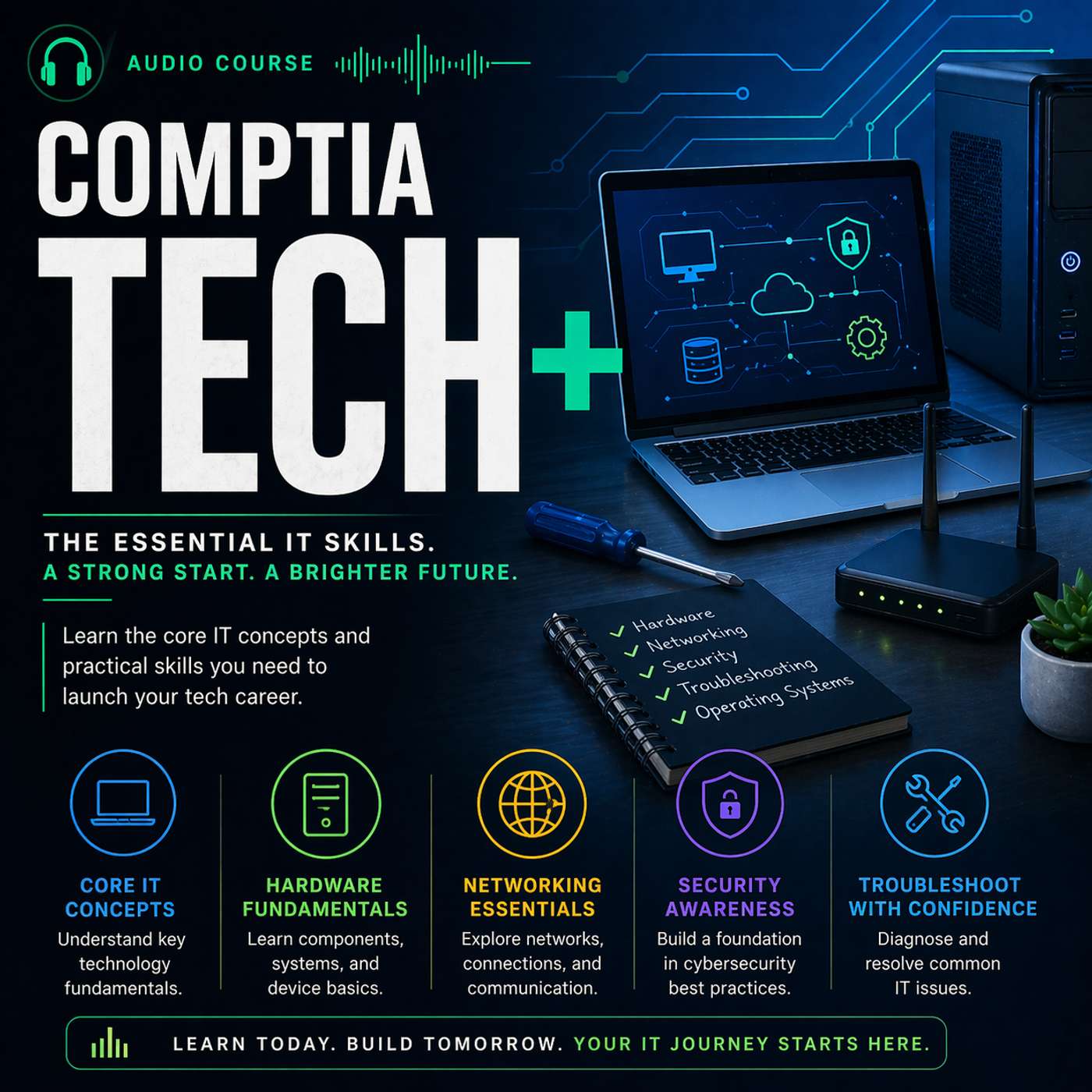
Certified - CompTIA Tech+ Audio Course
by Jason Edwards
The Tech+ Audio Course is your complete, on-demand study companion for mastering the CompTIA Tech+ (FC0-U71) certification exam. Designed for those beginning their journey into information technology, it guides you step by step through every domain and objective of the official exam blueprint. Each episode transforms complex IT concepts into clear, relatable lessons filled with practical examples, definitions, and real-world applications. Whether you’re learning about hardware components, software fundamentals, networking basics, or troubleshooting procedures, you’ll gain the understanding and confidence to apply these skills immediately. Perfect for learners balancing study with work or school, this Audio Course delivers focused, high-quality instruction you can absorb anytime, anywhere.The CompTIA Tech+ certification is the ideal starting point for anyone pursuing a career in IT support, networking, or cybersecurity. It validates foundational knowledge across key areas including co
-
59
-
58
Episode 58: Wireless Security Settings: SSID, WPA2, and WPA3
This episode covers the essential security settings for configuring a small wireless network. We explain how to change the default SSID, set strong passwords, and choose between encryption standards such as WPA2 and WPA3. You will learn the differences between open, pre-shared key, and enterprise-level authentication options.We also provide real-world examples, such as securing a home network from unauthorized access or configuring a business Wi-Fi environment to protect sensitive data. These practices not only help meet exam objectives but also reflect the core principles of maintaining a secure wireless infrastructure. Produced by BareMetalCyber.com, where you’ll find more cyber prepcasts, books, and information to strengthen your certification path.
-
57
Episode 57: Encryption Use Cases: Data at Rest vs. Data in Transit
This episode explains how encryption protects data in two primary states—when stored (data at rest) and when moving across networks (data in transit). We define plaintext and ciphertext, along with encryption methods for securing files, disks, mobile devices, emails, and web traffic. Understanding these concepts is vital for identifying when and how encryption should be applied.We provide practical examples such as encrypting a laptop hard drive to protect against theft or using a VPN to secure communications over public Wi-Fi. These scenarios show how encryption supports confidentiality and compliance, both in the workplace and on the exam. Produced by BareMetalCyber.com, where you’ll find more cyber prepcasts, books, and information to strengthen your certification path.
-
56
Episode 56: Password Management: Complexity, Rotation, and Managers
This episode examines best practices for creating and managing secure passwords. We explain why password length, complexity, and uniqueness are essential to reducing the risk of compromise. You will learn how to implement policies for password history, expiration, and avoiding reuse across different accounts. These guidelines help maintain system security and are directly reflected in the exam objectives.We also explore the use of password managers for secure storage and generation, as well as the importance of changing default usernames and passwords on new devices. Examples include enforcing complex password requirements in an organization or using a manager to handle unique credentials for multiple services. Produced by BareMetalCyber.com, where you’ll find more cyber prepcasts, books, and information to strengthen your certification path.
-
55
Episode 55: Safe Browsing: Certificates, Sites, and AI Risks
This episode focuses on safe browsing practices to protect user data and system integrity. We explain how to verify website security using valid certificates, recognize potentially malicious sites, and configure browser settings for safer operation. Privacy considerations include managing cookies, limiting personal information shared online, and understanding how AI-generated content can introduce risks.We also discuss examples such as avoiding insecure public Wi-Fi for sensitive transactions, using HTTPS for secure communications, and enabling browser protections to block harmful content. These practices align closely with exam objectives on security awareness and online safety. Produced by BareMetalCyber.com, where you’ll find more cyber prepcasts, books, and information to strengthen your certification path.
-
54
Episode 54: Software Practices: Licensing, Sources, and Updates
This episode covers the best practices for managing software, from verifying licensing compliance to ensuring secure sourcing and regular updates. We explain the differences between open source, proprietary, subscription, and perpetual licenses, along with the importance of product keys and serial numbers.We also emphasize downloading software from trusted sources, such as OEM websites or verified app stores, to reduce security risks. Examples include validating application integrity before deployment and ensuring updates are applied without disrupting operations. Produced by BareMetalCyber.com, where you’ll find more cyber prepcasts, books, and information to strengthen your certification path.
-
53
Episode 53: Device Security: Phishing, Malware, and Hardening
This episode addresses key strategies for securing devices against common threats. We cover security awareness measures, such as recognizing phishing attempts, and the importance of anti-malware tools, firewalls, and regular patching. You will learn how to implement physical protections like cable and USB locks, as well as software-based safeguards.We also discuss device hardening, which involves disabling unnecessary services, securing default settings, and applying vendor updates. Examples highlight securing both mobile devices and workstations in environments where users handle sensitive data. Produced by BareMetalCyber.com, where you’ll find more cyber prepcasts, books, and information to strengthen your certification path.
-
52
Episode 52: Authentication and Authorization: Models and Logging
This episode focuses on the processes of authentication and authorization, explaining how they verify identity and determine permissions. We outline common authentication methods, from single-factor to multifactor, and introduce models such as least privilege and role-based access control. You will also learn how proper logging supports accounting and auditing functions.Real-world examples include setting different access permissions for administrators and users, implementing single sign-on for efficiency, and reviewing log files to identify suspicious activity. These concepts are directly tested in the exam and are vital for secure system administration. Produced by BareMetalCyber.com, where you’ll find more cyber prepcasts, books, and information to strengthen your certification path.
-
51
Episode 51: Security Concepts: CIA, Privacy, and Frameworks
This episode explores the foundational concepts of information security, beginning with the CIA triad—confidentiality, integrity, and availability. We explain how each principle guides security decisions and policies, from controlling access to ensuring data accuracy and maintaining system uptime. You will also learn about privacy considerations, such as protecting personally identifiable information and complying with regulations like GDPR.We further discuss authentication, authorization, accounting, and non-repudiation, detailing how these elements work together in secure systems. Examples include using multifactor authentication to strengthen access control or implementing logging to track system activity. Understanding these concepts is critical for both exam success and applying security measures effectively in real environments. Produced by BareMetalCyber.com, where you’ll find more cyber prepcasts, books, and information to strengthen your certification path.
-
50
Episode 50: Security: Domain Overview
This episode introduces the Security domain, which covers essential principles, best practices, and protective technologies for safeguarding systems and information. You will learn how this domain addresses confidentiality, integrity, availability, privacy, authentication, and authorization concepts. Its coverage is broad, touching areas from device security to encryption and wireless protection.We also explain how the Security domain interconnects with all other exam areas, influencing decisions about hardware, software, and network configurations. Examples include securing a wireless network, implementing password policies, or configuring encryption for data in transit. Produced by BareMetalCyber.com, where you’ll find more cyber prepcasts, books, and information to strengthen your certification path.
-
49
Episode 49: Backup Strategies: File, System, and Storage Locations
This episode covers the principles of data backup, including file-level backups, full system backups, and restore procedures. We explain different storage locations, from local media like external drives and SD cards to cloud-based storage solutions, and discuss the pros and cons of each approach.We also present examples of backup scheduling, such as daily incremental backups for active files or weekly full backups for system recovery. Understanding how to choose the right backup strategy based on data criticality, recovery objectives, and available resources will prepare you for related exam questions. Produced by BareMetalCyber.com, where you’ll find more cyber prepcasts, books, and information to strengthen your certification path.
-
48
Episode 48: Database Structures: Relational and Non-relational Explained
This episode compares relational and non-relational database structures, explaining when each is most effective. We define relational components such as tables, rows, columns, and keys, as well as non-relational formats like key/value and document databases. Understanding these distinctions is crucial for recognizing how data should be organized in different environments.We also explore examples like using a relational database for structured financial transactions versus a non-relational database for managing large volumes of unstructured social media data. These insights will help you match the right structure to the correct use case in both exam and workplace contexts. Produced by BareMetalCyber.com, where you’ll find more cyber prepcasts, books, and information to strengthen your certification path.
-
47
Episode 47: Databases in Action: Usage, Speed, and Structure
This episode focuses on the practical uses of databases, including creating, querying, and generating reports. We explain the advantages of databases over flat files, such as scalability, speed, and support for multiple concurrent users. You will also learn about data persistence, availability, and the trade-offs between cloud and local database hosting.We provide real-world examples like using a database to manage an e-commerce inventory or a hospital patient record system. These scenarios show how structure, speed, and accessibility directly affect usability and performance, preparing you to evaluate database solutions effectively. Produced by BareMetalCyber.com, where you’ll find more cyber prepcasts, books, and information to strengthen your certification path.
-
46
Episode 46: Data Value: Analytics, Reporting, and Monetization
This episode explains how organizations treat data as a valuable asset, exploring its role in decision-making, reporting, and revenue generation. We cover the difference between critical and non-critical data, how data is collected, and how it is correlated to identify trends and insights. You will learn how analytics and meaningful reporting influence strategic business decisions, making these concepts relevant for both exam understanding and real-world IT operations.We also examine examples of data monetization, such as selling aggregated datasets or using analytics to enhance customer targeting. Understanding how data value is recognized and leveraged will help you identify the importance of protecting and managing information effectively. Produced by BareMetalCyber.com, where you’ll find more cyber prepcasts, books, and information to strengthen your certification path.
-
45
Episode 45: Data and Database Fundamentals: Domain Overview
This episode introduces the Data and Database Fundamentals domain, explaining how it addresses the value of data, database structures, and backup concepts. You will learn why this domain is crucial for understanding how information is stored, managed, and secured, and how it connects to other exam areas like software, networking, and security.We also highlight real-world examples, such as using structured databases to store customer information or implementing regular backups to protect against data loss. This foundational knowledge will help you navigate database-related exam questions with confidence. Produced by BareMetalCyber.com, where you’ll find more cyber prepcasts, books, and information to strengthen your certification path.
-
44
Episode 44: Code Organization: Pseudocode, Flowcharts, and Logic
This episode explains organizational techniques used in programming, including pseudocode, flowcharts, and logic structures. We describe how pseudocode provides a language-agnostic plan for development, how flowcharts visually map program flow, and how logical structures like branching and looping control execution. These tools help programmers design and troubleshoot software efficiently.We also explore scenarios where these techniques are applied, such as mapping a decision-making process before coding or using loops to process large datasets. Understanding these methods will prepare you to recognize structured approaches in exam questions and apply them in real-world projects. Produced by BareMetalCyber.com, where you’ll find more cyber prepcasts, books, and information to strengthen your certification path.
-
43
Episode 43: Programming Concepts: Variables, Functions, and Objects
This episode covers the core concepts of programming, focusing on variables, functions, and objects. We explain how variables store and manipulate data, how functions encapsulate reusable logic, and how objects combine properties and methods to model real-world entities in code. Understanding these concepts is essential for interpreting how programs are structured and executed.We also examine examples such as declaring variables for dynamic data, writing functions to perform calculations, and creating objects to manage complex data structures. This knowledge will help you connect theoretical programming principles to practical implementations. Produced by BareMetalCyber.com, where you’ll find more cyber prepcasts, books, and information to strengthen your certification path.
-
42
Episode 42: Data Types: Char, String, Integer, Float, Boolean
This episode reviews the fundamental data types used in programming, including characters, strings, integers, floating-point numbers, and Boolean values. We define each type, explain its purpose, and describe how data types influence program behavior. This understanding is critical for writing accurate code and avoiding type-related errors, which can lead to unexpected results or program failures.We also provide real-world examples, such as using Booleans for conditional logic, floats for financial calculations, and strings for storing text-based user input. Recognizing how each type is stored, processed, and validated will help you answer exam questions and develop a deeper understanding of software functionality. Produced by BareMetalCyber.com, where you’ll find more cyber prepcasts, books, and information to strengthen your certification path.
-
41
Episode 41: Programming Language Types: Interpreted, Compiled, and More
This episode explains the different categories of programming languages, including interpreted, compiled, scripting, markup, and query languages. We discuss how interpreted languages execute code line-by-line, compiled languages translate entire programs into machine code before execution, and how scripting and markup languages serve specific automation or content structuring purposes. Recognizing these distinctions is essential for identifying the right tool for a given development task in both exam questions and professional practice.We also explore examples of each language type, such as Python for interpreted scripts, C++ for compiled programs, HTML for markup, and SQL for queries. Understanding their strengths and limitations will help you match the right language to scenarios like web development, system scripting, or database management. Produced by BareMetalCyber.com, where you’ll find more cyber prepcasts, books, and information to strengthen your certification path.
-
40
Episode 40: Software Development Concepts: Domain Overview
This episode provides an overview of the Software Development Concepts domain, outlining the skills and knowledge areas it covers. You will learn about programming language categories, fundamental data types, programming concepts, and organizational techniques. The domain’s focus is on helping you understand the building blocks of software and how they are applied in creating functional programs.We also explain how this domain connects to other parts of the exam, such as data management and security. Examples include how proper programming practices can improve software performance, prevent errors, and reduce vulnerabilities. Produced by BareMetalCyber.com, where you’ll find more cyber prepcasts, books, and information to strengthen your certification path.
-
39
Episode 39: AI in Tech+: Chatbots, Generative Tools, and Smart Systems
This episode introduces artificial intelligence concepts relevant to the Tech+ exam, including AI chatbots, assistants, and generative AI tools. We explain how AI can produce code, create content, and offer predictive suggestions, as well as its role in enhancing productivity and user interaction. Understanding these applications is important for recognizing their capabilities and limitations in IT environments.We also explore scenarios where AI tools are integrated into existing systems, such as using predictive maintenance in IoT devices or AI-driven helpdesk automation. These examples will prepare you to evaluate AI implementations in exam questions and real-world use cases. Produced by BareMetalCyber.com, where you’ll find more cyber prepcasts, books, and information to strengthen your certification path.
-
38
Episode 38: Browser Configurations: Extensions, Privacy, and Sync
This episode focuses on configuring web browsers for security, efficiency, and personalization. We cover the use of extensions and add-ons, private browsing modes, cache management, and pop-up blocking. You will learn how to enable, disable, and remove extensions, as well as how to set default search engines and manage bookmarks for streamlined navigation.We also address privacy considerations, such as controlling cookies, enabling profile synchronization across devices, and configuring accessibility features. Real-world examples include optimizing a browser for secure online banking or customizing it for productivity workflows. Produced by BareMetalCyber.com, where you’ll find more cyber prepcasts, books, and information to strengthen your certification path.
-
37
Episode 37: Software Use Cases: Productivity, Collaboration, and Support
This episode reviews the main categories of software you will encounter in the exam, including productivity tools, collaboration platforms, and support utilities. We explain how word processors, spreadsheets, presentation software, and diagramming tools enable professional tasks, while collaboration tools like email clients, conferencing software, and shared workspaces support teamwork.We also examine how support utilities such as remote assistance software, web browsers, and instant messaging tools function in both consumer and enterprise settings. Examples highlight choosing the right application based on performance requirements, compatibility, and security considerations. Produced by BareMetalCyber.com, where you’ll find more cyber prepcasts, books, and information to strengthen your certification path.
-
36
Episode 36: OS Roles: Application, Task, and Device Management
This episode explains the primary roles of an operating system, focusing on how it manages applications, tasks, and connected devices. We detail how the OS provides an interface between hardware and software, coordinates resource allocation, and ensures processes run efficiently. You will learn how features like disk management, process scheduling, and application control support both performance and stability.We also cover examples of OS management in practice, such as prioritizing CPU time for critical tasks or managing driver updates for newly installed hardware. Understanding these functions will help you answer exam questions that require recognizing how the OS maintains an organized and secure computing environment. Produced by BareMetalCyber.com, where you’ll find more cyber prepcasts, books, and information to strengthen your certification path.
-
35
Episode 35: OS Components: Filesystems, Drivers, and Interfaces
This episode explores the core components of an operating system, including filesystems, device drivers, and user interfaces. We explain how these components work together to manage hardware resources, provide application support, and deliver a functional user experience. Understanding filesystem features like compression, encryption, and file attributes is essential for both configuration and troubleshooting tasks.We also discuss how device drivers enable hardware to communicate with the operating system, and how graphical and command-line interfaces offer different levels of control. Real-world examples illustrate how OS components influence stability, security, and usability. Produced by BareMetalCyber.com, where you’ll find more cyber prepcasts, books, and information to strengthen your certification path.
-
34
Episode 34: Applications and Software: Domain Overview
This episode provides an overview of the Applications and Software domain, explaining how it addresses operating systems, productivity tools, browser configuration, and AI concepts. You will learn how this domain evaluates your ability to understand, configure, and manage software environments effectively. The domain’s scope includes both end-user and administrative functions, ensuring you can operate in a variety of technical contexts.We also show how this domain connects to infrastructure and security topics, such as how operating system settings can influence device performance and data protection. Understanding this relationship will help you approach exam questions with a comprehensive perspective. Produced by BareMetalCyber.com, where you’ll find more cyber prepcasts, books, and information to strengthen your certification path.
-
33
Episode 33: Wireless Capabilities: Standards, Speeds, and Interference
This episode covers the essential aspects of wireless networking, focusing on standards such as 802.11n, 802.11ac, and 802.11ax. We discuss the speed capabilities, frequency bands, and range considerations for each, as well as how interference and attenuation can affect performance. Knowing these factors will help you answer exam questions on wireless configuration and troubleshooting.We also explore scenarios that demonstrate the impact of environmental conditions and device compatibility on wireless networks. Examples include choosing the correct frequency band for high-density environments or mitigating interference from other electronic devices. Produced by BareMetalCyber.com, where you’ll find more cyber prepcasts, books, and information to strengthen your certification path.
-
32
Episode 32: Network Types and Models: LAN, WAN, Client-Server, P2P
This episode introduces the most common network types and architectures, including Local Area Networks, Wide Area Networks, client-server models, and peer-to-peer setups. We explain the characteristics, advantages, and limitations of each, along with their typical use cases. Understanding these distinctions will enable you to identify which configuration is most appropriate in different exam and workplace scenarios.We also highlight how network models influence performance, security, and management requirements. Examples include choosing a client-server architecture for centralized control in a business, or deploying a peer-to-peer network for a small group needing quick file sharing. Produced by BareMetalCyber.com, where you’ll find more cyber prepcasts, books, and information to strengthen your certification path.
-
31
Episode 31: Network Services: Web, File Transfer, Email, and Devices
This episode examines the essential network services you will encounter in both the exam and real-world IT environments. We cover secure web browsing, file transfer protocols, and email services, explaining how each operates and its role in modern communication and data sharing. You will learn the distinctions between services like HTTP and HTTPS, FTP and SFTP, and how email protocols enable message delivery and retrieval. Recognizing these differences is crucial for answering questions that involve selecting the correct service for a specific scenario.We also discuss how network services interact with physical and virtual networking devices, such as routers, switches, and access points. Examples include configuring secure file transfer for remote employees or ensuring an email service functions reliably over a corporate network. These scenarios will help you understand how to evaluate and configure network services effectively. Produced by BareMetalCyber.com, where you’ll find more cyber prepcasts, books, and information to strengthen your certification path.
-
30
Episode 30: Networking Basics: Addressing, Ports, and Communication
This episode covers the fundamental concepts of network communication, including IP addressing, MAC addresses, and port numbers. We explain how these identifiers allow devices to locate and communicate with each other across networks. The discussion also includes the basics of protocols, network models, and common network services such as secure web browsing, file transfer, and email.In addition, we explore real-world examples that demonstrate how addressing and ports work together, such as directing traffic to specific applications or devices. Understanding these fundamentals is essential for interpreting network diagrams, troubleshooting connectivity issues, and answering exam questions related to networking concepts. Produced by BareMetalCyber.com, where you’ll find more cyber prepcasts, books, and information to strengthen your certification path.
-
29
Episode 29: Internet Services: Fiber, DSL, Satellite, and Cellular
This episode reviews the primary types of internet services, explaining their technologies, capabilities, and limitations. We cover wired options like fiber optic and DSL, along with wireless services such as satellite and cellular. You will learn how factors like speed, latency, availability, and cost influence the choice of service, making this knowledge directly applicable to exam questions on networking fundamentals.We also discuss how each service type supports different use cases, from high-bandwidth business connections to rural access solutions. Examples include selecting fiber for enterprise environments requiring high throughput, or using satellite for remote locations where wired service is unavailable. Produced by BareMetalCyber.com, where you’ll find more cyber prepcasts, books, and information to strengthen your certification path.
-
28
Episode 28: Deployment Models: On-Prem, Cloud, and Hybrid Compared
This episode explains the main deployment models for IT infrastructure—on-premises, cloud, and hybrid—and the scenarios in which each is most effective. We describe how on-premises models offer direct control, cloud models provide scalability and lower upfront costs, and hybrid models combine elements of both for flexibility. Understanding these distinctions is vital for evaluating system requirements in both exam scenarios and real-world planning.We also explore the trade-offs of each approach, such as the maintenance demands of on-premises environments versus the dependency on third-party providers in cloud models. Real-world examples highlight how businesses decide between these options based on cost, performance, security, and compliance needs. Produced by BareMetalCyber.com, where you’ll find more cyber prepcasts, books, and information to strengthen your certification path.
-
27
Episode 27: Cloud Delivery Models: SaaS, PaaS, and IaaS
This episode examines the three primary cloud service models—Software as a Service, Platform as a Service, and Infrastructure as a Service—outlining their purposes, advantages, and limitations. We break down how each model delivers resources to users, from fully managed software applications to complete virtualized infrastructure. You will learn to identify which model best suits different business or technical needs, a key skill for answering related exam questions.We also provide examples that illustrate practical applications of each model, such as using SaaS for email services, PaaS for software development platforms, and IaaS for hosting virtual servers. Recognizing the operational differences between these models will help you recommend appropriate solutions and understand their role in modern IT strategies. Produced by BareMetalCyber.com, where you’ll find more cyber prepcasts, books, and information to strengthen your certification path.
-
26
Episode 26: Virtualization and Cloud: Core Concepts and Hypervisors
This episode introduces virtualization and cloud computing concepts, explaining how they enable more efficient use of computing resources. We define key terms such as hypervisor, guest operating system, and virtual machine, as well as the distinctions between Type 1 and Type 2 hypervisors. You will learn how virtualization reduces hardware costs, improves scalability, and allows for faster deployment of computing environments, all of which are important considerations for both exam scenarios and IT practice.We also explore the relationship between virtualization and cloud technologies, showing how virtual infrastructure supports on-premises, public, and hybrid deployments. Examples include consolidating multiple workloads onto fewer physical servers or rapidly provisioning new environments for testing. Understanding these concepts is critical for recognizing how they appear in questions related to infrastructure design, cost efficiency, and system flexibility. Produced by BareMetalCyber.com, where you’ll find more cyber prepcasts, books, and information to strengthen your certification path.
-
25
Episode 25: Display Connectors: VGA, HDMI, DisplayPort, and USB-C
This episode explains the features, capabilities, and differences between common display connectors, including VGA, HDMI, DisplayPort, and USB-C. You will learn how each interface handles video, audio, resolution support, and compatibility across different devices. This understanding is essential for making informed choices in both setup and troubleshooting scenarios.We also cover examples of when each connector type is used, such as VGA for legacy systems, HDMI for home entertainment, DisplayPort for high-resolution monitors, and USB-C for modern, multi-function connections. Recognizing these distinctions will help you answer exam questions and solve real-world connectivity challenges effectively. Produced by BareMetalCyber.com, where you’ll find more cyber prepcasts, books, and information to strengthen your certification path.
-
24
Episode 24: Input/Output Interfaces: USB, Thunderbolt, RF, and Bluetooth
This episode covers the common input/output interfaces you will encounter, including USB variants, Thunderbolt, radio frequency connections, and Bluetooth. We discuss the specifications, capabilities, and typical uses of each, helping you identify the best interface for a given device or application. Recognizing these interfaces is important for both configuring hardware and troubleshooting connectivity issues.We also highlight compatibility considerations, such as cable types, version differences, and speed limitations. Real-world examples include selecting the right connection for high-speed data transfer or ensuring that a wireless peripheral maintains a stable connection. Produced by BareMetalCyber.com, where you’ll find more cyber prepcasts, books, and information to strengthen your certification path.
-
23
Episode 23: Plug-and-Play vs. Driver Installs: Installation Types Explained
This episode explains the differences between plug-and-play installations, where the operating system automatically configures the device, and manual driver installations, which require user intervention. We review the benefits and limitations of each method, along with situations where one is preferred over the other. This knowledge is key for recognizing installation requirements and troubleshooting hardware setup issues.We also provide examples of devices that typically require specialized drivers, such as high-performance printers or advanced graphics cards. Understanding how to locate and install the correct drivers, and the role of manufacturer-provided software, will ensure you can manage device installation both in exam scenarios and in real-world IT work. Produced by BareMetalCyber.com, where you’ll find more cyber prepcasts, books, and information to strengthen your certification path.
-
22
Episode 22: Peripheral Devices: Common Installations and Setup Methods
This episode covers the installation and configuration of common peripheral devices such as printers, scanners, webcams, external drives, and display units. We explain how different installation types—such as plug-and-play versus manual driver setup—affect ease of use and compatibility. You will learn how to follow best practices for connecting, configuring, and testing peripherals to ensure reliable operation.We also discuss common troubleshooting issues, such as driver conflicts, connection failures, or incorrect settings, and how to resolve them efficiently. By understanding the setup process for a variety of peripherals, you will be better prepared to answer exam questions and support users in real-world environments. Produced by BareMetalCyber.com, where you’ll find more cyber prepcasts, books, and information to strengthen your certification path.
-
21
Episode 21: Local vs. Network Storage: Flash, NAS, and Cloud Options
This episode explains the differences between local storage options such as USB flash drives, SD cards, and internal drives, versus network-based storage solutions like NAS devices and cloud services. We review the advantages and limitations of each, including speed, capacity, accessibility, and security considerations. Understanding these differences will help you identify the most appropriate storage method for specific scenarios, a skill that often appears in exam questions.We also explore how hybrid approaches can combine local and network storage for redundancy and convenience. Examples include using a NAS for centralized backups while leveraging cloud storage for off-site disaster recovery. These comparisons will prepare you to make balanced recommendations that meet both performance needs and security requirements. Produced by BareMetalCyber.com, where you’ll find more cyber prepcasts, books, and information to strengthen your certification path.
-
20
Episode 20: Storage Technologies: HDD, SSD, NVMe, and Optical Compared
This episode compares the major types of storage technologies you need to understand for the exam. We explain the characteristics, advantages, and disadvantages of HDDs, SSDs, NVMe drives, and optical media. You will learn how these storage options differ in speed, capacity, durability, and cost, enabling you to make informed recommendations in both test questions and practical scenarios.We also cover how these storage types are deployed in different environments, from consumer laptops to enterprise data centers. Real-world examples highlight when to choose high-speed NVMe drives over traditional HDDs, or when optical media remains relevant for archival storage. Produced by BareMetalCyber.com, where you’ll find more cyber prepcasts, books, and information to strengthen your certification path.
-
19
Episode 19: Internal Components: CPU, RAM, GPU, and Motherboards
This episode examines the core internal components that power computing devices. We detail the functions of the CPU, RAM, GPU, and the motherboard, along with supporting elements such as firmware and expansion cards. Understanding how these parts work together is essential for diagnosing hardware performance issues and selecting appropriate upgrades.We also discuss how different component specifications affect performance, such as CPU clock speed, RAM capacity, and GPU processing capabilities. Examples include matching components to intended workloads, such as gaming, data analysis, or virtual machine hosting. Produced by BareMetalCyber.com, where you’ll find more cyber prepcasts, books, and information to strengthen your certification path.
-
18
Episode 18: Home and Connected Devices: From Doorbells to Medical Equipment
This episode focuses on the expanding category of connected devices, from home automation systems and video doorbells to medical monitoring tools and exercise equipment. We discuss the technologies that enable these devices, including wireless connectivity standards, integrated sensors, and smart assistants. This knowledge is critical for recognizing the security and configuration considerations that may appear in exam scenarios.We also address how these devices integrate into broader networks and the challenges they present, such as compatibility, bandwidth usage, and data privacy. Real-world examples include securing a smart home environment or ensuring a medical device maintains reliable connectivity in a hospital setting. Produced by BareMetalCyber.com, where you’ll find more cyber prepcasts, books, and information to strengthen your certification path.
-
17
Episode 17: Computing Devices: Smartphones to IoT and Their Purposes
This episode explores the wide range of computing devices covered in the Tech+ exam, including smartphones, tablets, laptops, workstations, servers, gaming consoles, and IoT devices. We explain the intended purposes of each device type, their strengths, and their limitations. Understanding these distinctions is essential for determining which devices are appropriate for given scenarios, both in exam questions and in professional decision-making.We also look at how emerging devices, such as augmented and virtual reality systems, fit into the modern IT landscape. Examples show how a device’s form factor, processing capability, and connectivity options influence its role in business, entertainment, or specialized applications. Produced by BareMetalCyber.com, where you’ll find more cyber prepcasts, books, and information to strengthen your certification path.
-
16
Episode 16: Infrastructure: Domain Overview
This episode introduces the Infrastructure domain, which makes up a significant portion of the Tech+ exam and covers the hardware, devices, and technologies that form the backbone of computing environments. You will gain an understanding of the scope of topics included, from end-user devices and internal components to networking hardware, storage solutions, and cloud technologies. We outline why mastery of this domain is essential, not only for exam performance but also for real-world IT operations.We also explain how the Infrastructure domain ties into other exam areas, such as applications, security, and troubleshooting. By seeing how these elements interconnect—like how networking hardware impacts application delivery—you can approach questions with a broader perspective. Produced by BareMetalCyber.com, where you’ll find more cyber prepcasts, books, and information to strengthen your certification path.
-
15
Episode 15: Troubleshooting Steps: The Structured IT Methodology
This episode outlines the standard troubleshooting methodology used in IT to systematically identify and resolve issues. We walk through each step, from identifying the problem and forming a theory, to testing, implementing a solution, verifying functionality, and documenting results. This structured approach ensures that problems are resolved efficiently and consistently, minimizing the chance of recurring issues.We also discuss how to adapt the methodology to different scenarios, such as hardware failures, software errors, or connectivity issues. Examples highlight how skipping steps can lead to incomplete fixes or wasted effort, reinforcing the value of a disciplined process. Produced by BareMetalCyber.com, where you’ll find more cyber prepcasts, books, and information to strengthen your certification path.
-
14
Episode 14: Measuring IT: Storage, Throughput, and Processing Speed Units
This episode covers the common units of measure used to describe storage capacity, data transfer rates, and processing speeds. We explain units such as bytes, kilobytes, gigabytes, and petabytes for storage, as well as bits per second and its variations for throughput. Processing speeds are also addressed, with an emphasis on megahertz and gigahertz values.In addition to definitions, we explore how these measurements relate to system performance and user experience. For example, understanding the difference between megabits per second and megabytes per second is crucial for evaluating internet service speeds, while knowing CPU clock speed helps in comparing processing capabilities. Produced by BareMetalCyber.com, where you’ll find more cyber prepcasts, books, and information to strengthen your certification path.
-
13
Episode 13: Notational Systems: Binary, Hexadecimal, Decimal, and Octal
This episode explains the core notational systems used in computing, including binary, hexadecimal, decimal, and octal. We describe how each system works, why it is used, and the relationships between them. Understanding these systems is critical for interpreting system settings, memory addresses, and color values, as well as for reading and writing low-level data representations.We also cover conversion techniques and examples, such as translating binary to hexadecimal for IP addressing or understanding octal in file permissions. These skills are important both for exam success and for interpreting technical documentation or performing configuration tasks in IT roles. Produced by BareMetalCyber.com, where you’ll find more cyber prepcasts, books, and information to strengthen your certification path.
-
12
Episode 12: Computing Basics: Input, Processing, Output, and Storage
This episode examines the four primary stages of computing—input, processing, output, and storage—breaking down how each interacts within a computing system. We explain the role of devices and components in each stage, from keyboards and sensors in input, to CPUs in processing, to monitors and printers in output, and various storage media. By understanding these processes, you can better analyze how information flows through a system and identify points of failure when troubleshooting.We also provide examples of how these stages operate in different environments, such as embedded systems, desktops, and mobile devices. Recognizing these stages not only improves your ability to answer exam questions but also helps you understand how to evaluate and optimize system performance in real-world applications. Produced by BareMetalCyber.com, where you’ll find more cyber prepcasts, books, and information to strengthen your certification path.
-
11
Episode 11: IT Concepts and Terminology: Domain Overview
This episode introduces the IT Concepts and Terminology domain, outlining its purpose and how it fits into the overall Tech+ exam structure. We review the types of topics you will encounter here, including notational systems, computing basics, units of measurement, and the troubleshooting methodology. You will learn why this domain is essential for building a baseline understanding of IT operations and how mastering it supports your ability to grasp more advanced technical topics later in the course.We also discuss how questions in this domain often form the foundation for other domains, making it especially important to ensure you understand these concepts thoroughly. Real-world examples will show how understanding notational systems or basic computing components can influence troubleshooting efficiency and technical communication in professional environments. Produced by BareMetalCyber.com, where you’ll find more cyber prepcasts, books, and information to strengthen your certification path.
-
10
Episode 10: Glossary Deep Dive: Security, Networking, and Cloud Concepts
This episode concludes the glossary series by covering essential terminology from the Security, Networking, and Cloud domains. We define critical security principles, networking protocols, and cloud service models, making clear how each fits into the broader IT landscape. Understanding these terms is vital for navigating scenario-based questions where multiple correct-sounding answers may be presented.We also highlight examples showing how these concepts overlap in real-world environments, such as how encryption protocols secure data over a network or how different cloud deployment models affect system management. By mastering this vocabulary, you build the ability to interpret complex exam questions quickly and accurately. Produced by BareMetalCyber.com, where you’ll find more cyber prepcasts, books, and information to strengthen your certification path.
We're indexing this podcast's transcripts for the first time — this can take a minute or two. We'll show results as soon as they're ready.
No matches for "" in this podcast's transcripts.
No topics indexed yet for this podcast.
Loading reviews...
ABOUT THIS SHOW
The Tech+ Audio Course is your complete, on-demand study companion for mastering the CompTIA Tech+ (FC0-U71) certification exam. Designed for those beginning their journey into information technology, it guides you step by step through every domain and objective of the official exam blueprint. Each episode transforms complex IT concepts into clear, relatable lessons filled with practical examples, definitions, and real-world applications. Whether you’re learning about hardware components, software fundamentals, networking basics, or troubleshooting procedures, you’ll gain the understanding and confidence to apply these skills immediately. Perfect for learners balancing study with work or school, this Audio Course delivers focused, high-quality instruction you can absorb anytime, anywhere.The CompTIA Tech+ certification is the ideal starting point for anyone pursuing a career in IT support, networking, or cybersecurity. It validates foundational knowledge across key areas including co
HOSTED BY
Jason Edwards
CATEGORIES
Loading similar podcasts...
URL copied to clipboard!