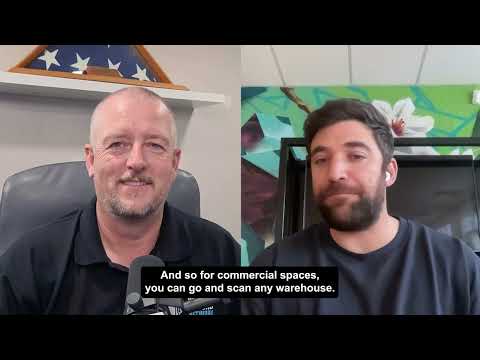
316. WGAN-TV | How to Get Started with Matterport + SIMLAB STAGES: a Deep-Dive Onboarding Training Demo episode artwork

EPISODE · Sep 20, 2024 · 1H 1M

316. WGAN-TV | How to Get Started with Matterport + SIMLAB STAGES: a Deep-Dive Onboarding Training Demo

from Podcast · host Dan Smigrod | www.WeGetAroundNetwork.com | www.WGAN-TV.com

www.SIMLABinc.com | www.SIM-STAGES.com  -- Are you thinking about adding STAGES by SIMLAB to your Matterport digital twins? -- Do you have a client in the AEC space that uses Matterport that wants to add STAGES? -- Would you like a deep-dive onboarding demo of Matterport + STAGES by SIMLAB? Stay tuned! On WGAN-TV Live at 5 (special time: 11 am ET and 5 pm in Poland) on Wednesday, 18 September 2024 my guest will be SIMLAB STAGES Product Owner Robert Czarlewski. Topic WGAN-TV | How to Get Started with SIMLAB STAGES: a Deep-Dive Onboarding Training Demo Highlights We will assume that you are already a pro with Matterport and that you have watched previous WGAN-TV Live at 5 shows about SIMLAB STAGES (www.WGAN.info/SIMLABonWGAN). Robert will show us examples of Matterport digital twin powered by SIMLAB STAGES and then show us the backend of how these SIMLAB STAGES features are added to a Matterport digital twin. Robert will show us 7 Basic Features of SIMLAB STAGES: ✓ Feature 1: Creating an Organization "The first step when using Stages is to create an organization. The organization serves as your workspace, where all your projects are stored, and licenses are tied to the organization. Therefore, it’s a crucial part of the environment setup." ✓ Feature 2: Creating a Project "After setting up the organization, the next step is creating a project. Each project can include various components, such as scans, notes, and other materials. I’ll show you how to create a new project step by step." ✓ Feature 3: Adding Components (Matterport Scans) to a Project "Once the project is created, the next step is adding components, such as scans. This is a fundamental part of building a project in Stages, so it’s essential to know how to do it correctly." ✓ Feature 4: Matterport Scan Synchronization "Scan synchronization is a critical process. In this step, it’s important to define the synchronization points in locations that are as far apart as possible and, if possible, at different heights. The first scan should be manually marked as synchronized, creating what we call a 'reference scan.' You can verify the synchronization quality using the split screen tool, and if necessary, remove and repeat the synchronization." ✓ Feature 5: Adding Notes "You can add notes to each project, which allows for better documentation and team collaboration. Now, I’ll show you how to do that." ✓ Feature 6: Attaching Materials to Notes "You can enhance your notes by attaching additional materials, such as images or files. This is a very useful feature that provides more information in your notes." ✓ Feature 7: Sharing Projects "Lastly, we’ll cover how to share projects. You can invite other users to collaborate, assign them roles, and manage access. I’ll show you how to send invitations and manage roles within the project." Robert will also show additional features and tips and tricks: ✓ Feature 8: Generating Reports "In Stages, you can generate detailed reports from each project. It’s a quick and easy way to present the results of your work." ✓ Feature 9: Generating Public Links "If you need to share a project with external stakeholders, you can generate a public link. This is especially useful when you need to quickly share your project." ✓ Feature 10: System Preferences "Lastly, I’ll show you how to customize the system preferences. You can change the appearance of the timeline, switch between light and dark themes, adjust the units of measurement, and modify the date format."

www.SIMLABinc.com | www.SIM-STAGES.com  -- Are you thinking about adding STAGES by SIMLAB to your Matterport digital twins? -- Do you have a client in the AEC space that uses Matterport that wants to add STAGES? -- Would you like a deep-dive onboarding demo of Matterport + STAGES by SIMLAB? Stay tuned! On WGAN-TV Live at 5 (special time: 11 am ET and 5 pm in Poland) on Wednesday, 18 September 2024 my guest will be SIMLAB STAGES Product Owner Robert Czarlewski. Topic WGAN-TV | How to Get Started with SIMLAB STAGES: a Deep-Dive Onboarding Training Demo Highlights We will assume that you are already a pro with Matterport and that you have watched previous WGAN-TV Live at 5 shows about SIMLAB STAGES (www.WGAN.info/SIMLABonWGAN). Robert will show us examples of Matterport digital twin powered by SIMLAB STAGES and then show us the backend of how these SIMLAB STAGES features are added to a Matterport digital twin. Robert will show us 7 Basic Features of SIMLAB STAGES: ✓ Feature 1: Creating an Organization ”The first step when using Stages is to create an organization. The organization serves as your workspace, where all your projects are stored, and licenses are tied to the organization. Therefore, it’s a crucial part of the environment setup.” ✓ Feature 2: Creating a Project ”After setting up the organization, the next step is creating a project. Each project can include various components, such as scans, notes, and other materials. I’ll show you how to create a new project step by step.” ✓ Feature 3: Adding Components (Matterport Scans) to a Project ”Once the project is created, the next step is adding components, such as scans. This is a fundamental part of building a project in Stages, so it’s essential to know how to do it correctly.” ✓ Feature 4: Matterport Scan Synchronization ”Scan synchronization is a critical process. In this step, it’s important to define the synchronization points in locations that are as far apart as possible and, if possible, at different heights. The first scan should be manually marked as synchronized, creating what we call a ’reference scan.’ You can verify the synchronization quality using the split screen tool, and if necessary, remove and repeat the synchronization.” ✓ Feature 5: Adding Notes ”You can add notes to each project, which allows for better documentation and team collaboration. Now, I’ll show you how to do that.” ✓ Feature 6: Attaching Materials to Notes ”You can enhance your notes by attaching additional materials, such as images or files. This is a very useful feature that provides more information in your notes.” ✓ Feature 7: Sharing Projects ”Lastly, we’ll cover how to share projects. You can invite other users to collaborate, assign them roles, and manage access. I’ll show you how to send invitations and manage roles within the project.” Robert will also show additional features and tips and tricks: ✓ Feature 8: Generating Reports ”In Stages, you can generate detailed reports from each project. It’s a quick and easy way to present the results of your work.” ✓ Feature 9: Generating Public Links ”If you need to share a project with external stakeholders, you can generate a public link. This is especially useful when you need to quickly share your project.” ✓ Feature 10: System Preferences ”Lastly, I’ll show you how to customize the system preferences. You can change the appearance of the timeline, switch between light and dark themes, adjust the units of measurement, and modify the date format.”

NOW PLAYING

316. WGAN-TV | How to Get Started with Matterport + SIMLAB STAGES: a Deep-Dive Onboarding Training Demo

0:00 1:01:03

No transcript for this episode yet

We transcribe on demand. Request one and we'll notify you when it's ready — usually under 10 minutes.

That Hoarder: Overcome Compulsive Hoarding That Hoarder Hoarding disorder is stigmatised and people who hoard feel vast amounts of shame. This podcast began life as an audio diary, an anonymous outlet for somebody with this weird condition. That Hoarder speaks about her experiences living with compulsive hoarding, she interviews therapists, academics, researchers, children of hoarders, professional organisers and influencers, and she shares insight and tips for others with the problem. Listened to by people who hoard as well as those who love them and those who work with them, Overcome Compulsive Hoarding with That Hoarder aims to shatter the stigma, share the truth and speak openly and honestly to improve lives. The Small Business Startup School – Business Notes | Financial Literacy | Retail Psychology – For Professionals & Entrepreneurs The Small Business Startup School Inc. Starting or buying a small business? While personal circumstances may vary, business patterns remain timeless. On The Small Business Startup School, we explore strategies, insights, and practical solutions to help entrepreneurs confidently navigate their journey.Hosted by Ola Williams—a retail entrepreneur, fintech founder, and financial coach with over two decades of experience—this podcast marries financial awareness and retail psychology with optimism to deliver actionable takeaways.Join us to learn, grow, and connect as we uncover the keys to business success.Let’s continue to learn together and be encouraged to keep on connecting! DIOSA. Carolina Sanper This podcast is a sacred space created by Carolina Sanper where you connect with your inner wisdom and embody your magnetic feminine power.It is the realization that the mystical realm is where you plant the seeds of your desired reality.It is a portal to your true essence: awareness, presence, and receiving with ease. Welcome home, DIOSA. 🖤 XXX Tech by SOVRYN Dr. Brian Sovryn The crossroads between technology, sensuality, and metaphysics - and the longest running anarchist podcast in the world! Brought to you by Dr. Brian Sovryn.

Frequently Asked Questions

How long is this episode of Podcast?

This episode is 1 hour and 1 minute long.

When was this Podcast episode published?

This episode was published on September 20, 2024.

What is this episode about?

www.SIMLABinc.com | www.SIM-STAGES.com  -- Are you thinking about adding STAGES by SIMLAB to your Matterport digital twins? -- Do you have a client in the AEC space that uses Matterport that wants to add STAGES? -- Would you like a deep-dive...

Is there a transcript available for this episode?

Yes, a full transcript is available for this episode. You can read the complete transcript on the episode page.

Can I download this Podcast episode?

Yes, you can download this episode by clicking the download button on the episode player, or subscribe to the podcast in your preferred podcast app for automatic downloads.
URL copied to clipboard!