
EPISODE · Aug 12, 2026 · 19 MIN
Azure Well-Architected Framework - Simply Explained
from M365.FM - Modern work, security, and productivity with Microsoft 365 · host Mirko Peters - Founder of m365.fm, m365.show and m365con.net
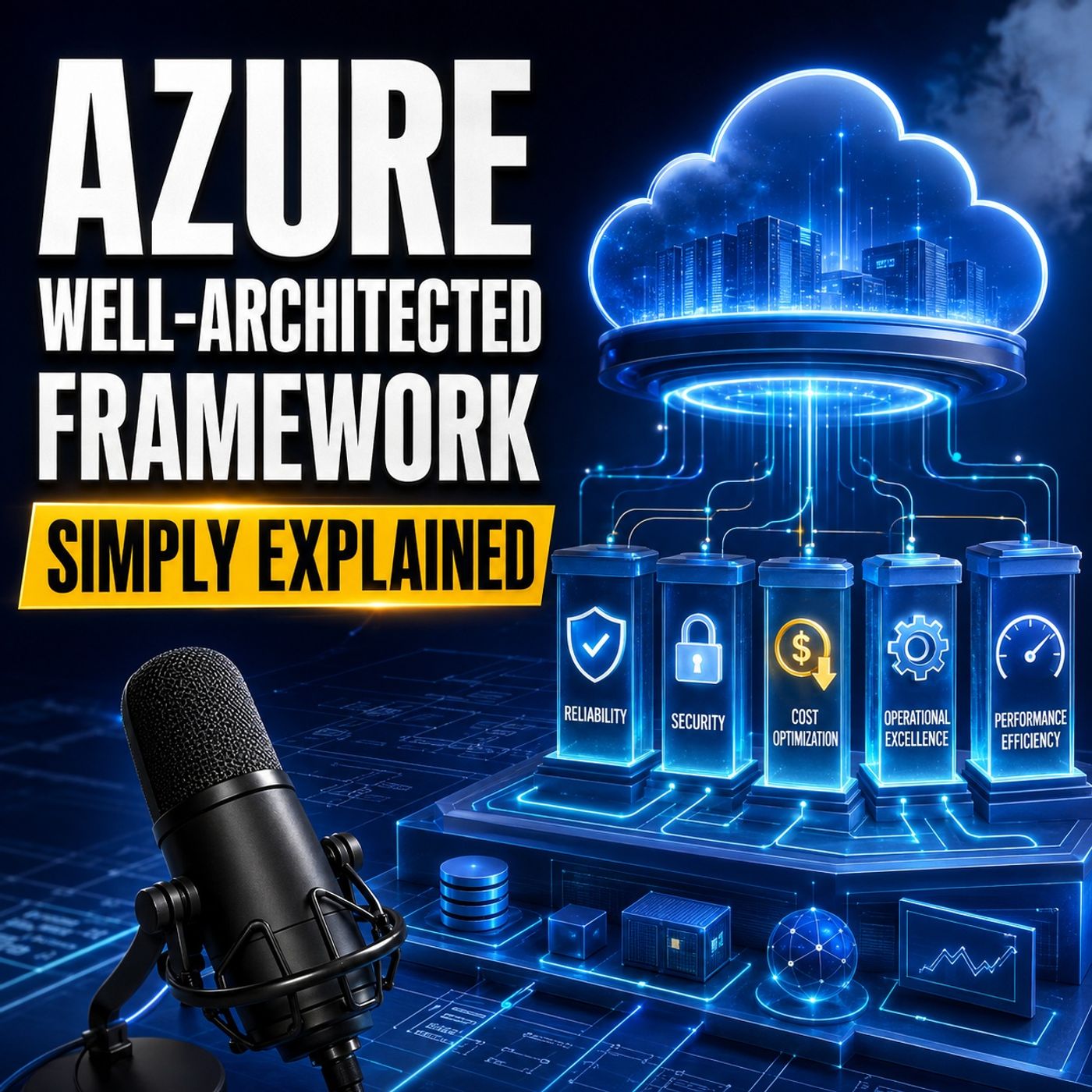
Building a successful Azure workload involves much more than selecting the right cloud services. Reliability problems, security gaps, unexpected costs, weak operational processes, and poor performance often come from the architectural decisions surrounding those services.In this episode of M365 FM, we explain the Azure Well-Architected Framework in clear, practical language. You will learn how its five pillars help teams design, operate, and continuously improve Azure workloads while balancing business requirements, technical risk, performance, and cost.ㅤWHAT THE AZURE WELL-ARCHITECTED FRAMEWORK SOLVESThe Azure Well-Architected Framework, commonly called WAF, is not a product that you activate or a certification badge that you earn. It is a structured decision-making framework for designing and operating Azure workloads that can remain secure, reliable, efficient, manageable, and financially sustainable over time.A workload includes everything required to produce a particular business outcome. For a customer portal, this could include the application code, identities, customer data, Azure resources, monitoring capabilities, deployment processes, and the people responsible for supporting it.WAF helps teams ask important architectural questions before weaknesses become expensive incidents.ㅤㅤAZURE WELL-ARCHITECTED FRAMEWORK VS CLOUD ADOPTION FRAMEWORKThe Azure Well-Architected Framework and Microsoft Cloud Adoption Framework support each other, but they address different levels of cloud architecture.The Cloud Adoption Framework helps an organization establish the shared Azure foundation. This includes governance, management, security, networking, subscriptions, policies, and landing zones that can support many workloads across the company.The Well-Architected Framework examines one workload at a time. It asks whether a particular customer portal, business application, reporting system, or digital service can achieve its intended outcome effectively.A useful analogy is an airport. The Cloud Adoption Framework prepares the airport, including the runway, tower, shared services, and security rules. The Well-Architected Framework helps one particular aircraft complete its journey safely and efficiently.THE FIVE PILLARS OF THE FRAMEWORKThe Azure Well-Architected Framework is organized around five interconnected pillars: Reliability, Security, Cost Optimization, Operational Excellence, and Performance Efficiency.These pillars are not independent checklists. Improving one area can create costs or compromises in another. Additional redundancy can improve reliability but increase spending and operational complexity. More security controls may introduce extra steps or minor latency. Higher performance can require additional resources.The purpose of WAF is not to maximize every pillar. It is to help teams make deliberate, documented trade-offs based on the needs of the workload.RELIABILITY: CAN THE WORKLOAD KEEP ITS PROMISE?Reliability focuses on whether users can access the workload when they need it, whether the system can recover after a failure, and whether critical data remains protected throughout that process.The first step is defining the business promise. Teams need to establish how much downtime the business can accept and how much recent data it could afford to lose during a serious incident. These expectations influence decisions about backups, recovery processes, redundancy, Availability Zones, monitoring, and regional architecture.Reliable workloads also prepare for partial failures. Retries can handle temporary interruptions, while circuit breakers stop an application from repeatedly calling a failing dependency. Graceful fallback allows the system to disable a less important feature while preserving the most valuable business transaction.Creating backups is not enough. Teams must regularly test whether those backups can actually be restored within the expected recovery period. Reliability comes from practiced recovery, not from assuming that additional copies will solve every problem.SECURITY: WHO CAN ENTER AND WHAT CAN THEY ACCESS?A workload can remain fully available and still fail the business if unauthorized people can access data, change critical settings, or compromise an administrative account.Security begins with identity. Microsoft Entra ID helps verify who or what is requesting access. Each user, administrator, application, and service should receive only the permissions required to perform its specific role. This principle of least privilege reduces the damage that can occur when an identity becomes compromised.Zero Trust means that requests should not automatically be trusted simply because they originate inside the company network. Identity, device, context, requested resource, and risk should all contribute to access decisions.Applications also require secure identities. Managed identities allow Azure resources to authenticate without storing long-lived passwords or access keys inside source code, scripts, or configuration files.Teams must classify their information, encrypt sensitive data in transit and at rest, separate public and private network areas, and use threat modeling to identify possible attack paths before implementation begins. Security must remain part of the entire workload lifecycle rather than being added shortly before release.ㅤCOST OPTIMIZATION: SPEND WITH PURPOSECloud spending often increases gradually through oversized services, unused test environments, unnecessary storage, excessive log retention, and resources without clear ownership.Cost Optimization is not about selecting the cheapest possible architecture. It is about delivering the required business outcome without paying for unnecessary capacity or services.Tags can identify which workload, environment, and team owns each Azure resource. Budgets and cost alerts help teams detect unusual spending before the end of the billing period. Regular reviews reveal services that can be resized, scaled down, scheduled, moved to a more appropriate storage tier, or removed entirely.Reservations and Azure savings plans may reduce costs for workloads with stable, predictable usage. However, teams should understand the workload’s real consumption before making a long-term commitment.Cost reductions must never silently weaken agreed security or recovery requirements. Removing necessary backups or resilience may improve the monthly bill while creating a much larger financial risk during an incident.OPERATIONAL EXCELLENCE: CAN THE TEAM RUN IT EVERY DAY?Operational Excellence focuses on making routine work repeatable, changes safer, problems visible, and knowledge available to the entire team.Infrastructure as code allows teams to describe Azure environments in version-controlled files instead of depending on manual portal configuration. Deployment pipelines can test code and settings, apply consistent release processes, and make failed changes easier to stop or reverse.Observability helps teams understand what users are experiencing. Logs capture events, metrics reveal numerical patterns over time, traces follow requests through distributed components, and health signals show whether critical services can still perform their intended function.Runbooks document how to respond to known situations, which checks to perform, which actions are safe, when to communicate, and when to escalate. This prevents essential operational knowledge from existing only in the memory of one experienced engineer.After an incident, teams should examine what happened, what information was missing, and which improvements can reduce the likelihood or impact of a similar failure. Operational Excellence turns incidents into a continuous improvement loop.PERFORMANCE EFFICIENCY: FAST ENOUGH WHEN DEMAND ARRIVESAn application can technically remain online while still delivering an unacceptable experience. Slow pages, growing queues, delayed transactions, and repeated timeouts can damage user trust even when no complete outage occurs.Performance Efficiency begins with measurable expectations. Teams should define how quickly important operations must respond, how many transactions the workload must process, when demand peaks occur, and which parts of the system are most likely to become bottlenecks.Load testing simulates realistic demand before customers create it. Autoscaling can add resources during busy periods and reduce capacity when demand falls. Caching prevents repeated requests for frequently used information, while queues help absorb temporary differences between incoming work and processing capacity.Buying the largest possible resource is not a performance strategy. Teams should measure the workload, locate the actual constraint, and select an architecture that meets defined requirements without paying for unnecessary capacity.UNDERSTANDING ARCHITECTURAL TRADE-OFFSNo workload receives a perfect score across every pillar. Strong architecture depends on making trade-offs visible and intentional.Multi-region deployment may improve disaster recovery but increase cost and operational complexity. Stronger authentication can introduce a small amount of friction while significantly lowering security risk. Faster release cycles can improve business agility but require more reliable automated testing and deployment controls.These outcomes are not necessarily architectural mistakes. They are business and technical decisions that should be documented, reviewed, and connected to the workload’s requirements.ㅤBecome a supporter of this podcast: https://www.spreaker.com/podcast/m365-fm-modern-work-security-and-productivity-with-microsoft-365--6704921/support.
Embed this episode
What this episode covers
Building a successful Azure workload involves much more than selecting the right cloud services. Reliability problems, security gaps, unexpected costs, weak operational processes, and poor performance often come from the architectural decisions surrounding those services.In this episode of M365 FM, we explain the Azure Well-Architected Framework in clear, practical language. You will learn how its five pillars help teams design, operate, and continuously improve Azure workloads while balancing business requirements, technical risk, performance, and cost. ㅤ WHAT THE AZURE WELL-ARCHITECTED FRAMEWORK SOLVES The Azure Well-Architected Framework, commonly called WAF, is not a product that you activate or a certification badge that you earn. It is a structured decision-making framework for designing and operating Azure workloads that can remain secure, reliable, efficient, manageable, and financially sustainable over time.A workload includes everything required to produce a particular business outcome. For a customer portal, this could include the application code, identities, customer data, Azure resources, monitoring capabilities, deployment processes, and the people responsible for supporting it.WAF helps teams ask important architectural questions before weaknesses become expensive incidents.ㅤㅤ AZURE WELL-ARCHITECTED FRAMEWORK VS CLOUD ADOPTION FRAMEWORK The Azure Well-Architected Framework and Microsoft Cloud Adoption Framework support each other, but they address different levels of cloud architecture.The Cloud Adoption Framework helps an organization establish the shared Azure foundation. This includes governance, management, security, networking, subscriptions, policies, and landing zones that can support many workloads across the company.The Well-Architected Framework examines one workload at a time. It asks whether a particular customer portal, business application, reporting system, or digital service can achieve its intended outcome effectively.A useful analogy is an airport. The Cloud Adoption Framework prepares the airport, including the runway, tower, shared services, and security rules. The Well-Architected Framework helps one particular aircraft complete its journey safely and efficiently. THE FIVE PILLARS OF THE FRAMEWORK The Azure Well-Architected Framework is organized around five interconnected pillars: Reliability, Security, Cost Optimization, Operational Excellence, and Performance Efficiency.These pillars are not independent checklists. Improving one area can create costs or compromises in another. Additional redundancy can improve reliability but increase spending and operational complexity. More security controls may introduce extra steps or minor latency. Higher performance can require additional resources.The purpose of WAF is not to maximize every pillar. It is to help teams make deliberate, documented trade-offs based on the needs of the workload. RELIABILITY: CAN THE WORKLOAD KEEP ITS PROMISE? Reliability focuses on whether users can access the workload when they need it, whether the system can recover after a failure, and whether critical data remains protected throughout that process.The first step is defining the business promise. Teams need to establish how much downtime the business can accept and how much recent data it could afford to lose during a serious incident. These expectations influence decisions about backups, recovery processes, redundancy, Availability Zones, monitoring, and regional architecture.Reliable workloads also prepare for partial failures. Retries can handle temporary interruptions, while circuit breakers stop an application from repeatedly calling a failing dependency. Graceful fallback allows the system to disable a less important feature while preserving the most valuable business transaction.Creating backups is not enough. Teams must regularly test whether those backups can...
NOW PLAYING
Azure Well-Architected Framework - Simply Explained
No transcript for this episode yet
Similar Episodes
No similar episodes found.
Similar Podcasts
No similar podcasts found.