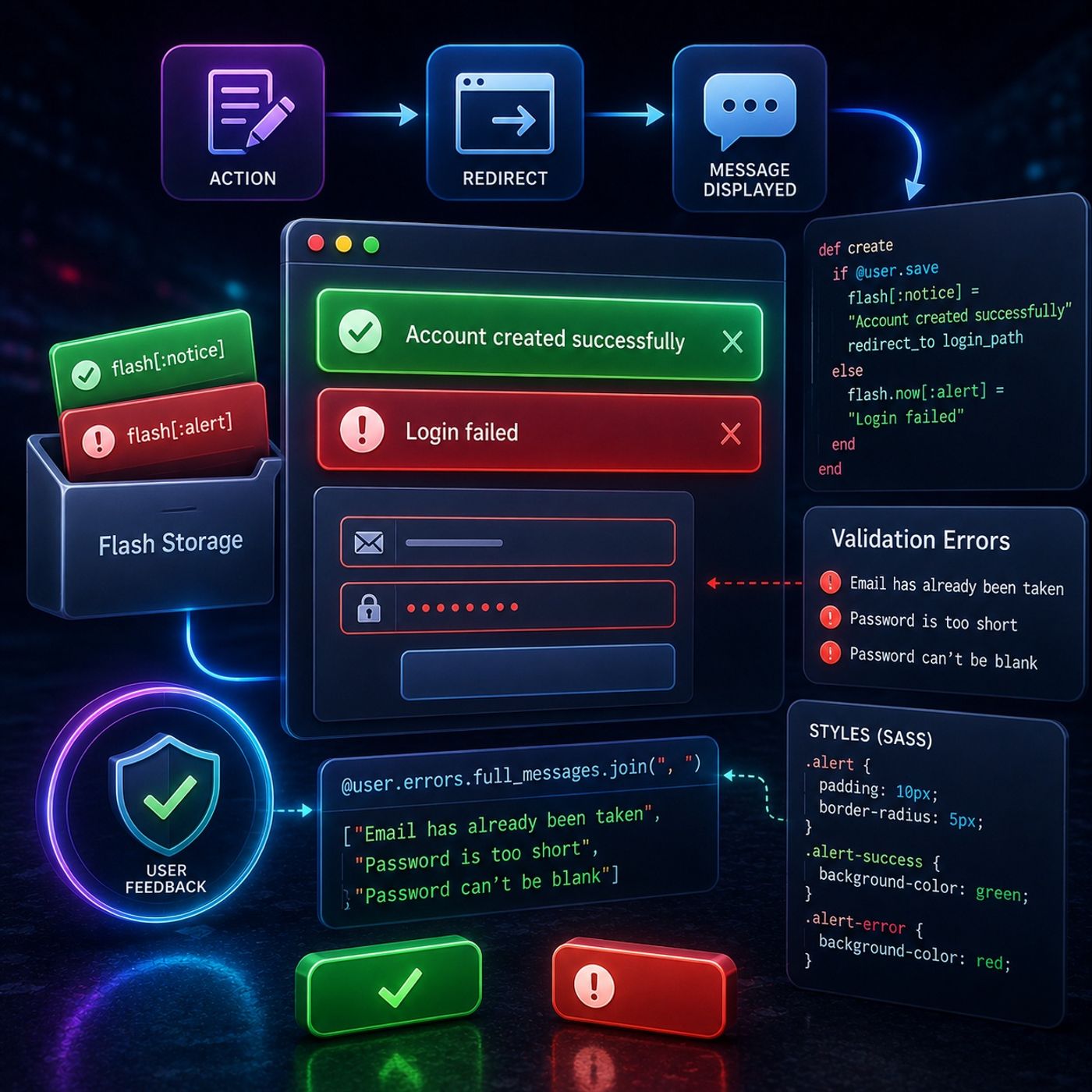
Course 37 - Building Web Apps with Ruby On Rails | Episode 9:  Flash Storage and Automated Validation Errors episode artwork

EPISODE · Jun 22, 2026 · 18 MIN

Course 37 - Building Web Apps with Ruby On Rails | Episode 9: Flash Storage and Automated Validation Errors

from CyberCode Academy · host CyberCode Academy

In this lesson, you’ll learn about: implementing user feedback systems in Ruby on Rails using flash messages, validation errors, and UI styling1. The Problem: Lost Feedback After Redirects🔹 Common issue:Messages like “Login Failed” disappear after page reload🔹 Cause:Standard variables don’t persist across redirects👉 Key InsightUser feedback must survive redirects to be effective2. Flash Storage (Temporary Messaging)Using Ruby on Rails:🔹 What is flash:A special storage that persists for one request cycle🔹 Example:flash[:notice] = "Account created successfully" flash[:alert] = "Login failed" 🔹 Behavior:Survives redirectCleared automatically afterward👉 Key InsightFlash is the correct tool for passing messages between requests3. Flash vs Instance Variables🔹 Instance variables (@message):Lost after redirect🔹 Flash:Persist temporarily👉 Key InsightAlways use flash for redirect-based messaging4. Automating Validation Error Messages🔹 Problem:Manually writing error messages is inefficient🔹 Solution:Use model error collection🔹 Example:@user.errors.full_messages 👉 Key InsightRails automatically collects validation errors in one place5. Displaying Multiple Errors🔹 Technique:Join all error messages🔹 Example:@user.errors.full_messages.join(", ") 🔹 Result:Shows all issues at once (e.g., email taken + password missing)👉 Key InsightDisplaying all errors improves user experience6. Preventing Crashes (Conditional Rendering)🔹 Problem:Errors may not always exist🔹 Solution:<% if @user.errors.any? %> <%= @user.errors.full_messages.join(", ") %> <% end %> 👉 Key InsightAlways check for errors before rendering them7. Styling Feedback Messages (CSS & SASS)🔹 Goal:Make feedback visually clear🔹 Common styles:Success → green backgroundError → red background🔹 Example:.alert { padding: 10px; border-radius: 5px; } .alert-success { background-color: green; } .alert-error { background-color: red; } 👉 Key InsightVisual distinction improves usability and clarity8. Creating a Polished UI Experience🔹 Combine:Flash messagesValidation errorsStyled components🔹 Result:Professional, user-friendly interface👉 Key InsightGood feedback transforms functionality into a polished productKey TakeawaysFlash storage preserves messages across redirectsValidation errors can be automatically extracted and displayedConditional checks prevent runtime errorsCSS/SASS enhances user experience with clear visual cuesBig PictureThis system teaches you how to:👉 Communicate clearly with users👉 Handle errors efficiently and automatically👉 Build polished, production-ready interfacesMental ModelAction happens → message stored in flash → redirect → message displayed → styled for clarityYou can listen and download our episodes for free on more than 10 different platforms:https://linktr.ee/cybercode_academy

Episode metadata supplied by the publisher feed · Published Jun 22, 2026

Embed this episode

Ready to play

Course 37 - Building Web Apps with Ruby On Rails | Episode 9: Flash Storage and Automated Validation Errors

0:00 18:54

No transcript for this episode yet

We transcribe on demand. Request one and we'll notify you when it's ready — usually under 10 minutes.

No similar episodes found.

Lead with Faith: Empowering the Next Generation Jermaine Whiteside The Empowering Future Leaders Podcast – Presented by Anointed Connect Academy and hosted by Jermaine E. Whiteside, Doctoral Candidate in Christian Education, this podcast is your gateway to faith-driven leadership, lifelong learning, and real-world success strategies. Each episode blends inspiration with action, spotlighting career pathways, professional exam preparation, and innovative educational resources designed to equip the next generation of leaders.With candid conversations, expert insights, and transformative stories from students, educators, and industry leaders, we address the challenges facing at-risk and underserved communities while providing tangible tools to overcome them. Rooted in Christian values and a commitment to generational impact, this podcast empowers students, parents, and professionals to break barriers, build skills, and boldly pursue their God-given purpose. Fearless Podcasting Academy | Unlock Your Voice and Audience Dr. Stephanie Dean | Podcasting Strategist Your voice has the power to inspire, impact, and ignite change—but only if people hear it. Join Dr. Stephanie Dean at Fearless Podcasting Academy, where creators and entrepreneurs learn podcasting strategies to amplify their voices and build podcasts that demand attention. Here, we don't just talk about podcasting. We talk about bold storytelling, creative innovation, and the courage to show up unapologetically. Whether you're launching your first episode or leveling up your platform, you'll get proven strategies, expert insights, and the confidence to make your message matter. Because your story isn't just worth telling—it's worth hearing. Hit subscribe and step into your fearless voice. How to make APP - iOS APP creator, CEO of Catch Questions Academy will talk about IT tips and future Catch Questions iOS APP creator, CEO of Catch Questions Academy will talk about IT tips and future.Those who are interested in developing some app for business or your hobby would be recommended to try to listen to my talk and to have a look at the following links.Now, everybody can create your app and can play it.You can see my iOS apphttps://youtube.com/channel/UCHUbbI9KrwkPPnjN0q1z-lQMy Amazon Kindle for Swift X Pythonhttps://www.amazon.com/dp/B0896766GDCatch Questions Academyhttps://catch-questions.com/englishFind me in TwitterMake APP iPhone@ceo_ios The President's Desk at Hillcrest Academy Brad Hoganson Exploring the link of discipleship, mentorship and classical education at Hillcrest Academy.

Frequently Asked Questions

How long is this episode of CyberCode Academy?

This episode is 18 minutes long.

When was this CyberCode Academy episode published?

This episode was published on June 22, 2026.

Can I download this CyberCode Academy episode?

Yes. Use the download control on the episode player to save the publisher-provided media file.
URL copied to clipboard!