
EPISODE · Jul 24, 2026 · 22 MIN
Course 40 - Web Scraping with Python | Episode 14: Building and Automating Custom Spiders with the Scrapy Framework
from CyberCode Academy · host CyberCode Academy
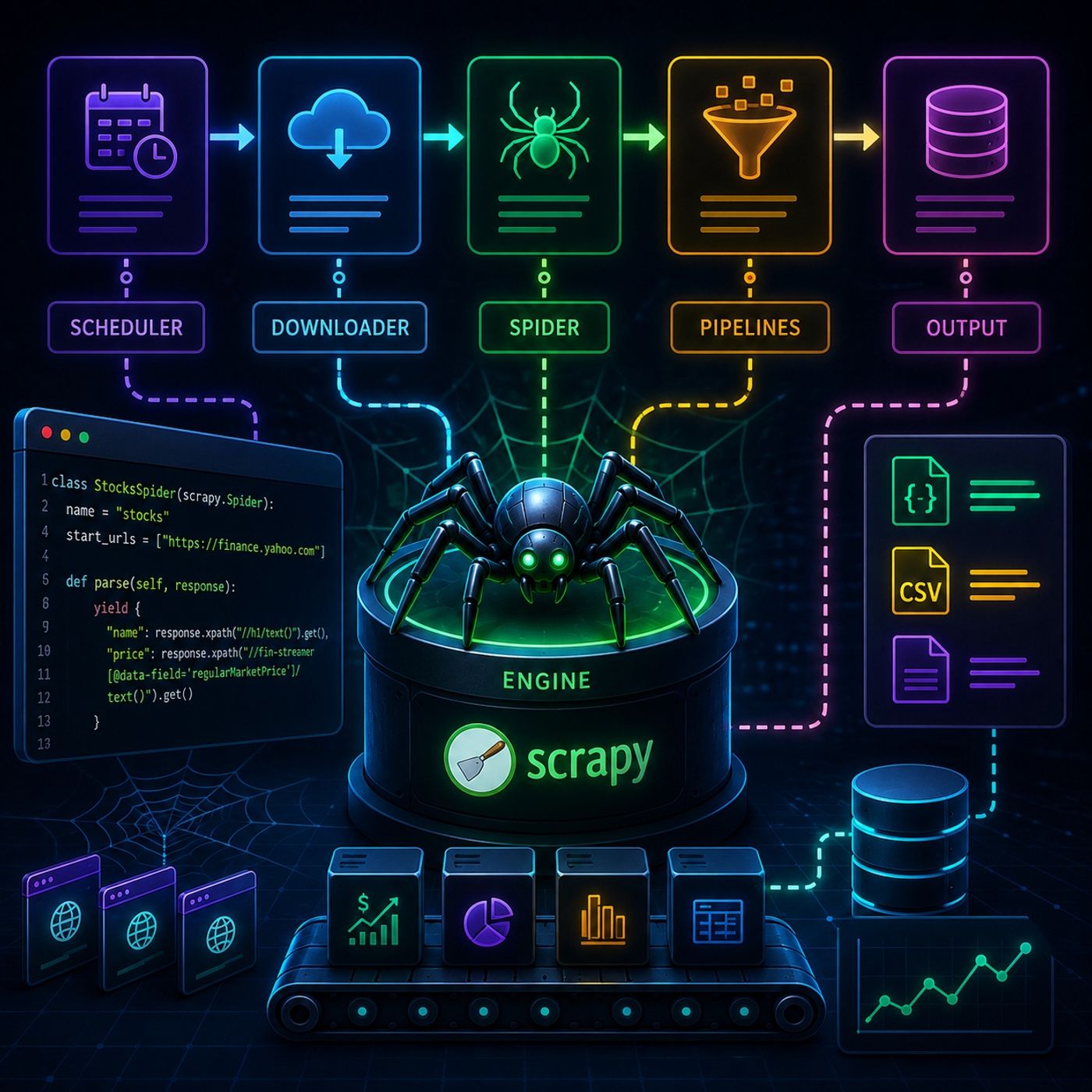
In this lesson, you’ll learn about: Scrapy’s full architecture, how to build real spiders from scratch, and how to move from simple extraction to production-ready crawling with structured data pipelines1. Scrapy Architecture (How Everything Works)🔹 Core System FlowScrapy is built around a central engine that coordinates everything.🔹 Main ComponentsComponentRoleEngineControls flowSchedulerQueues URLsDownloaderFetches pagesSpiderExtracts dataPipelineProcesses & stores data👉 Key InsightYou don’t control HTTP manually—Scrapy does it for you2. Project Setup & Spider Creation🔹 Initialize a Projectscrapy startproject myproject 🔹 Generate a Spiderscrapy genspider stocks yahoo.com 🔹 Project Structuremyproject/ ├── spiders/ ├── items.py ├── pipelines.py ├── settings.py 👉 Key InsightEach file has a strict responsibility → clean separation of logic3. Extracting Real Data (Yahoo Finance Example)🔹 Target Use CaseWe extract:Company nameStock priceMarket data🔹 XPath in Spiderdef parse(self, response): yield { "name": response.xpath("//h1/text()").get(), "price": response.xpath("//fin-streamer[@data-field='regularMarketPrice']/text()").get() } 👉 Key InsightSpiders are just Python classes with extraction rules4. Running the Spider🔹 Execution Commandscrapy crawl stocks 🔹 Output OptionsConsole printJSON exportCSV exportFile writing🔹 Save to Filescrapy crawl stocks -o data.json 👉 Key InsightScrapy supports structured output without extra code5. Item Loaders (Cleaner Code)🔹 Why They MatterItem Loaders help:Clean dataNormalize valuesReduce repeated logic🔹 Examplefrom scrapy.loader import ItemLoader loader = ItemLoader(item=StockItem(), response=response) loader.add_xpath("price", "//span/text()") return loader.load_item() 👉 Key InsightYou separate extraction from transformation6. Pipelines (Final Processing Layer)🔹 What Pipelines DoClean dataValidate dataSave to database/files🔹 Example Pipelineclass CleanPipeline: def process_item(self, item, spider): item["price"] = float(item["price"]) return item 👉 Key InsightPipelines act like a data factory assembly line7. Full Data FlowScheduler queues URLDownloader fetches pageSpider extracts dataPipeline cleans itOutput stored8. Mental ModelThink of Scrapy as:🧠 Brain → Engine📦 Factory line → Pipelines🕷️ Workers → Spiders🚚 Delivery system → DownloaderFinal TakeawayScrapy turns scraping into a fully automated data engineering system.Once you combine:Spiders (logic)Selectors (extraction)Pipelines (processing)👉 You don’t just collect data anymore—you build production-grade data pipelines.You can listen and download our episodes for free on more than 10 different platforms:https://linktr.ee/cybercode_academy
Embed this episode
Ready to play
Course 40 - Web Scraping with Python | Episode 14: Building and Automating Custom Spiders with the Scrapy Framework
No transcript for this episode yet
Similar Episodes
Jan 27, 2024 ·12m
Jan 19, 2024 ·9m
Jan 18, 2024 ·5m
Jan 14, 2024 ·6m
Jan 5, 2024 ·7m