
EPISODE · Oct 20, 2024 · 56 MIN
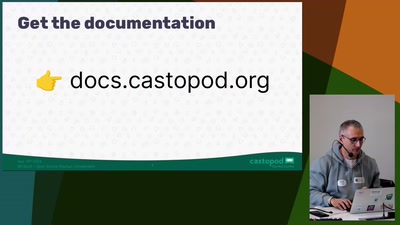
Hands-On with Castopod: (subscribe11)
from Chaos Computer Club - archive feed (high quality) · host Benjamin Bellamy
Take control of your podcasting journey with Castopod, the open-source platform designed for all creators. In this 45-minute workshop, you’ll get a comprehensive, hands-on experience in setting up your own Castopod server and learn how to publish your podcast. We’ll dive into the platform’s intuitive interface, exploring how to upload episodes, manage your RSS feed, and customize your podcast’s public page. We’ll also touch on advanced features like integrating with Mastodon and other Fediverse platforms, enabling you to directly engage with your audience in a decentralized environment. This workshop is ideal for podcasters, developers, and tech enthusiasts who are eager to gain the skills needed to self-host and take full ownership of their podcasting content. By the end of the session, you’ll have a fully operational Castopod instance and the knowledge to maintain and grow your podcast independently. Licensed to the public under https://creativecommons.org/licenses/by/4.0/ about this event: https://pretalx.c3voc.de/subscribe11/talk/DXWG7N/
Embed this episode
NOW PLAYING
Hands-On with Castopod: (subscribe11)
No transcript for this episode yet
Similar Episodes
No similar episodes found.
Similar Podcasts
No similar podcasts found.