
EPISODE · May 31, 2017 · 38 MIN
How to Deploy a Tensorflow Model to Production
from Siraj Raval
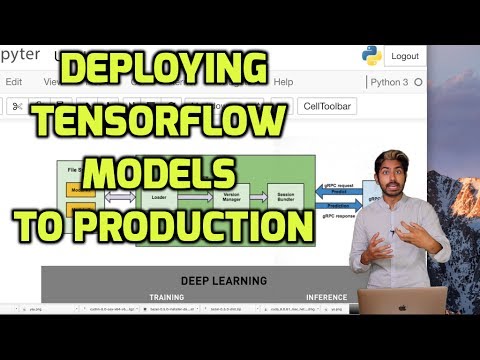
Once we've trained a model, we need a way of deploying it to a server so we can use it as a web or mobile app! We're going to use the Tensorflow Serving library to help us run a model on a server that we can then make HTTP requests to for data. We'll have the user upload an image and it will return a classification for that image. Code for this video: https://github.com/llSourcell/How-to-Deploy-a-Tensorflow-Model-in-Production Please subscribe! And like. And comment. That's what keeps me going. More learning resources: https://www.tensorflow.org/deploy/tfserve https://medium.com/osldev-blog/tensorflow-serving-practical-introduction-9ce29ccd63f https://tensorflow.github.io/serving/serving_basic.html https://gist.github.com/avloss/01e43d208fbdb2c5b4f9b50e71617cc8 https://github.com/tensorflow/serving http://fdahms.com/2017/03/05/tensorflow-serving-jvm-client/ https://books.google.com/books?id=rsyqDQAAQBAJ&pg=PA159&lpg=PA159&dq=tensorflow+serving+tutorial&source=bl&ots=7NaS-3V6sr&sig=UmnIPMM5djXAwidPyneWD7P667w&hl=en&sa=X&ved=0ahUKEwiw-J6uq5nUAhUph1QKHX5ZBdoQ6AEImgEwFA#v=onepage&q=tensorflow%20serving%20tutorial&f=false Join us in the Wizards Slack channel: http://wizards.herokuapp.com/ And please support me on Patreon: https://www.patreon.com/user?u=3191693 Follow me: Twitter: https://twitter.com/sirajraval Facebook: https://www.facebook.com/sirajology Instagram: https://www.instagram.com/sirajraval/ Instagram: https://www.instagram.com/sirajraval/
What this episode covers
Once we've trained a model, we need a way of deploying it to a server so we can use it as a web or mobile app! We're going to use the Tensorflow Serving library to help us run a model on a server that we can then make HTTP requests to for data. We'll have the user upload an image and it will return a classification for that image. Code for this video: https://github.com/llSourcell/How-to-Deploy-a-Tensorflow-Model-in-Production Please subscribe! And like. And comment. That's what keeps me going. More learning resources: https://www.tensorflow.org/deploy/tfserve https://medium.com/osldev-blog/tensorflow-serving-practical-introduction-9ce29ccd63f https://tensorflow.github.io/serving/serving_basic.html https://gist.github.com/avloss/01e43d208fbdb2c5b4f9b50e71617cc8 https://github.com/tensorflow/serving http://fdahms.com/2017/03/05/tensorflow-serving-jvm-client/ https://books.google.com/books?id=rsyqDQAAQBAJ&pg=PA159&lpg=PA159&dq=tensorflow+serving+tutorial&source=bl&ots=7NaS-3V6sr&sig=UmnIPMM5djXAwidPyneWD7P667w&hl=en&sa=X&ved=0ahUKEwiw-J6uq5nUAhUph1QKHX5ZBdoQ6AEImgEwFA#v=onepage&q=tensorflow%20serving%20tutorial&f=false Join us in the Wizards Slack channel: http://wizards.herokuapp.com/ And please support me on Patreon: https://www.patreon.com/user?u=3191693 Follow me: Twitter: https://twitter.com/sirajraval Facebook: https://www.facebook.com/sirajology Instagram: https://www.instagram.com/sirajraval/ Instagram: https://www.instagram.com/sirajraval/
NOW PLAYING
How to Deploy a Tensorflow Model to Production
No transcript for this episode yet