
EPISODE · Jul 17, 2026 · 45 MIN
Mastering Photo Transparency in Microsoft Word 365
from The Funeral Channel Podcast · host The Funeral Program Site
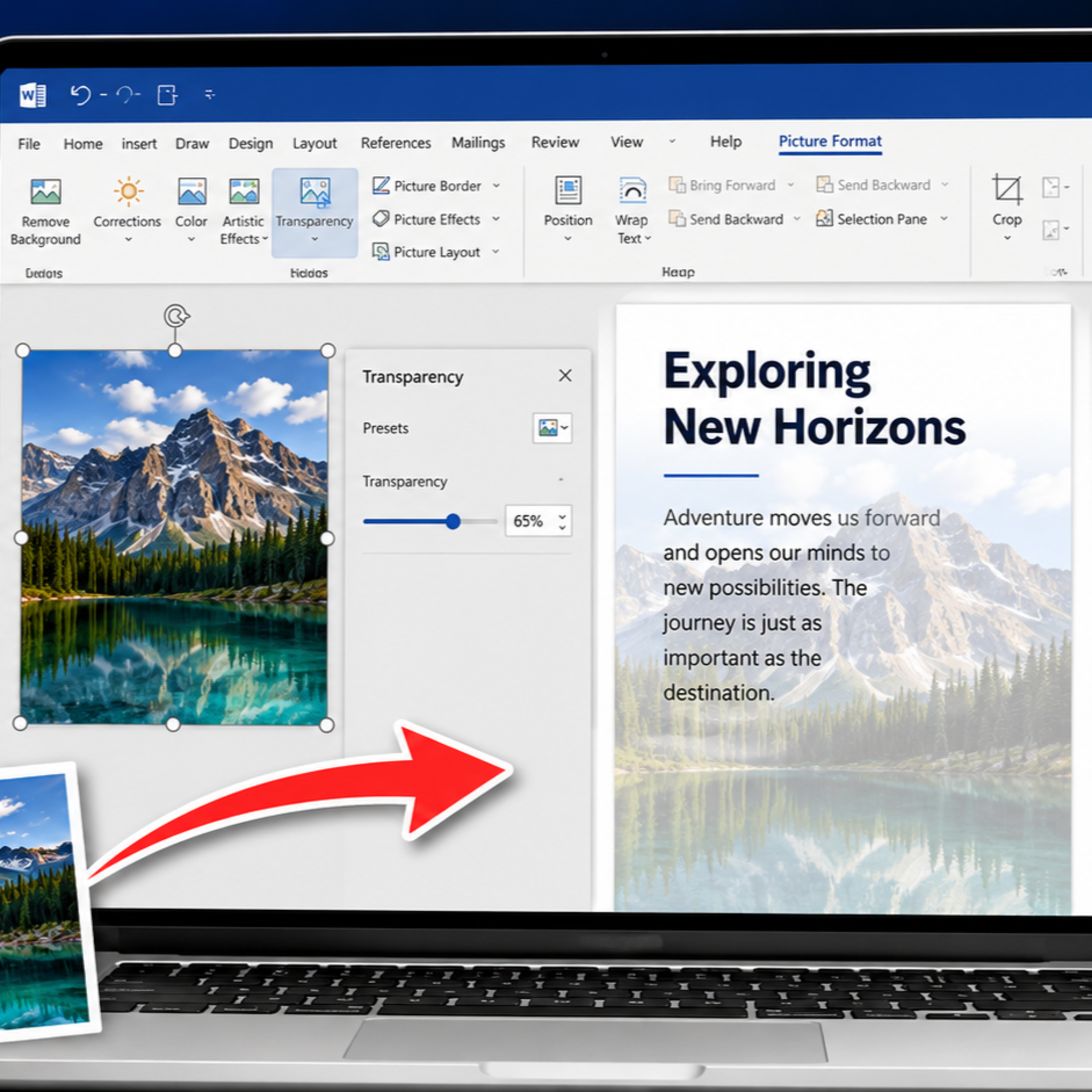
In this episode of The Funeral Channel Network brought to you by The Funeral Program Site, we explore how to master photo transparency in Microsoft Word 365. Whether you are designing a funeral program, memorial booklet, flyer, brochure, invitation, or professional document, adjusting photo transparency can help you create softer backgrounds, layered designs, and more readable text.You will learn how to use Word’s built-in transparency settings, apply preset transparency levels, fine-tune the effect with the transparency slider, and place a faded photo behind text without overwhelming the layout. We also explain how transparent images can add depth and visual interest while keeping your document clean, balanced, and professional. These simple techniques can help you transform an ordinary Word document into a polished design without needing expensive graphic-design software.Video Shorts 1Video Shorts 2
Embed this episode
NOW PLAYING
Mastering Photo Transparency in Microsoft Word 365
No transcript for this episode yet
Similar Episodes
No similar episodes found.
Similar Podcasts
No similar podcasts found.