
EPISODE · Aug 16, 2026 · 20 MIN
Microsoft Purview Data Map - Simply Explained
from M365.FM - Modern work, security, and productivity with Microsoft 365 · host Mirko Peters - Founder of m365.fm, m365.show and m365con.net
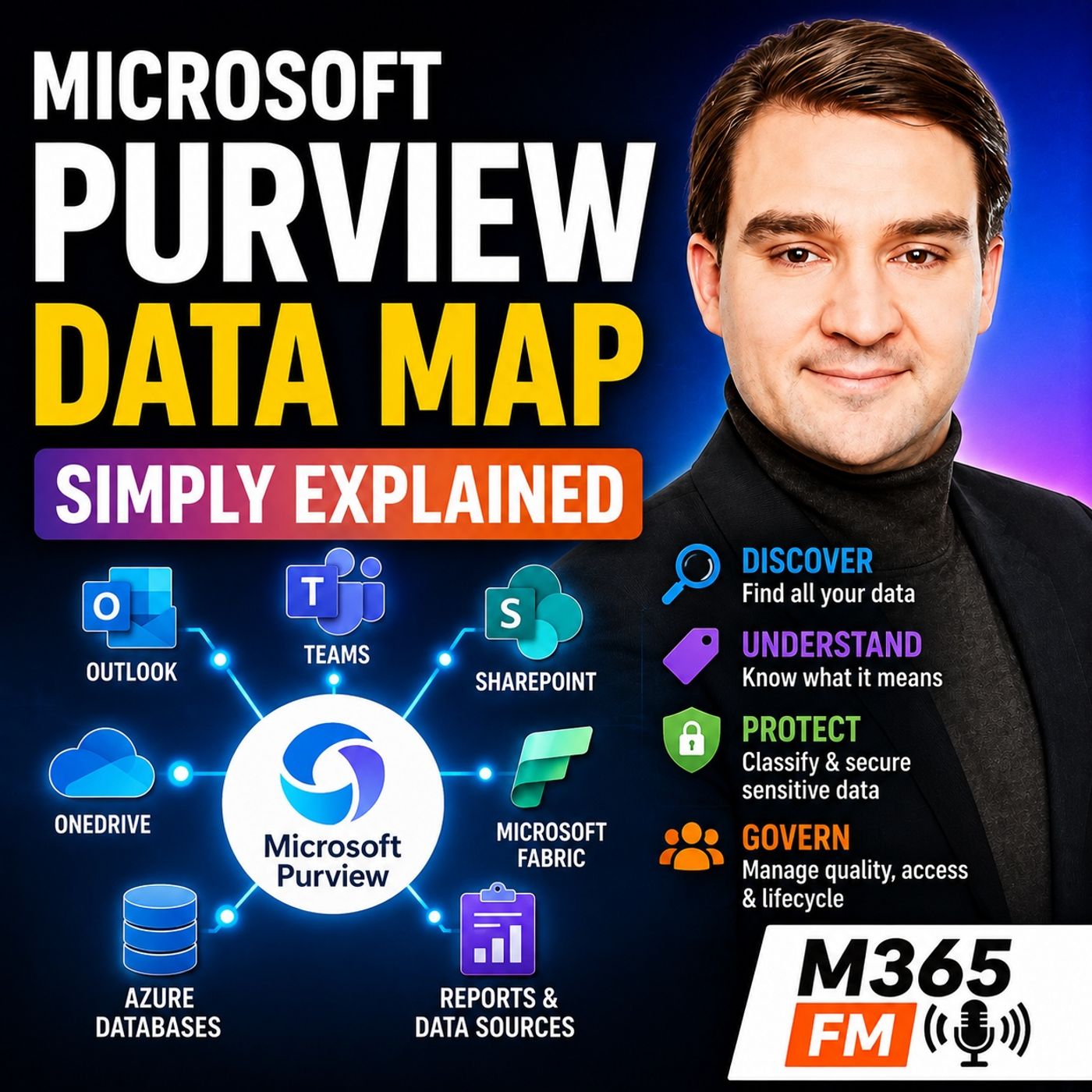
Microsoft 365 data rarely stays in one place. An employee might answer email in Outlook, collaborate in Teams, save documents in SharePoint and OneDrive, analyze information in Microsoft Fabric, export a report, change a few numbers in Excel, and send the spreadsheet to several colleagues. Each individual application may be secure, but the information continues moving, being copied, renamed, shared, and sometimes forgotten. In this episode of Microsoft Knowledge Nuggets on M365 FM, we explain how Microsoft Purview helps organizations find, understand, protect, govern, and manage data—and why the Microsoft Purview Data Map is an important foundation for making enterprise information understandable and trustworthy.WHY DATA SPRAWL BECOMES A BUSINESS PROBLEMData management usually starts simply. Sales has customer information, Finance maintains reports, HR stores employee documents, and Marketing manages campaign information. As an organization grows, however, additional applications, databases, spreadsheets, reports, file shares, and cloud services appear.Mergers and acquisitions make the problem even larger. Old systems remain operational while new platforms are introduced. Teams copy information into spreadsheets because they need an immediate answer. Reports are exported, emailed, downloaded, and stored somewhere else.Eventually, the organization can have hundreds or thousands of information locations without having a complete directory of what actually exists.WHEN NOBODY KNOWS WHICH DATA TO TRUSTData sprawl is not merely an IT problem. It directly affects business decisions.Imagine a finance analyst searching for the approved pricing information for a monthly report. The analyst discovers five spreadsheets with almost identical names. One belongs to Sales, another to Finance, another sits inside an old project folder, and another arrived as an email attachment months earlier.The analyst selects the file that appears newest. Later, leadership discovers that the numbers do not match the official pricing data.The analyst did not necessarily make a bad decision. The organization failed to provide an effective way to identify the authoritative information, understand who owns it, and determine where it originated.SECURE APPLICATIONS DO NOT AUTOMATICALLY MEAN SECURE DATAAn organization can have secure identities, secure endpoints, and secure applications while still having serious information risks.Microsoft Entra ID can help establish who someone is and whether they can access a service. Microsoft Intune can help manage devices. Microsoft Defender can identify threats across supported environments.But once an authorized employee opens information, another question appears: what information did they access, how sensitive is it, where can it move, and should it be trusted?Protecting the entrance to a building does not automatically control every document moving between the rooms inside it.AI MAKES TRUSTED DATA EVEN MORE IMPORTANTArtificial intelligence increases the importance of data governance because AI systems can produce convincing answers extremely quickly.If an AI system works with duplicate information, outdated numbers, poorly understood datasets, or data without clear ownership, it can produce an answer that sounds authoritative while being based on the wrong information.Organizations therefore need more than data accessibility. They need to understand whether the information deserves to be trusted for the decision being made.WHAT MICROSOFT PURVIEW ACTUALLY ISMicrosoft Purview helps organizations govern, secure, and manage information across supported environments.It is not another storage location where every database, email, document, and report must be moved. SharePoint continues storing SharePoint content. Exchange Online continues handling email. Microsoft Fabric continues processing analytical data. Azure databases continue storing their information.Purview adds visibility, context, governance, protection, and management around that information.Think of it as a connected control room for enterprise data rather than another warehouse where the data itself must live.PURVIEW IS MORE THAN COMPLIANCEMany people first encounter Microsoft Purview through compliance projects and consequently assume that it is primarily a legal or regulatory tool. Others encounter the catalog capabilities and assume Purview is simply a search engine for enterprise datasets.Both descriptions are too narrow.Purview covers several connected responsibilities. It can help people understand what information exists, determine what that information means, identify ownership, classify sensitive information, apply protection, manage retention requirements, support investigations, and provide governance around enterprise data.DATA GOVERNANCE, DATA SECURITY, RISK AND COMPLIANCEThe episode divides Purview conceptually into three connected areas.Data governance helps organizations discover data, understand its meaning, identify ownership, and determine whether information is appropriate for a particular purpose.Data security helps identify sensitive information and apply controls around how that information can be used or shared.Risk and compliance capabilities help organizations retain information appropriately, investigate activity, support legal processes, and understand potentially risky behavior.These areas overlap because enterprise data continuously moves between systems and business processes.THE FIRST BUILDING BLOCK: FIND, NAME AND TRUST DATABefore an organization can govern information effectively, it needs to know that the information exists.This is where the Microsoft Purview Data Map becomes important.The Data Map acts as a technical inventory of connected data sources. It helps represent systems, databases, tables, reports, and other data assets across the organization's supported data landscape.It does not require organizations to move all their underlying information into Purview. Instead, it captures information that helps describe and understand those assets.WHAT METADATA ACTUALLY MEANSThe information used to describe data is called metadata—essentially, data about data.A table name is metadata. Column names are metadata. The location of a dataset, its owner, when it was changed, and classifications associated with it can also be metadata.This distinction matters because Purview can collect and organize information about enterprise data without becoming the new storage location for every underlying customer record or financial transaction.The Azure database remains in Azure. Microsoft Fabric data remains in Fabric. Supported external data sources remain where they already exist. Purview creates additional understanding around those assets.FROM TECHNICAL DATA MAP TO BUSINESS DISCOVERYTechnical metadata is useful for data and IT professionals, but business users normally do not search for server names or obscure database tables.They search for things such as approved pricing data, customer figures, monthly finance reporting, or the official information required for a particular decision.The Unified Catalog provides a more business-oriented discovery experience where users can search for understandable data products rather than relying exclusively on technical names.WHAT IS A DATA PRODUCT?A data product is a useful collection of related data organized around a business purpose.For example, Finance could publish a pricing analytics data product containing relevant source information, cleaned data in Microsoft Fabric, and the approved reporting assets used for monthly analysis.Instead of employees hunting through folders and asking colleagues which spreadsheet is correct, the organization can provide a clearly described product, identify who owns it, explain its intended purpose, and communicate the rules surrounding its use.BUSINESS GLOSSARIES CREATE SHARED MEANINGFinding data is only useful when people understand what it means.Consider the term “active customer.” Sales might define an active customer as someone who purchased something this month. Finance might use the previous twelve months. Marketing might count anyone currently inside a campaign.All three reports can be technically correct according to their own definitions while producing completely different numbers.A business glossary helps organizations establish shared definitions for important business concepts so teams can understand what a term actually represents.GOVERNANCE DOMAINS AND DATA OWNERSHIPPurview can organize data products around governance domains such as Finance, Sales, or Customer.Domains help establish which part of the organization is responsible for particular information. Ownership does not mean that one person needs to understand every technical implementation detail. It means someone accepts responsibility for the meaning, fitness, and appropriate use of that information.Clear ownership removes one of the biggest problems in enterprise data: finding something that looks important but having nobody who can confirm whether it should actually be used.DATA LINEAGE: WHERE DID THIS NUMBER COME FROM?Finding a dataset named “Customer Pricing” does not prove that the information is trustworthy.Users also need to understand where the data originated and what happened to it before reaching the report in front of them.Data lineage provides that trail. A number appearing inside a Microsoft Fabric report may originate in a source table, pass through transformation processes, enter another dataset, and eventually become part of a business report.Lineage helps organizations understand those relationships and evaluate the potential downstream impact when something changes upstream.Become a supporter of this podcast: https://www.spreaker.com/podcast/m365-fm-modern-work-security-and-productivity-with-microsoft-365--6704921/support.
Embed this episode
What this episode covers
Microsoft 365 data rarely stays in one place. An employee might answer email in Outlook, collaborate in Teams, save documents in SharePoint and OneDrive, analyze information in Microsoft Fabric, export a report, change a few numbers in Excel, and send the spreadsheet to several colleagues. Each individual application may be secure, but the information continues moving, being copied, renamed, shared, and sometimes forgotten. In this episode of Microsoft Knowledge Nuggets on M365 FM, we explain how Microsoft Purview helps organizations find, understand, protect, govern, and manage data—and why the Microsoft Purview Data Map is an important foundation for making enterprise information understandable and trustworthy. WHY DATA SPRAWL BECOMES A BUSINESS PROBLEM Data management usually starts simply. Sales has customer information, Finance maintains reports, HR stores employee documents, and Marketing manages campaign information. As an organization grows, however, additional applications, databases, spreadsheets, reports, file shares, and cloud services appear.Mergers and acquisitions make the problem even larger. Old systems remain operational while new platforms are introduced. Teams copy information into spreadsheets because they need an immediate answer. Reports are exported, emailed, downloaded, and stored somewhere else.Eventually, the organization can have hundreds or thousands of information locations without having a complete directory of what actually exists. WHEN NOBODY KNOWS WHICH DATA TO TRUST Data sprawl is not merely an IT problem. It directly affects business decisions.Imagine a finance analyst searching for the approved pricing information for a monthly report. The analyst discovers five spreadsheets with almost identical names. One belongs to Sales, another to Finance, another sits inside an old project folder, and another arrived as an email attachment months earlier.The analyst selects the file that appears newest. Later, leadership discovers that the numbers do not match the official pricing data.The analyst did not necessarily make a bad decision. The organization failed to provide an effective way to identify the authoritative information, understand who owns it, and determine where it originated. SECURE APPLICATIONS DO NOT AUTOMATICALLY MEAN SECURE DATA An organization can have secure identities, secure endpoints, and secure applications while still having serious information risks.Microsoft Entra ID can help establish who someone is and whether they can access a service. Microsoft Intune can help manage devices. Microsoft Defender can identify threats across supported environments.But once an authorized employee opens information, another question appears: what information did they access, how sensitive is it, where can it move, and should it be trusted?Protecting the entrance to a building does not automatically control every document moving between the rooms inside it. AI MAKES TRUSTED DATA EVEN MORE IMPORTANT Artificial intelligence increases the importance of data governance because AI systems can produce convincing answers extremely quickly.If an AI system works with duplicate information, outdated numbers, poorly understood datasets, or data without clear ownership, it can produce an answer that sounds authoritative while being based on the wrong information.Organizations therefore need more than data accessibility. They need to understand whether the information deserves to be trusted for the decision being made. WHAT MICROSOFT PURVIEW ACTUALLY IS Microsoft Purview helps organizations govern, secure, and manage information across supported environments.It is not another storage location where every database, email, document, and report must be moved. SharePoint continues storing SharePoint content. Exchange Online continues handling email. Microsoft Fabric continues processing analytical data. Azure databases continue...
NOW PLAYING
Microsoft Purview Data Map - Simply Explained
No transcript for this episode yet
Similar Episodes
No similar episodes found.
Similar Podcasts
No similar podcasts found.