Open Source VDI – HW-beschleunigter Remote-Access zu LibVirt (clt26) episode artwork

EPISODE · Mar 28, 2026 · 25 MIN

Open Source VDI – HW-beschleunigter Remote-Access zu LibVirt (clt26)

from Chaos Computer Club - recent events feed (low quality) · host Michael Scherle, Rafael Gieschke

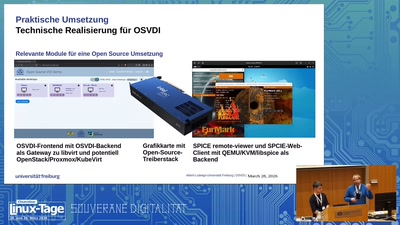
Die vorgestellte Open Source Virtual Desktop Infrastructure (OSVDI) verfolgt das Ziel, die typische Grafik-Workstation mit vollständig offenen und frei verfügbaren Softwarestack auf einen Hypervisor oder in die Cloud zu verlagern. Das Thema VDI ist nicht neu und die Grundidee reicht zurück bis in die Zeit von X11/XDM, LTSP, VNC, NoMachine NX, Citrix und dem Windows Terminal Server. Ein in OSVDI angepasstes SPICE bietet hardwareunterstütztes En- und Decoding für Videodatenströme für den schnellen Remote-Zugriff auf entfernte Desktop-Umgebungen. Es stellt zusätzliche Kanäle zur Verfügung, etwa für unidirektionales oder bidirektionales Audio, Remote-USB oder den Zugriff auf optische Laufwerke. Der Vortrag gibt zudem einen Überblick zu den weiteren Modulen dieses Open Source Projekts, wie Access-Gateway, Nutzung partitionierbarer Intel-GPUs für hardwarebeschleunigte Gäste und wie man eine solche Infrastruktur für sich aufbauen kann. OSVDI verfolgt das Ziel einer Vervollständigung eines freien und offenen IT-Baukastens im Sinne der Digitalen Souveränität. Der Votrag addressiert daher insbesondere Mitentwickler als auch IT-Entscheider und Infrastruktur-Administratoren für die Anwendung. Licensed to the public under http://creativecommons.org/licenses/by/4.0 about this event: https://chemnitzer.linux-tage.de/2026/de/programm/beitrag/417

Die vorgestellte Open Source Virtual Desktop Infrastructure (OSVDI) verfolgt das Ziel, die typische Grafik-Workstation mit vollständig offenen und frei verfügbaren Softwarestack auf einen Hypervisor oder in die Cloud zu verlagern. Das Thema VDI ist nicht neu und die Grundidee reicht zurück bis in die Zeit von X11/XDM, LTSP, VNC, NoMachine NX, Citrix und dem Windows Terminal Server. Ein in OSVDI angepasstes SPICE bietet hardwareunterstütztes En- und Decoding für Videodatenströme für den schnellen Remote-Zugriff auf entfernte Desktop-Umgebungen. Es stellt zusätzliche Kanäle zur Verfügung, etwa für unidirektionales oder bidirektionales Audio, Remote-USB oder den Zugriff auf optische Laufwerke. Der Vortrag gibt zudem einen Überblick zu den weiteren Modulen dieses Open Source Projekts, wie Access-Gateway, Nutzung partitionierbarer Intel-GPUs für hardwarebeschleunigte Gäste und wie man eine solche Infrastruktur für sich aufbauen kann. OSVDI verfolgt das Ziel einer Vervollständigung eines freien und offenen IT-Baukastens im Sinne der Digitalen Souveränität. Der Votrag addressiert daher insbesondere Mitentwickler als auch IT-Entscheider und Infrastruktur-Administratoren für die Anwendung. Licensed to the public under http://creativecommons.org/licenses/by/4.0 about this event: https://chemnitzer.linux-tage.de/2026/de/programm/beitrag/417

NOW PLAYING

Open Source VDI – HW-beschleunigter Remote-Access zu LibVirt (clt26)

0:00 25:40

No transcript for this episode yet

We transcribe on demand. Request one and we'll notify you when it's ready — usually under 10 minutes.

LIGHTS, CAMERA, SMILE! Creatives Club Media Lights, Camera, Smile, is a podcast for anyone with a dream to share something with the world, out of the overflow of themselves - be it their mind, their heart, their personalities, and much more. Each of us are alive in this moment in time, with an innate ability to have ideas and create various things to benefit both ourselves and the people around us for a reason, and here, you will find the encouragement, the inspiration, and the motivation to do just that. Hosted by Cicily, founder of Creatives Club, she dives into various topics surrounding creativity and business. Exploring entrepreneurship for creatives in a corporate reality, sharing tips and tricks in a media centered company, answering questions regarding what a creative actually is are just a few of the things discussed on this podcast. Be encouraged to create for yourself as Cicily gets vulnerable by pivoting the camera to herself for the first time.To submit questions for Cicily to answer, or have her address certain t The PFN Cincinnati Bengals Podcast Pro Football Network The PFN Cincinnati Bengals Podcast is where you can stay up-to-date with the latest news and analysis on the Cincinnati Bengals! Our hosts, industry experts Jay Morrison and Dallas Robinson, provide weekly coverage of all the latest rumors and updates about the Bengals. Don’t forget to follow the show to receive new episodes directly in your podcast feed and leave a rating and review to let us know your thoughts. Piramidi Club The Bitcoin Butcher La Migliore Pizza di Firenze 🎙️Truth and Testimony the Broadcast Ray Gauthier & Adrian Scott This Podcast discusses and teaches the word of God. You will hear about world news and how it relates to bible prophecy. You will also hear interviews and testimonies from men and women of God who have devoted their lives to serving Yeshua (Jesus). Hosted by Ray Gauthier and Adrian Scott. These two long term broadcast colleagues have joined forces once again to provide you the highest quality in broadcast excellence, all for the glory of Yahweh: the God of all creation!You can see most of the podcasts uploaded here at our Youtube Channel.https://www.youtube.com/@truthandtestimonythebroadcast

Frequently Asked Questions

How long is this episode of Chaos Computer Club - recent events feed (low quality)?

This episode is 25 minutes long.

When was this Chaos Computer Club - recent events feed (low quality) episode published?

This episode was published on March 28, 2026.

What is this episode about?

Die vorgestellte Open Source Virtual Desktop Infrastructure (OSVDI) verfolgt das Ziel, die typische Grafik-Workstation mit vollständig offenen und frei verfügbaren Softwarestack auf einen Hypervisor oder in die Cloud zu verlagern. Das Thema VDI ist...

Can I download this Chaos Computer Club - recent events feed (low quality) episode?

Yes, you can download this episode by clicking the download button on the episode player, or subscribe to the podcast in your preferred podcast app for automatic downloads.
URL copied to clipboard!