
EPISODE · Aug 14, 2025 · 15 MIN
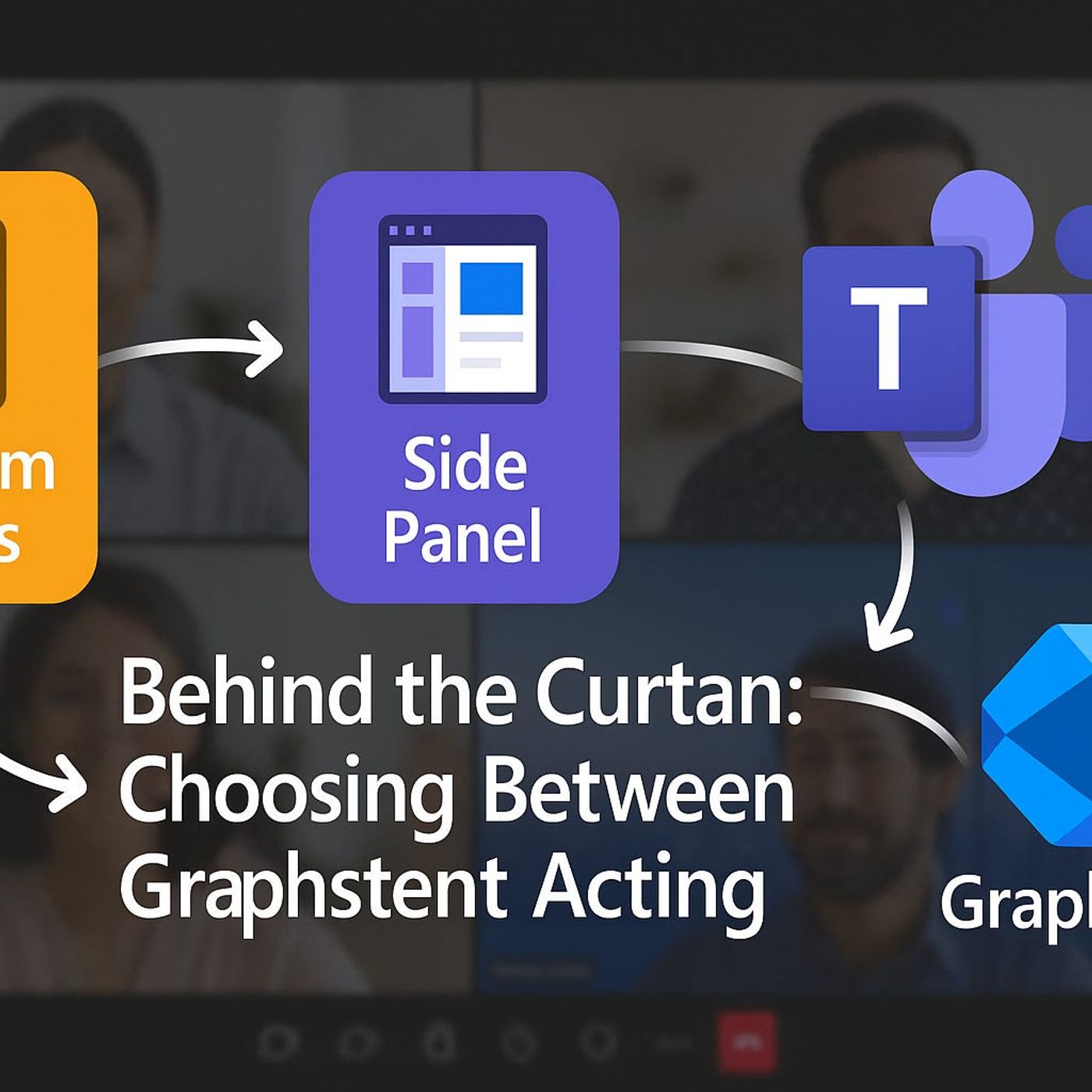
Teams Meeting Extensibility: How Custom Apps, Side Panels and Graph Events Turn Meetings into Real Workspaces
from M365.FM - Modern work, security, and productivity with Microsoft 365 · host Mirko Peters - Founder of m365.fm, m365.show and m365con.net
If you think Teams meetings are just video calls and screen shares, you’re missing the real surface where work can happen. In this episode, we break down how custom apps, in‑meeting side panels, and Graph meeting lifecycle events turn a simple call into a live workspace that triggers workflows, surfaces business data, and runs internal tools right next to the conversation. You’ll see why treating these pieces separately leaves value on the table—and how connecting them changes the way your teams run project reviews, escalations, and decision meetings.We start with the hidden framework under every Teams meeting: custom apps embedded as tabs, side panels that deliver real‑time context, and lifecycle events that act as signals (“meeting started,” “participant joined,” “meeting ended”) for automation. Instead of reading three separate docs, you’ll get one mental model for how these components interact: apps handle structured work, side panels keep people in the flow with relevant data, and lifecycle events quietly drive workflows in the background. With concrete scenarios—from status meetings with live project trackers to support calls with in‑panel tickets—you’ll see how each part plays its role without fighting the meeting flow.Then we zoom into custom apps built specifically for the meeting surface. You’ll learn how manifest design, deep links, and context parameters turn generic web apps into meeting‑aware experiences that automatically pick the right team, project, or record without users clicking through menus. We talk about UI consistency, single sign‑on, and permission prompts that either make your app feel native—or instantly break trust if handled poorly.Then we zoom into custom apps built specifically for the meeting surface. You’ll learn how manifest design, deep links, and context parameters turn generic web apps into meeting‑aware experiences that automatically pick the right team, project, or record without users clicking through menus. We talk about UI consistency, single sign‑on, and permission prompts that either make your app feel native—or instantly break trust if handled poorly.WHAT YOU LEARNHow the three core building blocks—custom apps, in‑meeting side panels, and Graph meeting lifecycle events—work and why they’re designed to be interoperable, not dependent.How to design custom apps that feel native in meetings using manifests, deep links, context parameters, and single sign‑on.How side panels deliver real‑time context (like CRM or ticket data) without forcing users to switch tabs or lose the conversation.How lifecycle events act as signals to trigger automations before, during, and after meetings.How to think about meeting extensibility as an architecture you control, not a collection of isolated features.CORE INSIGHTThe core insight of this episode is that Teams meeting extensibility only shows its power when you stop treating apps, side panels, and lifecycle events as separate tricks and start designing them as one system. When your custom app hosts the work, your side panel feeds live context, and your lifecycle events drive automation behind the scenes, the meeting window stops being a passive stage and becomes a coordinated control center for the process you actually care about.WHO THIS IS FORDevelopers and architects building custom apps and integrations for Microsoft Teams meetings.Product owners and project leads who want meetings to drive real workflows instead of just producing notes.IT and collaboration admins looking to turn Teams into a programmable work hub rather than just a conferencing tool.Solution designers exploring how Graph meeting lifecycle events can integrate meetings with line‑of‑business systems.ABOUT THE HOSTMirko Peters is a Microsoft 365 consultant and podcast host who focuses on turning modern work tools like Teams into integrated, governed systems instead of disconnected apps. He works with organizations to design context‑driven architectures across Microsoft 365 and Azure, where meetings, apps, and workflows fit together cleanly instead of relying on manual workarounds. In M365.FM, Mirko translates deep technical capabilities—like Teams meeting extensibility, Graph APIs, and custom apps—into practical stories and patterns listeners can apply in their own tenants.Become a supporter of this podcast: https://www.spreaker.com/podcast/m365-fm-modern-work-security-and-productivity-with-microsoft-365--6704921/support.
Embed this episode
What this episode covers
If you think Teams meetings are just video calls and screen shares, you’re missing the real surface where work can happen. In this episode, we break down how custom apps, in‑meeting side panels, and Graph meeting lifecycle events turn a simple call into a live workspace that triggers workflows, surfaces business data, and runs internal tools right next to the conversation. You’ll see why treating these pieces separately leaves value on the table—and how connecting them changes the way your teams run project reviews, escalations, and decision meetings. We start with the hidden framework under every Teams meeting: custom apps embedded as tabs, side panels that deliver real‑time context, and lifecycle events that act as signals (“meeting started,” “participant joined,” “meeting ended”) for automation. Instead of reading three separate docs, you’ll get one mental model for how these components interact: apps handle structured work, side panels keep people in the flow with relevant data, and lifecycle events quietly drive workflows in the background. With concrete scenarios—from status meetings with live project trackers to support calls with in‑panel tickets—you’ll see how each part plays its role without fighting the meeting flow. Then we zoom into custom apps built specifically for the meeting surface. You’ll learn how manifest design, deep links, and context parameters turn generic web apps into meeting‑aware experiences that automatically pick the right team, project, or record without users clicking through menus. We talk about UI consistency, single sign‑on, and permission prompts that either make your app feel native—or instantly break trust if handled poorly. Then we zoom into custom apps built specifically for the meeting surface. You’ll learn how manifest design, deep links, and context parameters turn generic web apps into meeting‑aware experiences that automatically pick the right team, project, or record without users clicking through menus. We talk about UI consistency, single sign‑on, and permission prompts that either make your app feel native—or instantly break trust if handled poorly. WHAT YOU LEARN How the three core building blocks—custom apps, in‑meeting side panels, and Graph meeting lifecycle events—work and why they’re designed to be interoperable, not dependent. How to design custom apps that feel native in meetings using manifests, deep links, context parameters, and single sign‑on. How side panels deliver real‑time context (like CRM or ticket data) without forcing users to switch tabs or lose the conversation. How lifecycle events act as signals to trigger automations before, during, and after meetings. How to think about meeting extensibility as an architecture you control, not a collection of isolated features. CORE INSIGHT The core insight of this episode is that Teams meeting extensibility only shows its power when you stop treating apps, side panels, and lifecycle events as separate tricks and start designing them as...
NOW PLAYING
Teams Meeting Extensibility: How Custom Apps, Side Panels and Graph Events Turn Meetings into Real Workspaces
No transcript for this episode yet
Similar Episodes
No similar episodes found.
Similar Podcasts
No similar podcasts found.