
EPISODE · Nov 10, 2022 · 12 MIN
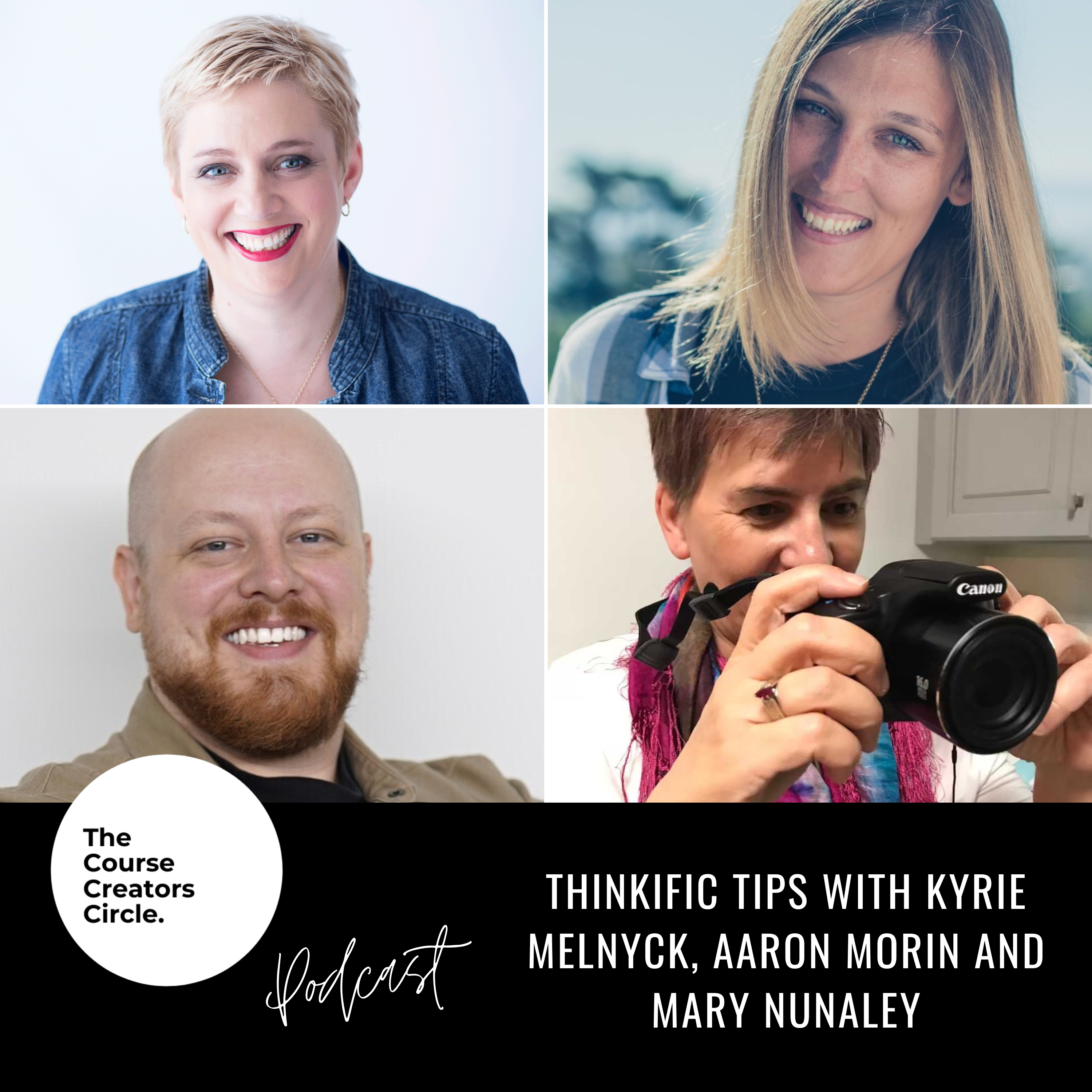
Thinkific Tips with Kyrie, Aaron and Mary
from The Course Creators Circle Podcast · host The Course Creators Circle Podcast
Thinkific’s powerful platform makes it easy to share your knowledge, grow your audience, and scale the business you already love. Everyone from consultants, experts, authors, and speakers use Thinkific today. Here at The Course Creators Circle, we love Thinkific and so do our three guests Kyrie, Aaron and Mary. In this episode of The Course Creators Circle Podcast, I am being joined by three of my favourite people when it comes to Thinkific—Kyrie and Aaron from the Thinkific Team and Mary, one of my fellow Thinkific experts. We are going to look at their favourite features and apps in Thinkific, and their advice for course creators like you to help you along your course creation journey. ??This interview has been edited for length and clarity. What is your favourite Thinkific feature and how do you think it makes an impact on course creators, not just only for their own course creation experience, but for the learning experience for their students? Kyrie: As a community manager, I may be biased, but my favourite Thinkific feature is the communities feature. And that's because it makes a huge impact for course creators to be able to connect with their students as they're learning. And it really allows students to connect with one another. It creates a more experiential learning experience for the students and it allows course creators to glean insights on what their students are having questions about, what they're thinking, where they get stuck, and what they're enjoying. So communities are a huge asset and a really great feature. Aaron: First off, my favourite features in Thinkific are still anything that's available on the free plan. If you're just getting started, jump onto the free plan because you get a full course that you can sell right off the bat. You can also use it for a community space. So it really does give you an incredible amount of runway to get started with. Now, for specific features on the free plan, the multimedia lesson is probably my favourite and most used because I love to add really interactive things to my course. I also want to shout out our App Store, which has some incredible and really innovative apps that you can start adding to your course website. The two that I wanted to shout out were Hoist. What Hoist will do is host a landing page on your Thinkific website where you can ask your students to record a video testimonial. I have automated the process of testimonial outreach in that way, We also use Wobo, which is a workbook app, in which you can embed fillable workbooks. People can type out their answers right inside Thinkific. Overall, the free plan features are definitely hands down, my favourite, and I think they've done the most in the world in terms of real impact out there. Mary: My favourite Thinkific feature is the multimedia lesson because it allows you to create HTML5 interactive content using third-party tools like Genially or Storyline to add more interactivity, engagement, and fun to your courses. Course creators love an app that makes their life easier. So as a Thinkific team member, I thought it would be very important that we ask you what your favourite app is from the app store, and how have you best seen that app used in the learning experience, either for you as a course creator or for your students to make their lives easier. Kyrie: The Superpowerups suite is amazing by Rob Galvin. There's Wobo, which is really cool to empower notetaking and allows students to work through digital workbooks. But I think my favourite would probably be DropInBlog and that's because I'm also most familiar with it. I've used it on our Thinkific Academy site as well and it allows you to set up a really quick blog on your Thinkific site. It's helpful for creators to be able to share their knowledge with students, and it's helpful for students because they have a resource where they can go and digest all of the awesome information that their teachers are sharing. Aaron: I have used other apps on the training.thinkific.com website and what we found is that the Search is an incredible tool for students. What it does is it indexes all of your content, even images, even video content, and it turns it into this searchable word file in the background. I'll also shout out ActiveCampaign. What it does is it allows scrappy entrepreneurs who need a lot of power behind their email marketing and CRM services to get down and dirty with a lot of automation and do really interesting things with automation. Mary: I'm going to say playYeah from Rob Galvin's Superpowerups because it allows the motivational messages and the quick tour of the courses. My clients find that it really improves their engagement with their learners. The other app is Wobo for creating more engaging and interactive workbooks for your courses that really allow the learners to do deep reflection and keep track of what they're learning in the course. And it wouldn't be an episode of the Course Creators Circle Podcast without a tip or two from our guests. So we would love to hear your top tip for our podcast listeners so that they can implement it in their course creation journey. Kyrie: My biggest tip for Course creators is that done is better than perfect. I recently had to do some filming for our thriving communities course and I wanted it to be perfect. I would have spent hours on it had I not had a very strong deadline to film it in a day. When you get your content out there, just listen to your customers, listen to your clients, listen to your students, and then you can change and perfect it as you go. But holding on to perfection and allowing that to stop you from moving forward is probably one of the least impactful things you can do as a course creator. So get your knowledge out there. People want to learn from you. People should be learning from you, and you have so much to share. You got this! Aaron: My number one tip is to validate everything as you're creating your first online course. Or maybe you've made two or three other ones before, but validating everything is an important part of the process. Take those initial first steps to validate certain things. Like, for example, are people actually searching for your topic online? Are they buying things about your topic online? Would your audience buy a course from you if you have a small email list? If you have an Instagram following? Ask those questions. You want to get in touch with people and get their feedback on things, and then when you actually create the content, get feedback on that too. I like to use the word empirical creativity. What you want to do is think of really creative solutions to things, but be a scientist about it. Check them out, test them, see the results, and then make an informed decision from there. Mary: My top tip for course creators is to plan your course, write an outline, determine what assets you need to create the course, and then realize that the first version is never going to be the last version and be okay with having to make updates and changes on a regular basis. About our Guests Kyrie Melnyck is the co-founder of the 7in7 Digital Nomad Conference. By offering retreats, conferences, and events across five continents (so far!), she has helped hundreds of people pursue and sustain location-independent lifestyles. She has over a decade of event and community management experience that she brings to her role as the Community Program Manager at Thinkific. Aaron Morin is working to enable creators to sell their expertise online via learning products and communities. He is currently the Senior Manager responsible for the Education & Community teams at Thinkific. Mary Nunaley is the co-founder of Lavender Dragon Team, Inc. She is an instructional designer and Thinkific expert, and she's proud to work with her son on their business. When she's not creating courses, she enjoys ballroom dancing, crocheting, photography, and reading. Highlights 0:00 Welcome to The Course Creators Circle Podcast0:48 Thinkific tips with Kyrie, Aaron and Mary1:05 What is your favourite Thinkific feature?1:20 Kyrie: The communities feature1:55 Aaron: Anything available on the free plan4:40 Mary: The multimedia lesson5:05 What is your favourite app from the app store?5:20 Kyrie: Superpowerups, Wobo, DropInBlog6:10 Aaron: Search tool on the training.thinkific.com website7:45 Mary: playYeah from Superpowerups and Wobo8:20 What is your top tip for course creators?8:28 Kyrie: Done is better than perfect9:35 Aaron: Validate everything11:44 Mary: Plan your course12:03 Thank you to our guests12:30 Check our full range of resources at The Course Creators Circle Resources Mentioned in the Podcast ThinkificWobo
What this episode covers
Thinkific’s powerful platform makes it easy to share your knowledge, grow your audience, and scale the business you already love. Everyone from consultants, experts, authors, and speakers use Thinkific today. Here at The Course Creators Circle, we love Thinkific and so do our three guests Kyrie, Aaron and Mary. In this episode of The Course Creators Circle Podcast, I am being joined by three of my favourite people when it comes to Thinkific—Kyrie and Aaron from the Thinkific Team and Mary, one of my fellow Thinkific experts. We are going to look at their favourite features and apps in Thinkific, and their advice for course creators like you to help you along your course creation journey. ??This interview has been edited for length and clarity. What is your favourite Thinkific feature and how do you think it makes an impact on course creators, not just only for their own course creation experience, but for the learning experience for their students? Kyrie: As a community manager, I may be biased, but my favourite Thinkific feature is the communities feature. And that's because it makes a huge impact for course creators to be able to connect with their students as they're learning. And it really allows students to connect with one another. It creates a more experiential learning experience for the students and it allows course creators to glean insights on what their students are having questions about, what they're thinking, where they get stuck, and what they're enjoying. So communities are a huge asset and a really great feature. Aaron: First off, my favourite features in Thinkific are still anything that's available on the free plan. If you're just getting started, jump onto the free plan because you get a full course that you can sell right off the bat. You can also use it for a community space. So it really does give you an incredible amount of runway to get started with. Now, for specific features on the free plan, the multimedia lesson is probably my favourite and most used because I love to add really interactive things to my course. I also want to shout out our App Store, which has some incredible and really innovative apps that you can start adding to your course website. The two that I wanted to shout out were Hoist. What Hoist will do is host a landing page on your Thinkific website where you can ask your students to record a video testimonial. I have automated the process of testimonial outreach in that way, We also use Wobo, which is a workbook app, in which you can embed fillable workbooks. People can type out their answers right inside Thinkific. Overall, the free plan features are definitely hands down, my favourite, and I think they've done the most in the world in terms of real impact out there. Mary: My favourite Thinkific feature is the multimedia lesson because it allows you to create HTML5 interactive content using third-party tools like Genially or Storyline to add more interactivity, engagement, and fun to your courses. Course creators love an app that makes their life easier. So as a Thinkific team member, I thought it would be very important that we ask you what your favourite app is from the app store, and how have you best seen that app used in the learning experience, either for you as a course creator or for your students to make their lives easier. Kyrie: The Superpowerups suite is amazing by Rob Galvin. There's Wobo, which is really cool to empower notetaking and allows students to work through digital workbooks. But I think my favourite would probably be DropInBlog and that's because I'm also most familiar with it. I've used it on our Thinkific Academy site as well and it allows you to set up a really quick blog on your Thinkific site. It's helpful for creators to be able to share their knowledge with students, and it's helpful for students because they have a resource where they can go and digest all of the awesome information that their teachers are sharing. Aaron: I have used other apps on the training.thinkific.com website and what we found is that the Search is an incredible tool for students. What it does is it indexes all of your content, even images, even video content, and it turns it into this searchable word file in the background. I'll also shout out ActiveCampaign. What it does is it allows scrappy entrepreneurs who need a lot of power behind their email marketing and CRM services to get down and dirty with a lot of automation and do really interesting things with automation. Mary: I'm going to say playYeah from Rob Galvin's Superpowerups because it allows the motivational messages and the quick tour of the courses. My clients find that it really improves their engagement with their learners. The other app is Wobo for creating more engaging and interactive workbooks for your courses that really allow the learners to do deep reflection and keep track of what they're learning in the course. And it wouldn't be an episode of the Course Creators Circle Podcast without a tip or two from our guests. So we would love to hear your top tip for our podcast listeners so that they can implement it in their course creation journey. Kyrie: My biggest tip for Course creators is that done is better than perfect. I recently had to do some filming for our thriving communities course and I wanted it to be perfect. I would have spent hours on it had I not had a very strong deadline to film it in a day. When you get your content out there, just listen to your customers, listen to your clients, listen to your students, and then you can change and perfect it as you go. But holding on to perfection and allowing that to stop you from moving forward is probably one of the least impactful things you can do as a course creator. So get your knowledge out there. People want to learn from you. People should be learning from you, and you have so much to share. You got this! Aaron: My number one tip is to validate everything as you're creating your first online course. Or maybe you've made two or three other ones before, but validating everything is an important part of the process. Take those initial first steps to validate certain things. Like, for example, are people actually searching for your topic online? Are they buying things about your topic online? Would your audience buy a course from you if you have a small email list? If you have an Instagram following? Ask those questions. You want to get in touch with people and get their feedback on things, and then when you actually create the content, get feedback on that too. I like to use the word empirical creativity. What you want to do is think of really creative solutions to things, but be a scientist about it. Check them out, test them, see the results, and then make an informed decision from there. Mary: My top tip for course creators is to plan your course, write an outline, determine what assets you need to create the course, and then realize that the first version is never going to be the last version and be okay with having to make updates and changes on a regular basis. About our Guests Kyrie Melnyck is the co-founder of the 7in7 Digital Nomad Conference. By offering retreats, conferences, and events across five continents (so far!), she has helped hundreds of people pursue and sustain location-independent lifestyles. She has over a decade of event and community management experience that she brings to her role as the Community Program Manager at Thinkific. Aaron Morin is working to enable creators to sell their expertise online via learning products and communities. He is currently the Senior Manager responsible for the Education & Community teams at Thinkific. Mary Nunaley is the co-founder of Lavender Dragon Team, Inc. She is an instructional designer and Thinkific expert, and she's proud to work with her son on their business. When she's not creating courses, she enjoys ballroom dancing, crocheting, photography, and reading. Highlights 0:00 Welcome to The Course Creators Circle Podcast0:48 Thinkific tips with Kyrie, Aaron and Mary1:05 What is your favourite Thinkific feature?1:20 Kyrie: The communities feature1:55 Aaron: Anything available on the free plan4:40 Mary: The multimedia lesson5:05 What is your favourite app from the app store?5:20 Kyrie: Superpowerups, Wobo, DropInBlog6:10 Aaron: Search tool on the training.thinkific.com website7:45 Mary: playYeah from Superpowerups and Wobo8:20 What is your top tip for course creators?8:28 Kyrie: Done is better than perfect9:35 Aaron: Validate everything11:44 Mary: Plan your course12:03 Thank you to our guests12:30 Check our full range of resources at The Course Creators Circle Resources Mentioned in the Podcast ThinkificWobo
NOW PLAYING
Thinkific Tips with Kyrie, Aaron and Mary
No transcript for this episode yet
Similar Episodes
Mar 26, 2026 ·1m
Mar 19, 2026 ·34m
Feb 18, 2026 ·11m
Feb 11, 2026 ·45m