
EPISODE · Jul 10, 2006 · 8 MIN
Use Collections in Adobe Bridge
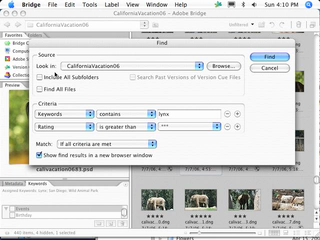
I've already shown you in previous episodes how to take advantage of Keywords and other metadata to quickly find your images. In this episode we'll take a look at how to create your search criteria once and use it over and over again with dynamic Collections. The Bridge is about to get a whole lot smarter in helping you find exactly what you're looking for.
Embed this episode
Ready to play
Use Collections in Adobe Bridge
0:00
8:04
1×
No transcript for this episode yet
Similar Episodes
No similar episodes found.
Similar Podcasts
No similar podcasts found.
Frequently Asked Questions
How long is this episode of Adobe Creative Cloud TV?
This episode is 8 minutes long.
When was this Adobe Creative Cloud TV episode published?
This episode was published on July 10, 2006.
Can I download this Adobe Creative Cloud TV episode?
Yes. Use the download control on the episode player to save the publisher-provided media file.
URL copied to clipboard!