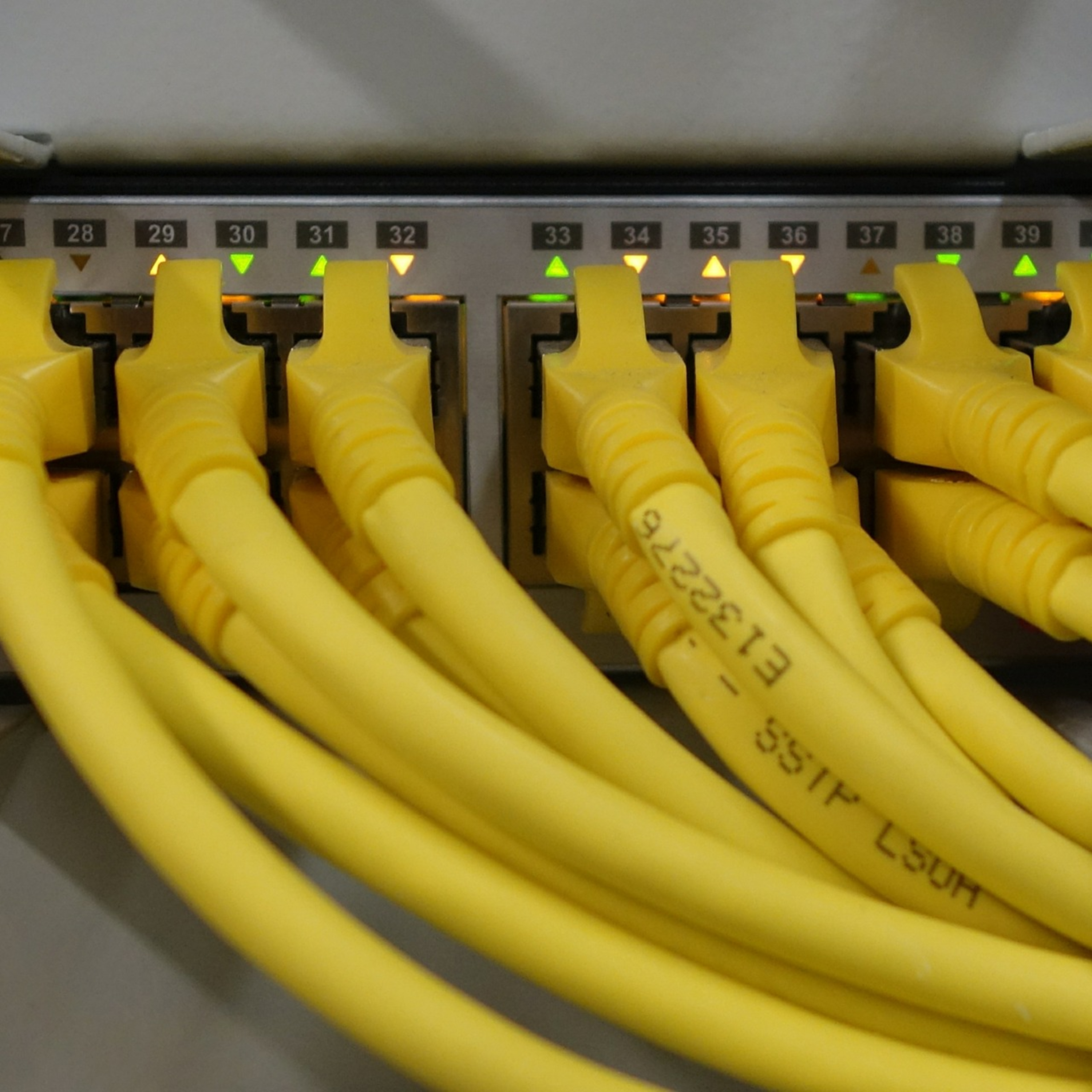
What is Switch in Computer Networks? episode artwork

EPISODE · Nov 17, 2020 · 2 MIN

What is Switch in Computer Networks?

from PC Networking · host PC Networking

What is Switch in Computer Networks? The switch is one of the network hardware that allows PCs and other network equipment to be integrated with each other. OSI works in layer 2 of the seven-layer model and also in layer 3, as new switches are capable of IP routing. Each of the network switches can exchange data independently of the others. When a data packet reaches one of the ports, the network key records the sender's Mac address and the sent port in the address table. It tries to detect the port to which the target MAC address is connected by examining the existing records in the MAC address table. If no record is found, the data packet is sent to all ports except the incoming port. If the mac address is known, then the data packet is only sent to the destination port. If the sender's and receiver's MAC addresses are the same, the packet is deleted. Managed and Unmanaged Switches Basic network switches, such as those used in consumer routers, do not require any special configuration beyond plugging in cables and power. Compared to these unmanaged switches, high-end devices used in corporate networks support a range of advanced features designed to be controlled by a professional administrator. Popular features of managed switches include SNMP monitoring, link aggregation, and QoS support. Traditionally managed switches are created to be controlled from Unix-style command-line interfaces. A newer category of managed switches called smart switches that target entry-level and mid-level corporate networks to support web-based interfaces similar to a home router. How Does Switch Work? Switches connect devices (such as computers, printers, wireless access points) on a network and allow them to communicate by exchanging data packets. Switches can be software-based virtual devices as well as hardware devices that manage physical networks. Switches make up the majority of network devices in modern data networks. They provide wired connections to desktop computers, wireless access points, industrial machines, and some IoT devices such as card entry systems. They connect the computers that host virtual machines (VMs) in data centers, as well as physical servers and most of the storage infrastructure. They carry large amounts of traffic on their telecommunications provider networks. A network switch operates on the network layer L2 of the OSI model. In a local area network (LAN) using Ethernet, a network switch determines where each incoming message frame is sent by examining the physical device address or MAC address. The switches hold tables that match each MAC address and the port from which the MAC address is obtained. More Podcasts The Router in Google Podcast The Difference LAN, WAN, and MAN in Google Podcast The Ubuntu Operating System in Google Podcast The Wide Area Network in iHeard Podcast

Episode metadata supplied by the publisher feed · Published Nov 17, 2020

What is Switch in Computer Networks? The switch is one of the network hardware that allows PCs and other network equipment to be integrated with each other. OSI works in layer 2 of the seven-layer model and also in layer 3, as new switches are capable of IP routing. Each of the network switches can exchange data independently of the others. When a data packet reaches one of the ports, the network key records the sender's Mac address and the sent port in the address table. It tries to detect the port to which the target MAC address is connected by examining the existing records in the MAC address table. If no record is found, the data packet is sent to all ports except the incoming port. If the mac address is known, then the data packet is only sent to the destination port. If the sender's and receiver's MAC addresses are the same, the packet is deleted. Managed and Unmanaged Switches Basic network switches, such as those used in consumer routers, do not require any special configuration beyond plugging in cables and power. Compared to these unmanaged switches, high-end devices used in corporate networks support a range of advanced features designed to be controlled by a professional administrator. Popular features of managed switches include SNMP monitoring, link aggregation, and QoS support. Traditionally managed switches are created to be controlled from Unix-style command-line interfaces. A newer category of managed switches called smart switches that target entry-level and mid-level corporate networks to support web-based interfaces similar to a home router. How Does Switch Work? Switches connect devices (such as computers, printers, wireless access points) on a network and allow them to communicate by exchanging data packets. Switches can be software-based virtual devices as well as hardware devices that manage physical networks. Switches make up the majority of network devices in modern data networks. They provide wired connections to desktop computers, wireless access points, industrial machines, and some IoT devices such as card entry systems. They connect the computers that host virtual machines (VMs) in data centers, as well as physical servers and most of the storage infrastructure. They carry large amounts of traffic on their telecommunications provider networks. A network switch operates on the network layer L2 of the OSI model. In a local area network (LAN) using Ethernet, a network switch determines where each incoming message frame is sent by examining the physical device address or MAC address. The switches hold tables that match each MAC address and the port from which the MAC address is obtained. More Podcasts The Router in Google Podcast The Difference LAN, WAN, and MAN in Google Podcast The Ubuntu Operating System in Google Podcast The Wide Area Network in iHeard Podcast

PodParley-generated summary based on available episode metadata and transcript content.

NOW PLAYING

What is Switch in Computer Networks?

0:00 2:36

No transcript for this episode yet

We transcribe on demand. Request one and we'll notify you when it's ready — usually under 10 minutes.

Frequently Asked Questions

How long is this episode of PC Networking?

This episode is 2 minutes long.

When was this PC Networking episode published?

This episode was published on November 17, 2020.

What is this episode about?

What is Switch in Computer Networks? The switch is one of the network hardware that allows PCs and other network equipment to be integrated with each other. OSI works in layer 2 of the seven-layer model and also in layer 3, as new switches are...

Can I download this PC Networking episode?

Yes, you can download this episode by clicking the download button on the episode player, or subscribe to the podcast in your preferred podcast app for automatic downloads.
URL copied to clipboard!