
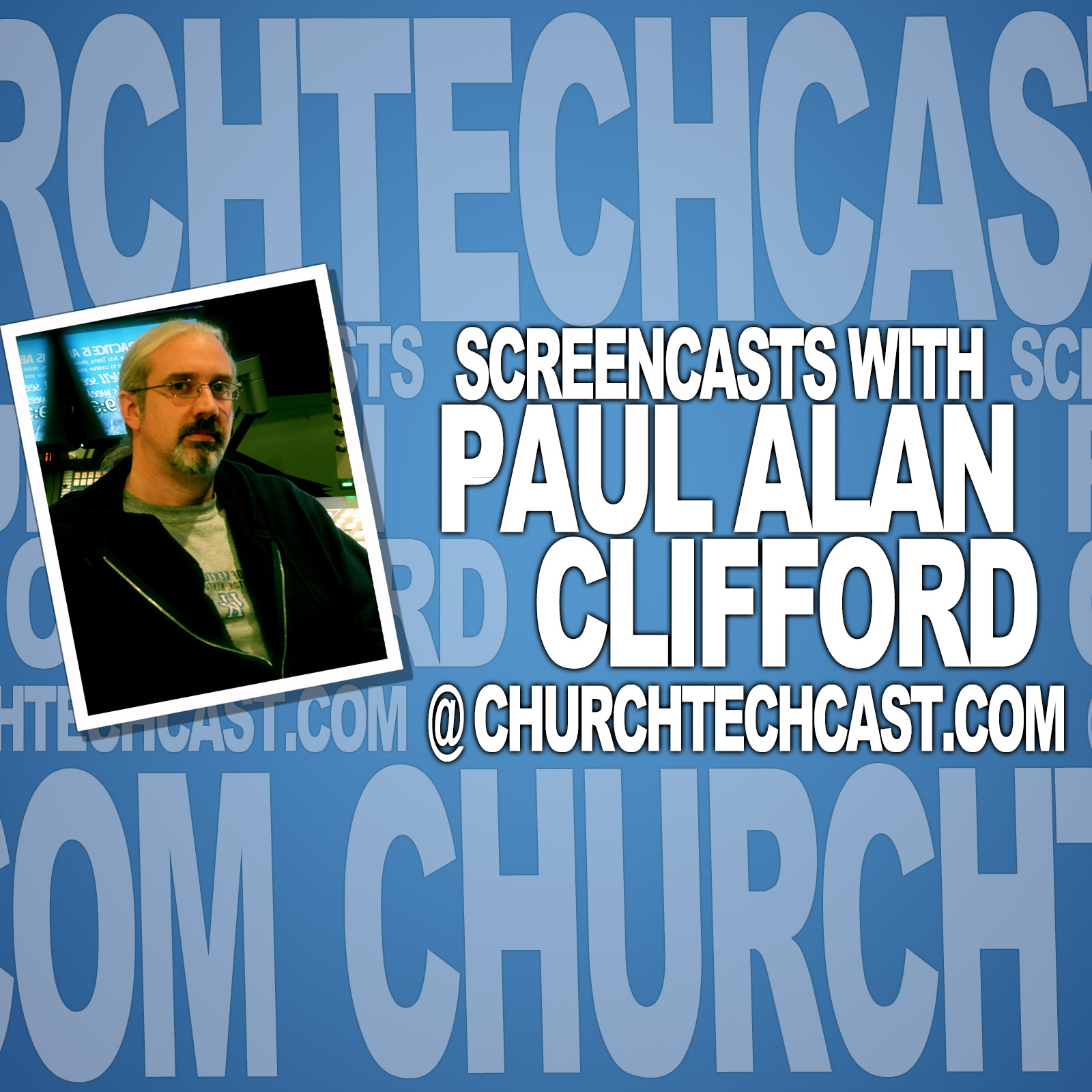
PODCAST
The ProPresenter Show
by The ProPresenter Show
Making church tech understandable.
Episodes
-
How to find out if your favorite apps will run on MacOS Catalina (important for some ProPresenter users)
Go to http://tdm.fyi/pro6mini to join one of my ProPresenter mini courses for free. Here’s a great write-up on how to do this from 9-to-5 mac. Presented by ChurchTechU, it’s the ProPresenter show. On today’s show, why you should be careful about upgrading to MacOS Catalina…even if ProPresenter...
-
ProPresenter Tutorial: How to play audio from one video while showing something else
How to play audio from one video while showing something else Join my free ProPresenter mini courses at TDM.fyi/tutorialsmini Sometimes you’ll know how to do things the right way…but won’t have time to do it that way. This one isn’t hard, but it’s a good trick to have ready for... Continue…
more -
ProPresenter 6 Tutorial: How to format the stage display clock to add seconds, the date, or the time zone
ProPresenter 6 Tutorial: How to format the stage display clock to add seconds, the date, or the time zone On today’s show, how to format the stage display clock to add seconds, the date, or even the time zone. Last week on the ProPresenter Users’ Group on Facebook someone asked... Continue…
more -
How to connect a Mac to Midi devices over the network (works with ProPresenter)
If you’re looking for how to send Midi commands with USB, try this tutorial: TDM.fyi/USBmidi On today’s ProPresenter show, how to connect Midi devices over the network. Hi, and welcome again to the ProPresenter show. This is the show where I help you learn about propresenter. My name is Paul......
-
ProPresenter 6 Tutorial: Making text all caps by enabling the all caps checkbox | ChurchTechCast.com Screencast show
ProPresenter 6 Tutorial: Making text all caps by enabling the all caps checkbox Join the conversation; call 1-877-763-3246, leave a comment below the video, or hit me up on Twitter (@PaulAlanClif) http://TrinityDigitalMedia.com/ctcscreencasts ProPresenter 6 Tutorial: Making text all caps by...
-
ProPresenter 6 Tutorial: Corner pinning | ChurchTechCast.com Screencast show
ProPresenter 6 Tutorial: Corner pinning Join the conversation; call 1-877-763-3246, leave a comment below the video, or hit me up on Twitter (@PaulAlanClif) ProPresenter 6 Tutorial: Corner pinning Let’s imagine that you need to do keystone correction because your projector isn’t perfectly aligned...
-
ProPresenter 6 Tutorial: Adding a black highlight to text | ChurchTechCast.com Screencast show
ProPresenter 6 Tutorial: Adding a black highlight to text Join the conversation; call 1-877-763-3246, leave a comment below the video, or hit me up on Twitter (@PaulAlanClif) http://TrinityDigitalMedia.com/ctcscreencasts ProPresenter 6 Tutorial: Adding a black highlight to text Over on the...
-
ProPresenter 6 Tutorial: Triggering and displaying a countdown with the scheduler | ChurchTechCast.com Screencast show
ProPresenter 6 Tutorial: Triggering and displaying a countdown with the scheduler Join the conversation; cleave a comment below the video, or hit me up on Twitter (@PaulAlanClif) ProPresenter 6 Tutorial: Triggering and displaying a countdown with the scheduler It seems like it ought to be easy to...
-
ProPresenter 6 Tutorial: Using the Stage display vertically | ChurchTechCast.com Screencast show
ProPresenter 6 Tutorial: Using the stage display vertically Join the conversation; call 1-877-763-3246, leave a comment below the video, or hit me up on Twitter (@PaulAlanClif) Using the Stage display vertically Normally, you’d use the stage display horizontally, on the front row, on the front of...
-
ProPresenter 6 Tutorial: 2 ways to make text all caps | ChurchTechCast.com Screencast show
ProPresenter 6 Tutorial: 2 ways to make text all caps Join the conversation; call 1-877-763-3246, leave a comment below the video, or hit me up on Twitter (@PaulAlanClif) http://TrinityDigitalMedia.com/ctcscreencasts ProPresenter 6 Tutorial: 2 ways to make text all caps Do you need to make text…
more -
ProPresenter 6 Tutorial: 3 ways to add a white box around lyrics | ChurchTechCast.com Screencast show
ProPresenter 6 Tutorial: 3 ways to add a white box around lyrics Join the conversation; call 1-877-763-3246, leave a comment below the video, or hit me up on Twitter (@PaulAlanClif) ProPresenter 6 Tutorial: 3 ways to add a white box around lyrics If you haven’t upgraded to ProPresenter 6, only......
-
ProPresenter Tutorial: Mirroring two of three displays | ChurchTechCast.com Screencast show
ProPresenter Tutorial: Mirroring two of three displays Join the conversation; call 1-877-763-3246, leave a comment below the video, or hit me up on Twitter (@PaulAlanClif) ProPresenter Tutorial: Mirroring two of three displays Have three displays or more displays connected to your Mac, but need…
more -
ProPresenter 6 Tutorial: Using the Multiscreen module with the Matrox TH2Go | ChurchTechCast.com Screencast show
ProPresenter 6 Tutorial: Using the Multiscreen module with the Matrox TH2Go Join the conversation; call 1-877-763-3246, leave a comment below the video, or hit me up on Twitter (@PaulAlanClif) ProPresenter 6 Tutorial: Using the Multiscreen module with the Matrox TH2Go A lot of churches use the...
-
ProPresenter 6 Tutorial: Using Masks | ChurchTechCast.com Screencast show
ProPresenter 6 Tutorial: Using Masks Join the conversation; call 1-877-763-3246, leave a comment below the video, or hit me up on Twitter (@PaulAlanClif) ProPresenter 6 Tutorial: Using Masks Whether you’re using an odd shaped screen, or doing environmental projection, ProPresenter’s mask function...
-
ProPresenter 6 Tutorial: Using Props | ChurchTechCast.com Screencast show
ProPresenter 6 Tutorial: Using Props Join the conversation; call 1-877-763-3246, leave a comment below the video, or hit me up on Twitter (@PaulAlanClif) ProPresenter 6 Tutorial: Using Props ProPresenter is built on the metaphor of layers. Most churches use the slides layer and the background...
-
ProPresenter 5 & 6 Tutorial: The difference between audio effects and tracks| ChurchTechCast.com Screencast show
ProPresenter 5 & 6 Tutorial: The difference between audio effects and tracks Join the conversation; call 1-877-763-3246, leave a comment below the video, or hit me up on Twitter (@PaulAlanClif) ProPresenter 5 & 6 Tutorial: The difference between audio effects and tracks When you’re using the…
more -
ProPresenter 5 & ProPresenter 6 Tutorials: Adding animated gifs to presentations | ChurchTechCast.com Screencast show
ProPresenter 5 & ProPresenter 6 Tutorials: Adding animated gifs to presentations Join the conversation; call 1-877-763-3246, leave a comment below the video, or hit me up on Twitter (@PaulAlanClif) ProPresenter 5 & ProPresenter 6 Tutorials: Adding animated gifs to presentations I frequent a lot…
more -
ProPresenter 6 Tutorial: 5 Things you didn’t know Pro6 could do | ChurchTechCast.com Screencast show
ProPresenter 6 Tutorial: 5 Things you didn’t know Pro6 could do Join the conversation; call 1-877-763-3246, leave a comment below the video, or hit me up on Twitter (@PaulAlanClif) ProPresenter 6 Tutorial: 5 Things you didn’t know Pro6 could do ProPresenter 6 is a very powerful program. A lot…
more -
ProPresenter 6 Tutorial: Can you add multiple events to the scheduler? | ChurchTechCast.com Screencast show
Can you add multiple events to the scheduler? Join the conversation; call 1-877-763-3246, leave a comment below the video, or hit me up on Twitter (@PaulAlanClif) Can you add multiple events to the scheduler? One of the most requested features in propresenter is the scheduler. When ProPresenter 6...
-
ProPresenter 6 Tutorial: Formatting and Creating Arrangements| ChurchTechCast.com Screencast show
ProPresenter 6 Tutorial: Formatting and Creating Arrangements Join the conversation; call 1-877-763-3246, leave a comment below the video, or hit me up on Twitter (@PaulAlanClif) ProPresenter 6 Tutorial: Formatting and Creating Arrangements You can add songs to propresenter pretty easily, but if...
-
ProPresenter 6 Tutorial: Tricks for using messages in Pro6 | ChurchTechCast.com Screencast show
ProPresenter 6 Tutorial: Tricks for using messages in Pro6 Join the conversation; leave a comment below the video, or hit me up on Twitter (@PaulAlanClif) ProPresenter 6 Tutorial: Tricks for using messages in Pro6 One of the best new features in ProPresenter 6 is the ability to send message…
more -
ProPresenter 6 tutorial: 5 reasons to upgrade to Pro6 | ChurchTechCast.com Screencast show
ProPresenter 6 tutorial: 5 reasons to upgrade to Pro6 Join the conversation; call 1-877-763-3246, leave a comment below the video, or hit me up on Twitter (@PaulAlanClif) ProPresenter 6 tutorial: 5 reasons to upgrade to Pro6 Sometimes when new software comes out, you have to ask yourself whether...
-
ProPresenter 6 Tutorial: Advancing lyrics on the stage display only | ChurchTechCast.com Screencast show
ProPresenter 6 Tutorial: Advancing lyrics on the stage display only Join the conversation; call 1-877-763-3246, leave a comment below the video, or hit me up on Twitter (@PaulAlanClif) ProPresenter 6 Tutorial: Advancing lyrics on the stage display only Sometimes you need to advance text lyrics on...
-
ProPresenter 6 Tutorial: Creating and scheduling preservice loops| ChurchTechCast.com Screencast show
ProPresenter 6 Tutorial: Creating and scheduling preservice loops Join the conversation; call 1-877-763-3246, leave a comment below the video, or hit me up on Twitter (@PaulAlanClif) ProPresenter 6 Tutorial: Creating and scheduling preservice loops One of the things that nearly every church techy...
-
ProPresenter 6 Tutorial: Dedicated graphics and VTR machines | ChurchTechCast.com Screencast show
ProPresenter 6 Tutorial: Dedicated graphics and VTR machines Join the conversation; call 1-877-763-3246, leave a comment below the video, or hit me up on Twitter (@PaulAlanClif) ProPresenter 6 Tutorial: Dedicated graphics and VTR machines I don’t know of any other churches who do it this way, but…
more -
ProPresenter 6 Tutorial: Kinetic typography lyrics without a click track | ChurchTechCast.com Screencast show
ProPresenter 6 Tutorial: Kinetic typography lyrics without a click track Join the conversation; call 1-877-763-3246, leave a comment below the video, or hit me up on Twitter (@PaulAlanClif) ProPresenter 6 Tutorial: Kinetic typography lyrics without a click track This set of hacks allows you to do...
-
ProPresenter 6 Tutorial: Resizing and Tweaking UI Elements| ChurchTechCast.com Screencast show
ProPresenter 6 Tutorial: Resizing and Tweaking UI Elements Join the conversation; call 1-877-763-3246, leave a comment below the video, or hit me up on Twitter (@PaulAlanClif) ProPresenter 6 Tutorial: Resizing and Tweaking UI Elements With ProPresenter 5, Renewed Vision had a dot in the UI that...
-
ProPresenter 6 Tutorial: Sermon Notes | ChurchTechCast.com Screencast show
Join the conversation; call 1-877-763-3246, leave a comment below the video, or hit me up on Twitter (@PaulAlanClif) ProPresenter 6 Tutorial: Sermon Notes If you want to add sermon notes to your presentation, there are a few strategies you should follow. [tweet “How do you add sermon notes? Watch...
-
ProPresenter Tutorial: Light text with light backgrounds| ChurchTechCast.com Screencast show
Join the conversation; call 1-877-763-3246, leave a comment below the video, or hit me up on Twitter (@PaulAlanClif) ProPresenter Tutorial: Light text with light backgrounds Let’s say you have light text and you need to separate it from the background somehow. My first choice is always to use an...
-
ProPresenter Tutorial: How and when to advance slides | ChurchTechCast.com Screencast show
Join the conversation; call 1-877-763-3246, leave a comment below the video, or hit me up on Twitter (@PaulAlanClif) ProPresenter Tutorial: How and when to advance slides There are various ways to advance slides in ProPresenter. Should you use the keyboard, the mouse, or should you jump to…
more -
ProPresenter 6 Tutorials: Three ways to add videos | ChurchTechCast.com Screencast show
Join the conversation; call 1-877-763-3246, leave a comment below the video, or hit me up on Twitter (@PaulAlanClif) ProPresenter 6 Tutorials: Three ways to add videos There are a lot of ways to add videos to your presentation in ProPresenter. Maybe you want the video to keep playing no matter......
-
ProPresenter Tutorial: Dealing with duplicate slides | ChurchTechCast.com Screencast show
Join the conversation; call 1-877-763-3246, leave a comment below the video, or hit me up on Twitter (@PaulAlanClif) ProPresenter Tutorial: Dealing with duplicate slides Sometimes, you need to put up two slides in a row that are identical. Maybe they’re a repeat of a chorus; maybe the worship...
-
ProPresenter 6 Tutorial: Keyboard Shortcuts | ChurchTechCast.com Screencast show
Join the conversation; call 1-877-763-3246, leave a comment below the video, or hit me up on Twitter (@PaulAlanClif) ProPresenter 6 Tutorial: Keyboard Shortcuts I was on a church tech board the other day and someone asked how to do something. Immediately, someone chimed in the the keyboard...
-
ProPresenter 6 Tutorial: Using Non-printing guide lines | ChurchTechCast.com Screencast show
Join the conversation; call 1-877-763-3246, leave a comment below the video, or hit me up on Twitter (@PaulAlanClif) http://TrinityDigitalMedia.com/ctcscreencasts ProPresenter 6 Tutorial: Using Non-printing guide lines What if you need to align text boxes, images, videos, etc. in Pro6, how can…
more -
ProPresenter 6 Tutorial: Using the Bible App part 2 | ChurchTechCast.com Screencast show
Join the conversation; call 1-877-763-3246, leave a comment below the video, or hit me up on Twitter (@PaulAlanClif) ProPresenter 6 Tutorial: Using the Bible App part 2 I always thought that the Bible app was a bit lackluster in ProPresenter. It was fine for when someone starts reading scripture...
-
ProPresenter 6 Tutorial: Finding your mouse | ChurchTechCast.com Screencast show
Join the conversation; call 1-877-763-3246, leave a comment below the video, or hit me up on Twitter (@PaulAlanClif) ProPresenter 6 Tutorial: Finding your mouse It’s not a big deal…unless it is. Sometimes you’ll lose your mouse. You just can’t find it. [tweet “When you’re using ProPresenter,...
-
Making slideshows in Photos for ProPresenter and other worship software | ChurchTechCast.com Screencast show
Join the conversation; leave a comment below the video, or hit me up on Twitter (@PaulAlanClif) Making slideshows in Photos for ProPresenter and other worship software If you need to make a slideshow for a church anniversary or as a retrospective for an event, you might want to make it...…
more -
ProPresenter Tutorial: Moving your files to a new computer | ChurchTechCast.com Screencast show
Join the conversation; call 1-877-763-3246, leave a comment below the video, or hit me up on Twitter (@PaulAlanClif) ProPresenter Tutorial: Moving your files to a new computer There will come a time when you need to switch to a new computer. How do you make the transition without losing data?......
-
ProPresenter Tutorial: Adding a third monitor to your Mac | ChurchTechCast.com Screencast show
Join the conversation; call 1-877-763-3246, leave a comment below the video, or hit me up on Twitter (@PaulAlanClif) ProPresenter Tutorial: Adding a third monitor to your Mac There are a few Macs that come with the ability to have three displays (either three external displays or as with some...
-
ProPresenter 5 & ProPresenter 6 Tutorials: Third-party hardware remotes | ChurchTechCast.com Screencast show
Join the conversation; call 1-877-763-3246, leave a comment below the video, or hit me up on Twitter (@PaulAlanClif) ProPresenter 5 & ProPresenter 6 Tutorials: Third-party hardware remotes | ChurchTechCast.com Screencast show I get this question fairly often. “What third-party hardware (not...
-
ProPresenter 6 Tutorial: The Stage Display | ChurchTechCast.com Screencast show
ProPresenter 6 Tutorial: The Stage Display Join the conversation; leave a comment below the video, or hit me up on Twitter (@PaulAlanClif) More than once I’ve had people ask me if there was a way to show videos on the stage display or easily switch between stage display layouts. With... Continue...
-
ProPresenter 6 Tutorial: The Scheduler | ChurchTechCast.com Screencast show
Join the conversation; call 1-877-763-3246, leave a comment below the video, or hit me up on Twitter (@PaulAlanClif) ProPresenter 6 Tutorial: The Scheduler This is perhaps, the most requested ProPresenter feature. Today, I’ll show you how to use it. [tweet “Did you know that with ProPresenter 6…
more -
ProPresenter 6 Tutorial: Enabling multiple displays | ChurchTechCast.com Screencast show
ProPresenter 6 Tutorial: Enabling multiple displays Join the conversation; leave a comment below the video, or hit me up on Twitter (@PaulAlanClif) I get this question a lot. People download the demo of ProPresenter or buy it and start using it, but can’t figure out how to get the video...…
more -
ProPresenter 6 Tutorial: The Remote App | ChurchTechCast.com Screencast show
Join the conversation; call 1-877-763-3246, leave a comment below the video, or hit me up on Twitter (@PaulAlanClif) ProPresenter 6 Tutorial: The Remote App If you’ve seen ProPresenter 6, you might wonder how the pastor would control the telestrator if the computer is in the tech booth, the…
more -
ProPresenter 6 tutorials: Telestrator | ChurchTechCast.com Screencast show
Join the conversation; call 1-877-763-3246, leave a comment below the video, or hit me up on Twitter (@PaulAlanClif) ProPresenter 6 tutorials: Telestrator The telestrator is a feature that allows you (or the pastor) to draw, point to, or highlight certain things on the screen in ProPresenter 6....
-
ProPresenter 6 Tutorial: Bulleted lists, fill in the blanks, and element transitions | ChurchTechCast.com Screencast show
Join the conversation; call 1-877-763-3246, leave a comment below the video, or hit me up on Twitter (@PaulAlanClif) ProPresenter 6 Tutorial: Bulleted lists, fill in the blanks, and element transitions If you want to add visual interest to your slides, you have more tools at your disposal than…
more -
ProPresenter 6 Tutorials: Layers | ChurchTechCast.com Screencast show
Join the conversation; call 1-877-763-3246, leave a comment below the video, or hit me up on Twitter (@PaulAlanClif) ProPresenter 6 Tutorials: Layers [tweet “Do you understand layers in ProPresenter? If not, watch this:”] Join the conversation; call 1-877-763-3246, leave a comment below the…
more -
ProPresenter 6 Tutorial: Messages| ChurchTechCast.com Screencast show
Join the conversation; call 1-877-763-3246, leave a comment below the video, or hit me up on Twitter (@PaulAlanClif) ProPresenter 6 Tutorial: Messages [tweet “Do you know about the messages enhancements in ProPresenter 6? Take a look:”] Join the conversation; call 1-877-763-3246, leave a comment...
-
ProPresenter 6 Tutorial: Slide loops and Countdowns | ChurchTechCast.com Screencast show
Join the conversation; leave a comment below the video, or hit me up on Twitter (@PaulAlanClif) ProPresenter 6 tutorial: Slide Loops and Countdowns [tweet “Learn how to create a slide loop and countdown in this ProPresenter 6 tutorial:”] Join the conversation; call 1-877-763-3246, leave a comment...
-
ProPresenter 6 tutorial: The Basics of Video | ChurchTechCast.com Screencast show
Join the conversation; call 1-877-763-3246, leave a comment below the video, or hit me up on Twitter (@PaulAlanClif) ProPresenter 6 tutorial: The Basics of Video [tweet “Whether you’re new to ProPresenter or not, today’s ProPresenter 6 tutorial give some great tips on using video:”] Join the...
We're indexing this podcast's transcripts for the first time — this can take a minute or two. We'll show results as soon as they're ready.
No matches for "" in this podcast's transcripts.
No topics indexed yet for this podcast.
Loading reviews...
ABOUT THIS SHOW
Making church tech understandable.
HOSTED BY
The ProPresenter Show
Loading similar podcasts...
Frequently Asked Questions
How many episodes does The ProPresenter Show have?
The ProPresenter Show currently has 200 episodes available on PodParley. New episodes are automatically indexed when they're published to the podcast feed.
What is The ProPresenter Show about?
Making church tech understandable.
How often does The ProPresenter Show release new episodes?
The ProPresenter Show publishes regularly with 200 episodes available. Check the episode list for the typical release schedule.
Where can I listen to The ProPresenter Show?
You can listen to The ProPresenter Show on PodParley by clicking any episode. We provide an embedded audio player for direct listening, and you can also subscribe via your preferred podcast app using the RSS feed.
Who hosts The ProPresenter Show?
The ProPresenter Show is created and hosted by The ProPresenter Show.
URL copied to clipboard!