
EPISODE · Apr 26, 2025 · 46 MIN
DIY: Build your own mechanical Keyboard (glt25)
from Chaos Computer Club - recent events feed · host Martin Lechner, Patrick Thorbauer
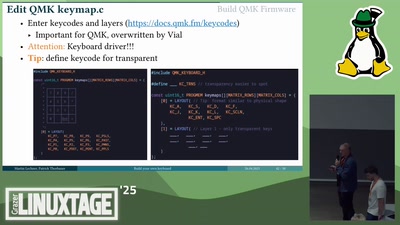
The keyboard is your main interface to the computer and most of us use it for hours everyday. Therefore, it makes sense to have the keyboard customized to your liking. We will explain what mechanical keyboards are and what different levels of customization are possible and why you may want them. Additionally we present the necessary tools, skills and resources you need and show you how easy it is to either modify a commercial keyboard or create your own - completely new from scratch. # DIY: Build your own mechanical Keyboard ### Why, how, and how deep is the rabbit hole? Improving the office setup usually doesn't go much further than buying an ergonomic chair or maybe a wrist rest. However, the keyboard is your main interface to the computer and most of us use it for hours everyday without ever thinking about it. Therefore, it makes sense to improve the experience and have the keyboard customized to your liking. This can be done with mechanical keyboards, which are often seen as superior to the more common membrane keyboards. They usually offer a better typing experience with options for tactile and audible (clicky) feedback, are more durable and damaged keys can be easily replaced, while switches can even be hot-swapped. Additionally they allow all kinds of customizations up to a completely custom build. First, we will explain what mechanical keyboards are, how they work and why you may want one. To illustrate this, we will briefly tell about our journeys and different reasons why we finally ended up building our own keyboards. Next, we will talk about different levels of "building your own" keyboard. Starting from programming different layouts and exchanging switches on a commercial one, over changing the firmware up to completely building a keyboard, either from some open hardware project or from scratch, creating your own unique keyboard. We will explain in detail the different customization options, which skills and tools are necessary, which resources are available and how easy it really is to build a keyboard. Additionally, we will show demos of what can be built and what can be achieved with different levels of customization. At the end of our talk you will know about: - All required components of a keyboard - What level of customization you might want - How and where to start with your own mechanical keyboard project Licensed to the public under https://creativecommons.org/licenses/by/4.0/ about this event: https://pretalx.linuxtage.at/glt25/talk/H7AVKF/
What this episode covers
The keyboard is your main interface to the computer and most of us use it for hours everyday. Therefore, it makes sense to have the keyboard customized to your liking. We will explain what mechanical keyboards are and what different levels of customization are possible and why you may want them. Additionally we present the necessary tools, skills and resources you need and show you how easy it is to either modify a commercial keyboard or create your own - completely new from scratch. # DIY: Build your own mechanical Keyboard ### Why, how, and how deep is the rabbit hole? Improving the office setup usually doesn't go much further than buying an ergonomic chair or maybe a wrist rest. However, the keyboard is your main interface to the computer and most of us use it for hours everyday without ever thinking about it. Therefore, it makes sense to improve the experience and have the keyboard customized to your liking. This can be done with mechanical keyboards, which are often seen as superior to the more common membrane keyboards. They usually offer a better typing experience with options for tactile and audible (clicky) feedback, are more durable and damaged keys can be easily replaced, while switches can even be hot-swapped. Additionally they allow all kinds of customizations up to a completely custom build. First, we will explain what mechanical keyboards are, how they work and why you may want one. To illustrate this, we will briefly tell about our journeys and different reasons why we finally ended up building our own keyboards. Next, we will talk about different levels of "building your own" keyboard. Starting from programming different layouts and exchanging switches on a commercial one, over changing the firmware up to completely building a keyboard, either from some open hardware project or from scratch, creating your own unique keyboard. We will explain in detail the different customization options, which skills and tools are necessary, which resources are available and how easy it really is to build a keyboard. Additionally, we will show demos of what can be built and what can be achieved with different levels of customization. At the end of our talk you will know about: - All required components of a keyboard - What level of customization you might want - How and where to start with your own mechanical keyboard project Licensed to the public under https://creativecommons.org/licenses/by/4.0/ about this event: https://pretalx.linuxtage.at/glt25/talk/H7AVKF/
NOW PLAYING
DIY: Build your own mechanical Keyboard (glt25)
No transcript for this episode yet
Similar Episodes
Apr 21, 2026 ·73m
Apr 18, 2026 ·95m
Apr 15, 2026 ·55m
Apr 13, 2026 ·68m
Apr 11, 2026 ·59m
Apr 9, 2026 ·66m