
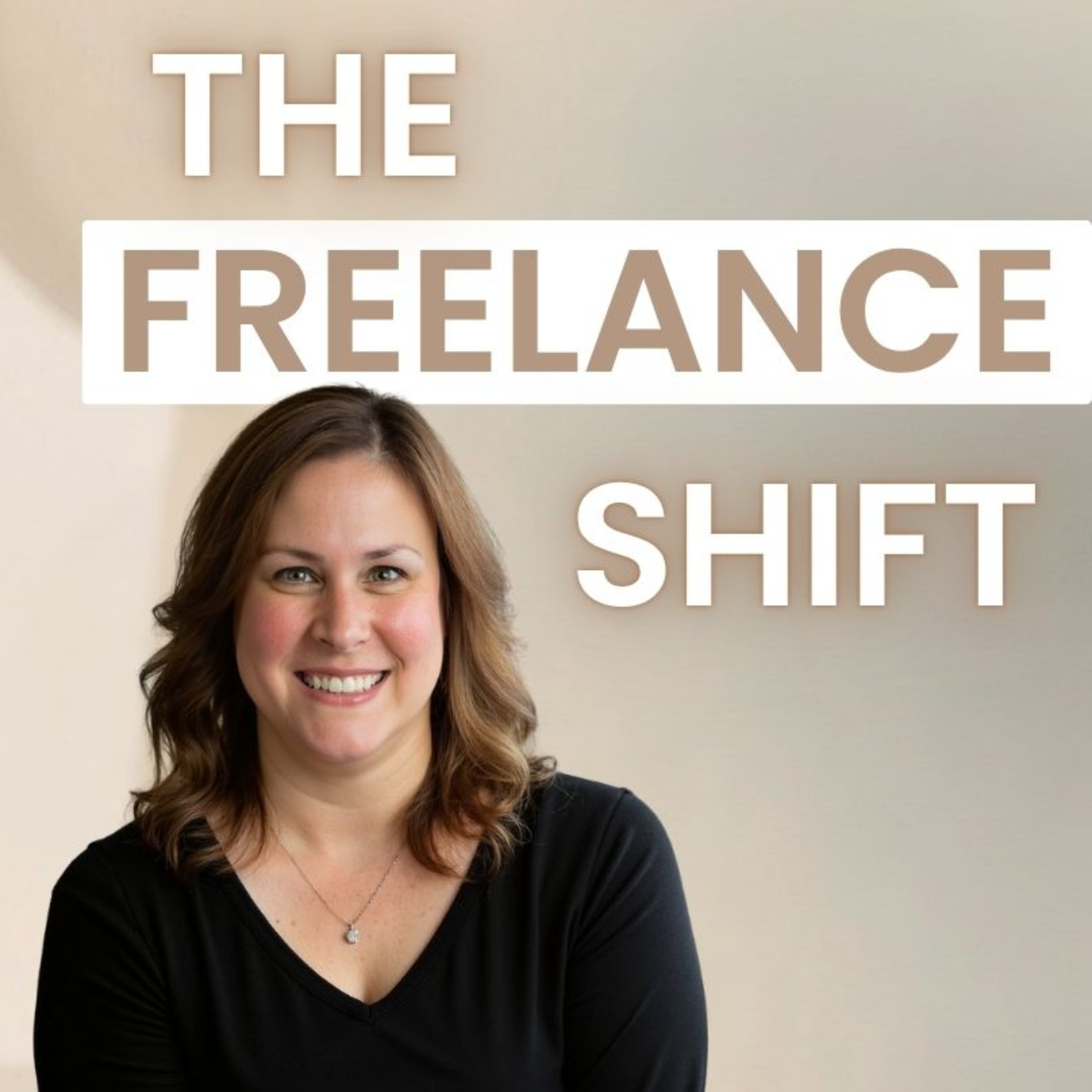
PODCAST · business
The Freelance Shift
by Jennifer F
Welcome to The Freelance Shift. I’m Jennifer, and I help freelancers simplify their tools and workflows so they can work less, earn more, and avoid burnout.This is your go-to space for practical, real-world freelancing—covering clients, pricing, systems, and the simple tech that actually makes your business easier to run.If you’re tired of feeling overworked and disorganized, you’re in the right place.Each week, I’ll share clear, actionable strategies to help you work smarter, stay organized, and build a freelance business that actually works for you.Follow along for weekly tips.
-
18
The LinkedIn Strategy That Helped Me Discover Freelance Opportunities (Ep 97)
The Freelance ShiftThe LinkedIn Strategy That Helped Me Discover Freelance Opportunities (Ep 97)https://thefreelanceshift.comIf you think finding freelance work on LinkedIn is all about scrolling through job postings and submitting applications, you might be missing some of the platform's biggest opportunities. While LinkedIn does advertise freelance and contract roles, many of the most valuable projects I've discovered came through something less obvious: the professional community built around it. Over the years, I've seen freelancers share opportunities they couldn't take, recruiters repost openings for specialized skills, and people in my network surface projects I never would have found through a traditional job search. In this video, I'll explain why I view LinkedIn as much more than a job board, how simply staying connected and visible can make a difference, and why the relationships you build today may lead to introductions, referrals, and freelance opportunities months—or even years—down the road.
-
17
How I Landed Corporate Freelance Clients Without Cold Pitching (Ep 96)
The Freelance ShiftHow I Landed Corporate Freelance Clients Without Cold Pitching (Ep 96)https://thefreelanceshift.comWatch this next!8 Questions I Ask Before Saying Yes to Any Freelance Client (Ep 95)https://youtu.be/Iqgg4RnouZkWant to land corporate freelance clients without spending hours cold pitching? In this video, I share how I built relationships with agencies that led to projects with well-known organizations and helped me grow a six-figure freelance business. You'll learn how I found my first agency opportunity through a simple word-of-mouth referral, the difference between staffing agencies and project-based freelance opportunities, why I prefer 1099 engagements over full-time contract placements, and how to identify agencies that align with the type of freelance business you want to build. If you're a freelancer, instructional designer, trainer, consultant, or independent contractor looking for new ways to find clients, diversify your income, and create a more sustainable freelance business, this video will show you an often-overlooked strategy for finding high-quality freelance work.https://thetrainingassociates.com/https://trainingpros.com/https://www.judge.com/https://t.mercor.com/iWszlhttps://www.axiomlearningsolutions.com/
-
16
8 Questions I Ask Before Saying Yes to Any Freelance Client (Ep 95)
The Freelance Shift8 Questions I Ask Before Saying Yes to Any Freelance Client (Ep 95) https://thefreelanceshift.comLooking for the next step? Check out "The Power of Asking: A Freelance Negotiation That Paid Off," where I share how asking better questions helped me negotiate a better outcome—and why the questioning shouldn't stop once rates are discussed. https://youtu.be/yhJ_imu8vgUEver said yes to a freelance project and wished you'd asked a few more questions first? After working with more than 30 freelance clients, I've learned that the success of a project is often determined before the work even begins. In this video, I'm sharing the 8 questions I ask before saying yes to any client—the same questions that have helped me avoid scope creep, uncover hidden expectations, build stronger client relationships, and create a more sustainable freelance business. Whether you're new to freelancing or a seasoned pro, these practical questions can help you choose better opportunities and build a business that fits the way you actually want to work.
-
15
The Easiest Way to Start Networking When You Know Nobody (Ep 94)
The Freelance ShiftThe Easiest Way to Start Networking When You Know Nobody (Ep 94)https://thefreelanceshift.comBuilding a Freelance Business Clients Want to Return (Ep 53) (https://youtu.be/twvgphDeT6c) Networking doesn't have to mean awkward events, forced conversations, or trying to sell yourself to strangers. In this episode, I share how I built a successful freelance business from the ground up with no industry connections, no warm introductions, and no massive LinkedIn following—and how the relationships I built along the way led to long-term clients, referrals, and even an 18-month project with Microsoft. You'll learn practical networking strategies for freelancers and solopreneurs, including how to reconnect with existing contacts, build genuine professional relationships, stay top of mind, and create opportunities without feeling pushy or salesy. If you're looking for skills freelancers and solopreneurs need to earn more money, build a stronger network, and create a steady stream of client opportunities, this episode will show you why your next big opportunity may already be connected to someone you know.
-
14
How I Landed Corporate Clients Without Upwork (Ep 93)
The Freelance ShiftHow I Landed Corporate Clients Without Upwork (Ep 93)https://thefreelanceshift.comBuilding a Freelance Business Clients Want to Return (Ep 53) (https://youtu.be/twvgphDeT6c) Tired of hearing that the only way to find freelance clients is through Upwork? I took a different path. In this episode, I share how I built a multi-six-figure freelance business, worked with more than 30 clients, and landed projects with major companies—without relying on freelance marketplaces. You'll learn the relationship-building skill that helped me earn more money as a freelancer: leveraging staffing and creative agencies, becoming the freelancer they call first, and turning great client work into a steady stream of referrals. I'll also explain how a single positive client experience can lead to opportunities at multiple companies as contacts change jobs and bring trusted freelancers with them. If you're looking for practical skills freelancers and solopreneurs need to earn more money, build stronger client relationships, and create a more sustainable business, this episode is for you. Plus, be sure to check out Episode 53: Building a Freelance Business Clients Want to Return (https://youtu.be/twvgphDeT6c) To for even more strategies on turning one client into many.
-
13
How I Use AI to Catch Mistakes Before My Clients Do (Ep 92)
The Freelance ShiftHow I Use AI to Catch Mistakes Before My Clients Do (Ep 92)https://thefreelanceshift.comDownload the five sample prompts to use to have AI stress test your work: https://aypcbusiness.systeme.io/promptsIf you think AI is just about replacing your expertise, you're missing out on its real superpower for freelancers - using it as a critique partner before your work reaches clients. I'm currently building an Excel training course for a major financial firm, something I'm doing based on decades of experience, but before sending the storyboard to the development team, I used Copilot to stress-test my work from different perspectives: What would a financial firm stakeholder worry about? What would a corporate training leader flag? Where might learners struggle? Instead of creating the training, I asked AI to challenge my blind spots and identify gaps I might have missed because I'm too close to the project. The feedback caught real issues—sequencing problems, missing context, assumptions about prior knowledge—that I was able to fix before the client ever saw it. The real value: is not automation, but quality control. Freelancers work alone without peer reviewers or QA teams, which means we develop blind spots naturally, but having an on-demand critique partner available instantly can significantly reduce revision cycles and improve deliverables before they reach clients—and that's a genuine competitive advantage.
-
12
How to Start Freelancing Fast 5 Steps That Actually Work (Ep 91)
The Freelance ShiftHow to Start Freelancing Fast 5 Steps That Actually Work (Ep 91)https://thefreelanceshift.comMany freelancers assume AI is mainly for generating content, but one of the most valuable ways to use tools like is as a critique partner before client work is delivered. In this post, I share how I used Copilot while serving as the subject matter expert for a large financial firm’s Excel training initiative, where I developed an eLearning course and two live training programs for new professionals. Rather than relying on AI to create the strategy, I used decades of Excel and instructional design experience to build the storyboard and training outline myself, then prompted Copilot to evaluate the work from the perspective of a stakeholder at a major U.S. financial organization. The feedback helped identify gaps, sequencing issues, and opportunities to strengthen the training before it reached the development team. This approach is especially valuable for freelancers and solopreneurs because it creates a low-cost “second opinion” process that can improve deliverables, sharpen professional skills, reduce revisions, and ultimately help independent professionals produce higher-value work that can lead to stronger client relationships and higher earnings.Let's Talk Tech-Build Your Website Using AI (Ep 14) https://youtu.be/uDw2f6AD9HcHow Freelancers Get Paid & Understanding Business Structures (Ep 2) https://youtu.be/T4go6S2cMsMOnline Networking Groups for Freelancers (Ep 5) https://youtu.be/OwvtW2Y9qt8
-
11
You Don’t Need More Clients—You Need Better Systems Here’s Why (Ep 90)
The Freelance ShiftYou Don’t Need More Clients—You Need Better Systems Here’s Why (Ep 90)https://thefreelanceshift.comOne thing I’ve noticed after building my own multiple six-figure freelance business and working with freelancers inside The Freelance Shift is that the freelancers earning more money usually aren’t the ones working the hardest—they’re the ones using technology more effectively. And I don’t mean coding or anything super technical. I’m talking about practical skills like automating repetitive tasks, creating templates instead of starting from scratch, organizing files so nothing gets lost, using AI to speed up writing and research, and building simple systems that make everyday work easier. Those little improvements may not seem like a big deal in the moment, but over time they save hours of work, reduce stress, and make your business run more smoothly. That’s the real power of IT skills for freelancers: they create leverage. When you spend less time repeating the same tasks and solving the same problems over and over, you free up more time for better work, better clients, and ultimately more income—without adding more hours to your week.The Hidden AI Tool in Microsoft Copilot That Helps Freelancers Think Like Experts (Ep 86)https://youtu.be/T6c0oeNroz0Stop Writing the Same Emails Over and Over — A Freelancer’s Guide to Email Templates (Ep 69)https://youtu.be/haSfgIpHOxsQuick Parts - The Word Feature That Will Save Freelancers Hours Every Week (Ep 72)https://youtu.be/3BEYyJjMVrM
-
10
Why Two Freelancers With the Same Skills Can Earn Completely Different Incomes (Ep 89)
The Freelance ShiftWhy Two Freelancers With the Same Skills Can Earn Completely Different Incomes (Ep 89)https://thefreelanceshift.comMany freelancers assume they’re struggling to land higher-paying clients because they need more experience, a stronger portfolio, or better credentials—but after building a multiple six-figure freelance business and working with corporate clients, I’ve learned that one of the biggest income differentiators is actually communication. Clients often decide how valuable you are before they ever see your work based on your emails, proposals, follow-ups, discovery questions, and the confidence in your written communication. Clear, professional communication helps freelancers win projects faster, reduce scope creep, face less price resistance, get paid faster, and earn more referrals—all without working more hours. Two freelancers can have identical skills, but the one who communicates with more clarity and confidence will often earn significantly more.To help you improve communication, Watch Copilot's "Help Me Write" Feature in Outlook - An Improvement for Freelance Communicationhttps://youtu.be/k6CvsmKmWik?si=S-mbHpr1-l-D1Z9r
-
9
How Freelancers Can Think Like Analysts—Without Becoming One (Ep 88 )
The Freelance ShiftHow Freelancers Can Think Like Analysts—Without Becoming One (Ep 88 )https://thefreelanceshift.comAs a freelancer, I’ve never been intimidated by numbers or technology—but I’ve always been short on time. Client spreadsheets, reports, survey results, and dashboards often held valuable insights, yet like many freelancers, I’d skim for patterns, trust my experience, and move on because deeper analysis simply wasn’t billable. Then I started using Microsoft Copilot’s Analyst agent, and it quietly changed the way I work. Instead of manually hunting through rows and columns, I can ask the questions I’m already thinking—Where are learners dropping off? What patterns am I missing? What’s driving these results?—and get clear patterns, flagged outliers, and plain-language insights in minutes. It doesn’t replace my judgment; it sharpens it. The result is better recommendations, stronger client conversations, more accurate project scoping, and the confidence to position myself not just as someone who delivers work, but as a strategic partner who brings evidence-backed insight to every engagement.
-
8
The Hidden Skill That Can Save Freelancers Hours—and Add Thousands to Their Bottom Line (Ep 87)
The Freelance ShiftThe Hidden Skill That Can Save Freelancers Hours—and Add Thousands to Their Bottom Line (Ep 87)https://thefreelanceshift.comWhen people hear “IT skills,” they often assume I’m talking to developers or tech consultants—but after years of freelancing, I’ve learned that some of the highest-ROI skills for *any* freelancer have nothing to do with coding and everything to do with using technology more strategically. Practical IT skills like automation, smarter workflows, better file management, AI, templates, and understanding how your tools work together can help you work faster, win projects sooner, reduce scope creep, cut costly revisions, improve cash flow, and even uncover new revenue opportunities. Whether you’re a writer, coach, consultant, designer, trainer, or VA, becoming more comfortable with technology doesn’t just make your business easier to run—it makes you more valuable, more profitable, and harder to replace. That’s exactly why I created The Freelance Shift, where I teach freelancers real-world, need-to-know tech, AI, and business skills that save time, protect margins, and help you earn more. Catch up on past episodes, subscribe, and shift smarter.
-
7
The Hidden AI Tool in Microsoft Copilot That Helps Freelancers Think Like Experts (Ep 86)
The Freelance ShiftEp 86: The Hidden AI Tool in Microsoft Copilot That Helps Freelancers Think Like Expertshttps://thefreelanceshift.comFreelancing teaches you that the hardest part of client work usually isn’t building the deliverable. It’s doing the thinking that comes before it. In this podcast episode, I explore how the Researcher agent in Microsoft Copilot fits into the real workflow of freelancers who create training, consulting, and knowledge-based content. Unlike standard AI chat tools that focus on quick answers, Researcher acts more like a research assistant—gathering sources, synthesizing perspectives, asking clarifying questions, and organizing complex information into structured, source-aware reports that support better judgment before you ever start writing. Using the example of a freelancer designing AI workplace training for non-technical employees, the episode shows how Researcher helps uncover common misconceptions, practical risks, and real-world workplace patterns so the final training feels informed rather than generic. The broader point isn’t that one AI platform is “winning,” but that research-focused AI tools, including similar capabilities emerging in ChatGPT, are changing how freelancers protect the quality of their thinking, making it easier to build expertise-driven work on a stronger foundation.
-
6
AI Generated Headshots for Freelancers - Should You Use Them, and How to Do It Well? (Ep 85)
The Freelance ShiftEp 85: AI Generated Headshots for Freelancers - Should You Use Them, and How to Do It Well?https://thefreelanceshift.comFor freelancers, your headshot often shapes a client’s first impression long before a proposal is read or a discovery call begins—and that’s why AI-generated headshots are getting so much attention. Tools from companies like Aragon AI and HeadshotPro can create polished, professional portraits in minutes, offering an affordable alternative to traditional photography. The real question isn’t whether freelancers *can* use AI headshots—it’s whether they use them wisely. When done well, AI headshots can strengthen your brand, create consistency across platforms, and help you look polished from day one. But if they look overly perfected, inconsistent with your real appearance, or disconnected from how clients experience you on video calls or in person, they can quietly undermine trust. The smartest approach is to treat AI headshots as a branding enhancement—not an identity replacement—using realistic photos, natural styling, consistent imagery, and, when appropriate, transparency. Because in freelance business, clients may notice the photo first—but what ultimately earns their confidence is recognizing the same authentic professional behind it.
-
5
Microsoft Designer vs Microsoft Create -A Freelancer’s Perspective on AI Powered Design Tool (Ep 84)
The Freelance ShiftEp 84: Microsoft Designer vs Microsoft Create -A Freelancer’s Perspective on AI Powered Design Toolhttps://thefreelanceshift.comAs a freelancer constantly balancing speed with professionalism, I've been exploring Microsoft Designer and Microsoft Create—two AI-powered tools that are often mentioned together but solve very different problems in my workflow. Microsoft Designer is all about turning ideas into visuals fast: I type "Professional LinkedIn post announcing a new training service" and within minutes get multiple layout options with images, typography, and design structure already in place, plus features like AI image generation and automatic resizing—it's what I reach for when thinking "I need this to look good and I need it fast." Microsoft Create (which I covered in a separate blog post at https://youtu.be/QGKHvGzPmAY?si=I9xujIvGbNI51jwy) feels completely different—it's template-based and structured, giving me pre-built formats for resumes, flyers, or presentations when I already know what I need and just want a strong professional starting point. Together, they've become complementary in my freelance work: Create handles structure and formatting for proposals and documents, while Designer handles visual creativity and speed for social posts and promotional graphics—and the real value isn't about replacing design skills, it's about removing friction so I can communicate clearly, present work professionally, and spend more time on the work that actually drives my business forward instead of getting stuck in the technical side of design.Microsoft Create blog post: https://youtu.be/QGKHvGzPmAY?si=I9xujIvGbNI51jwy
-
4
Ep 83: The Honest Truth About Freelancing: What You Gain and What You Give Up
The Freelance ShiftEp 83: The Honest Truth About Freelancing: What You Gain and What You Give Uphttp://thefreelance shiftAfter my sister found a new job and said she hopes to stay there until retirement because she never wants to interview or onboard again, I realized how fundamentally different my freelance life is—I'm always interviewing, constantly onboarding, and working with multiple companies simultaneously. The pros of freelancing are real: I get variety and exposure to different industries that makes me better at my work, I can work for multiple clients without anyone complaining, I have flexibility over my schedule and can take time off when I want, I can refuse projects that don't align with my goals, and I've built long-term client relationships that provide stability without sacrificing autonomy. But the cons are equally real: I'm constantly proving myself, I don't have paid vacation or sick time, nobody's contributing to my retirement, the flexibility can turn into working all the time if I'm not careful, I'm viewed as an outsider at organizations I work with, my income can be unpredictable, and I handle everything from accounting to marketing myself. For now, I'm happy with the freelance model and genuinely enjoy the variety and autonomy, but I'm realistic enough to know that what works for me now might not work forever—maybe in five years I'll crave stability and employer-sponsored benefits, and if that happens, that's okay too, because work doesn't have to be a permanent, unchangeable decision.
-
3
Ep 82: Microsoft Create - The Hidden Hub That Makes Office 365 More Useful for Freelancers
The Freelance ShiftMicrosoft Create - The Hidden Hub That Makes Office 365 More Useful for Freelancers (Ep 82)https://thefreelanceshift.comMicrosoft Create is a surprisingly useful tool that many freelancers may already be paying for through their Microsoft 365 subscription without realizing it. Rather than being a new standalone app, it acts as a centralized launchpad for tools like Microsoft Word, Microsoft PowerPoint, Microsoft Excel, Microsoft Designer, Clipchamp, and more—making it easier to start projects, find templates, and move between tasks without constantly switching apps. For freelancers juggling proposals, presentations, graphics, videos, and admin work, that convenience alone can save time and mental energy. Add Microsoft Copilot, and it becomes even more powerful by helping brainstorm projects, suggest workflows, draft content, build slides, and support work across apps. It’s not about having more tools—it’s about using the tools you already own in a smarter, faster, more connected way.
-
2
Ep 26: Why Dropbox Still Deserves a Place in Your Freelance Toolkit
The Freelance ShiftLet's Talk Tech - Why Dropbox Still Deserves a Place in Your Freelance Toolkit (Ep 26)http://thefreelanceshift.comAfter freelancing for years (and running a yoga and Pilates studio for 18 years before that), Dropbox remains one of the most reliable tools in my digital toolkit because it does what freelancers actually need: stores all my files—audio, video, documents, presentations, images—in one organized hub that clients instantly recognize and trust, syncs seamlessly across all my devices so I can work from anywhere, and backs up everything automatically so a computer crash won't destroy my business. Unlike Google Drive or OneDrive, Dropbox doesn't reformat your files or lag with large videos and design files—it stores and shares everything exactly as-is with faster, smarter syncing—and its professional sharing features (password protection, expiration dates, view/edit controls) make it easy to collaborate securely with clients and team members without endless email attachments. I've tried Box and really like it, but it felt like too much infrastructure for a one-person business, whereas Dropbox is simpler, faster, and better suited to how freelancers actually work—plus it integrates beautifully with Zoom, Slack, Canva, QuickBooks, and other tools I use daily. The peace of mind knowing my files are safe, accessible, and professionally shareable is worth every penny of the couple hundred dollars I spend annually, and it's made collaborating with my YouTube assistant incredibly smooth by letting us share video files instantly without lost attachments or version confusion.
-
1
Ep 50: How Raindrop.io Turned My Freelance Bookmarks Into a Searchable Knowledge Base
The Freelance ShiftHow Raindrop.io Turned My Freelance Bookmarks Into a Searchable Knowledge Base (Ep 50)https://thefreelanceshift.comAs a freelancer doing knowledge work, I save countless links—articles, tools, examples, client resources—and the real challenge isn't saving them, it's finding them again, which is why I use Raindrop.io for bookmarks. The free version does everything I need: unlimited bookmarks that sync automatically across all my devices and browsers (laptop, phone, tablet, different browsers), accessible via web or app, with a powerful tagging system that turns my bookmarks into a searchable knowledge base instead of a digital junk drawer—so instead of remembering where I filed something, I just search by topic tags like "instructional-design" or "freelancing tools" and find it instantly. Raindrop also offers flexible collections for broader organization, visual previews so I can scan quickly, and the ability to add notes explaining why I saved something (helpful for future-me on long-term projects), plus there's a paid Pro version with permanent page copies and annotations if you need deeper research features, but the free plan has been more than enough for my workflow and far better than relying on browser bookmarks that fall apart the moment you switch devices or need decent search.
-
0
Ep 69: Stop Writing the Same Emails Over and Over - A Freelancer's Guide to Email Templates
The Freelance Shift Stop Writing the Same Emails Over and Over -A Freelancer's Guide to Email Templates https://thefreelanceshift.comAs a freelancer, you're probably spending way too much time writing the same emails over and over—proposals, status updates, polite declines—rewriting from scratch what you've already written dozens of times. I used to waste 10-15 minutes per email, which added up to nearly an hour a week, but now I have a template library that lets me customize and send those same emails in 30 seconds, saving me about 3+ hours every month. In this post, I'll show you how to build your own template library, share ready-to-use examples for common freelancer scenarios (inquiry responses, polite declines, status updates, invoices), explain the best tools for managing templates (Gmail features, TextExpander, simple Google Docs), and give you tips for customizing them so they don't feel robotic—because this isn't about being lazy, it's about being efficient with tasks that don't need custom creativity every time.Text Expander: https://textexpander.com/aText: https://www.trankynam.com/atext/Streak.com: https://www.streak.com/Gmelius: https://gmelius.com/Notion: https://www.notion.com/
We're indexing this podcast's transcripts for the first time — this can take a minute or two. We'll show results as soon as they're ready.
No matches for "" in this podcast's transcripts.
No topics indexed yet for this podcast.
Loading reviews...
ABOUT THIS SHOW
Welcome to The Freelance Shift. I’m Jennifer, and I help freelancers simplify their tools and workflows so they can work less, earn more, and avoid burnout.This is your go-to space for practical, real-world freelancing—covering clients, pricing, systems, and the simple tech that actually makes your business easier to run.If you’re tired of feeling overworked and disorganized, you’re in the right place.Each week, I’ll share clear, actionable strategies to help you work smarter, stay organized, and build a freelance business that actually works for you.Follow along for weekly tips.
HOSTED BY
Jennifer F
CATEGORIES
Loading similar podcasts...
Frequently Asked Questions
How many episodes does The Freelance Shift have?
The Freelance Shift currently has 19 episodes available on PodParley. New episodes are automatically indexed when they're published to the podcast feed.
What is The Freelance Shift about?
Welcome to The Freelance Shift. I’m Jennifer, and I help freelancers simplify their tools and workflows so they can work less, earn more, and avoid burnout.This is your go-to space for practical, real-world freelancing—covering clients, pricing, systems, and the simple tech that actually makes your...
How often does The Freelance Shift release new episodes?
The Freelance Shift has 19 episodes. Check the episode list to see recent publication dates and frequency.
Where can I listen to The Freelance Shift?
You can listen to The Freelance Shift on PodParley by clicking any episode. We provide an embedded audio player for direct listening, and you can also subscribe via your preferred podcast app using the RSS feed.
Who hosts The Freelance Shift?
The Freelance Shift is created and hosted by Jennifer F.
URL copied to clipboard!