
EPISODE · Feb 10, 2025 · 24 MIN
Microsoft Clarity: User Experience Solutions
from Devsig Podcast · host Bholendra Singh
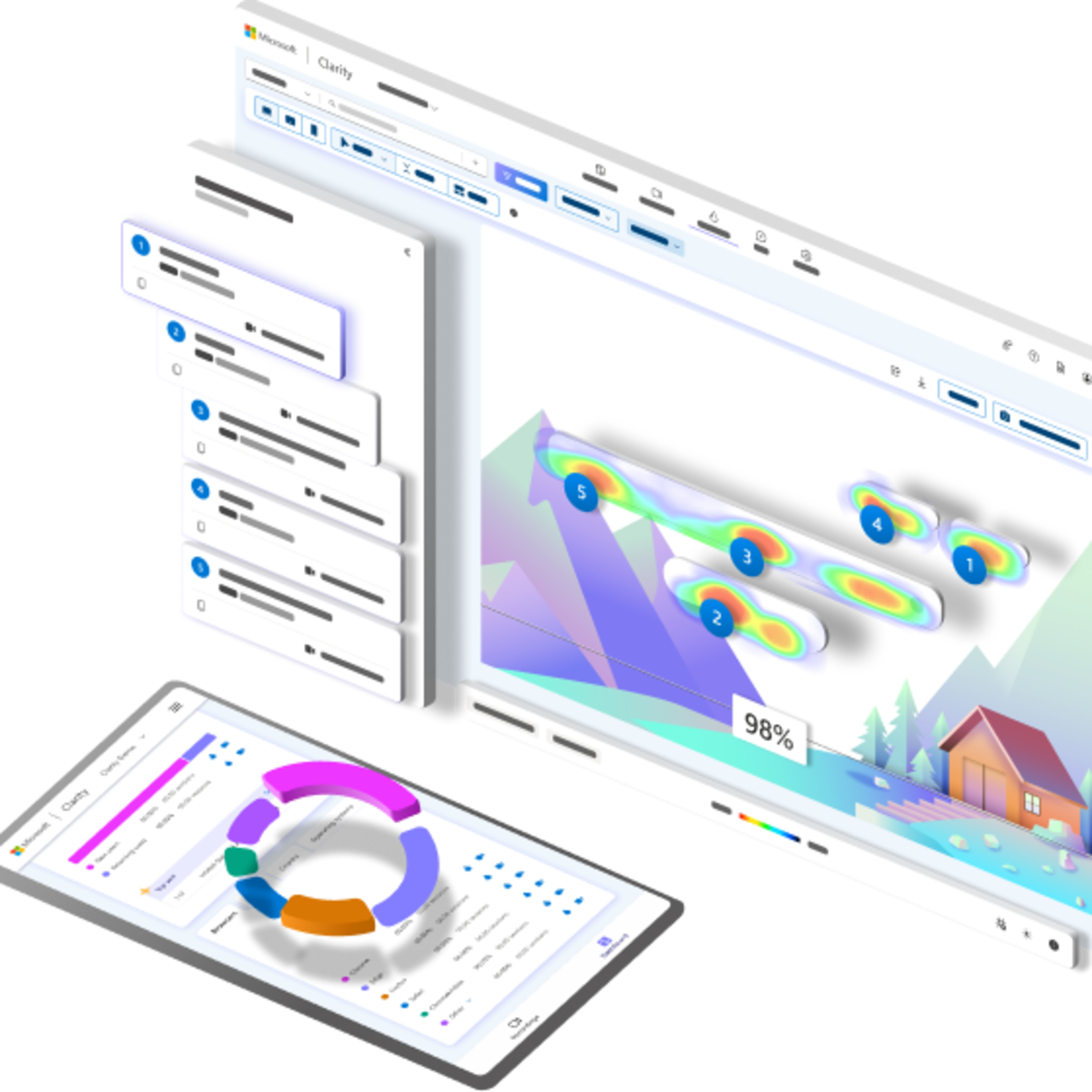
Clarity is a free behavioral analytics tool that helps you understand how users interact with your website or app. It provides insights into user behaviour, which can help you improve user experience, identify problems, and make data-driven decisions. Key features of Clarity include: Session recordings: Clarity records user interactions on your site, including mouse movements, clicks, and scrolls, allowing you to see how users navigate your site. These recordings are not video streams but rather animations of user actions based on the page information and user interactions. Heatmaps: These visualisations show where users click, move their mouse, and scroll on your pages, allowing you to identify popular and overlooked areas. Clarity creates heat maps based on element attributes, not the content. Heatmaps are available for PC, tablet and mobile. Event and funnel tracking: These features allow you to track specific user actions and see how they progress through your site. Funnel tracking may be impacted if explicit user consent is not given in the EEA, UK, and Switzerland. Copilot powered insights: This feature uses AI to summarise recordings and heatmaps to help you efficiently analyse user behaviour. Chat with Copilot can answer questions about your dashboard data, provide suggestions and links to relevant filters. However, keep in mind that Copilot's takeaways should not be treated as expert recommendations. Customisable segments: You can create and analyse segments to customise data to your specific needs. Clarity is designed with performance in mind, and its JavaScript code is asynchronous, meaning it doesn't slow down your site. It processes a large amount of data with no traffic limits and does not use sampling. Clarity can be used in various scenarios, such as: Making data-driven decisions about what works and what doesn't. Testing content placement and effectiveness. Identifying confusing elements on your webpage. Adding relevant content based on user behaviour. Testing and publishing new ideas. Clarity is a free service with no obligation to upgrade to a paid version. However, it should not be used on websites/apps targeting users under 18 years of age. Clarity prioritises user privacy, masking sensitive data by default. You can choose to mask or unmask certain parts of the page. Data is stored in the Microsoft Azure cloud service. The data is retained for the webmaster's consumption for up to 30 days from the time of recording, while favourite recordings and randomly selected samples of recordings are kept for up to 13 months. Clarity is also GDPR and CCPA compliant. Clarity's features rely on first-party cookies set by the visited website and will not be affected by the deprecation of third-party cookies. However, for users in the EEA, UK, and Switzerland, explicit consent is required before placing cookies on their devices. Clarity also supports integrations with other services such as Google Analytics and Microsoft UET. You can also use custom tags to send additional data to Clarity. The Clarity library is open source and available on GitHub. Many companies have used Clarity to improve their websites and apps. Some success stories include increased trial sign-ups, higher conversion rates, reduced bounce rates, and improved user engagement.
What this episode covers
Clarity is a free behavioral analytics tool that helps you understand how users interact with your website or app. It provides insights into user behaviour, which can help you improve user experience, identify problems, and make data-driven decisions. Key features of Clarity include: Session recordings: Clarity records user interactions on your site, including mouse movements, clicks, and scrolls, allowing you to see how users navigate your site. These recordings are not video streams but rather animations of user actions based on the page information and user interactions. Heatmaps: These visualisations show where users click, move their mouse, and scroll on your pages, allowing you to identify popular and overlooked areas. Clarity creates heat maps based on element attributes, not the content. Heatmaps are available for PC, tablet and mobile. Event and funnel tracking: These features allow you to track specific user actions and see how they progress through your site. Funnel tracking may be impacted if explicit user consent is not given in the EEA, UK, and Switzerland. Copilot powered insights: This feature uses AI to summarise recordings and heatmaps to help you efficiently analyse user behaviour. Chat with Copilot can answer questions about your dashboard data, provide suggestions and links to relevant filters. However, keep in mind that Copilot's takeaways should not be treated as expert recommendations. Customisable segments: You can create and analyse segments to customise data to your specific needs. Clarity is designed with performance in mind, and its JavaScript code is asynchronous, meaning it doesn't slow down your site. It processes a large amount of data with no traffic limits and does not use sampling. Clarity can be used in various scenarios, such as: Making data-driven decisions about what works and what doesn't. Testing content placement and effectiveness. Identifying confusing elements on your webpage. Adding relevant content based on user behaviour. Testing and publishing new ideas. Clarity is a free service with no obligation to upgrade to a paid version. However, it should not be used on websites/apps targeting users under 18 years of age. Clarity prioritises user privacy, masking sensitive data by default. You can choose to mask or unmask certain parts of the page. Data is stored in the Microsoft Azure cloud service. The data is retained for the webmaster's consumption for up to 30 days from the time of recording, while favourite recordings and randomly selected samples of recordings are kept for up to 13 months. Clarity is also GDPR and CCPA compliant. Clarity's features rely on first-party cookies set by the visited website and will not be affected by the deprecation of third-party cookies. However, for users in the EEA, UK, and Switzerland, explicit consent is required before placing cookies on their devices. Clarity also supports integrations with other services such as Google Analytics and Microsoft UET. You can also use custom tags to send additional data to Clarity. The Clarity library is open source and available on GitHub. Many companies have used Clarity to improve their websites and apps. Some success stories include increased trial sign-ups, higher conversion rates, reduced bounce rates, and improved user engagement.
NOW PLAYING
Microsoft Clarity: User Experience Solutions
No transcript for this episode yet
Similar Episodes
Mar 26, 2026 ·1m
Jan 2, 2026 ·47m
Dec 21, 2025 ·46m